
$69 a month at one end of this list. $812 a month at the other. Both numbers buy you an AI that will build a client report from a sentence you type.
The best AI reporting tools for marketing agencies right now are Swydo, AgencyAnalytics, Whatagraph, DashThis, and Databox. Each one cuts client report time by 60–90%. They auto-generate summaries, answer your questions in plain English, and flag anomalies before clients spot them.
What the decision turns on is not which AI writes the nicest paragraph. It’s your client count, how many data sources each client runs, and whether you’re buying reports alone or reports plus live dashboards plus alerts on one bill. Those three inputs swing your annual cost by five figures.
One disclosure before you read further: I work at Swydo. I’ve also built client reports for seven years. The first one took a Sunday afternoon and the 200th still took three hours, which is why I’ll tell you plainly where Swydo is the wrong answer and where a competitor beats it.
Here’s the order. A three-layer frame for what “reporting” covers, then the eight tools with what each one’s AI does and what it costs, then three questions that get you to a shortlist in about twenty minutes. If you’re new to the category, our roundup of report automation tools covers the wider set.
The Three-Layer Reporting Stack
Client reporting is three jobs, not one, and most agencies underbuy because they price for one. The three layers are Reports for your client, Boards for your team, and Alerts for your future self, and the client reporting software you need depends on how many of those three you’re solving.
| Layer | Who it’s for | What it does |
|---|---|---|
| Reports | Your client | Monthly or weekly story of what happened |
| Boards | Your team | Live, internal dashboard checked between reports |
| Alerts | Your future self | Notification when something drifts before the client notices |
I call this the Three-Layer Reporting Stack. Every tool below is scored on how well it handles each layer and on where its AI does real work rather than demo work. If the difference between the first two layers isn’t obvious yet, the breakdown of dashboards vs reports is a five-minute read that settles it.
At a Glance
AI Reporting Tools at a Glance
Compare pricing, AI capabilities, and reporting features to find the best fit for your agency
Swydo

AgencyAnalytics
Whatagraph
DashThis
Databox

Looker Studio Pro

Improvado

NinjaCat
AI Capabilities
Reporting & Data
Additional Info
1. Swydo
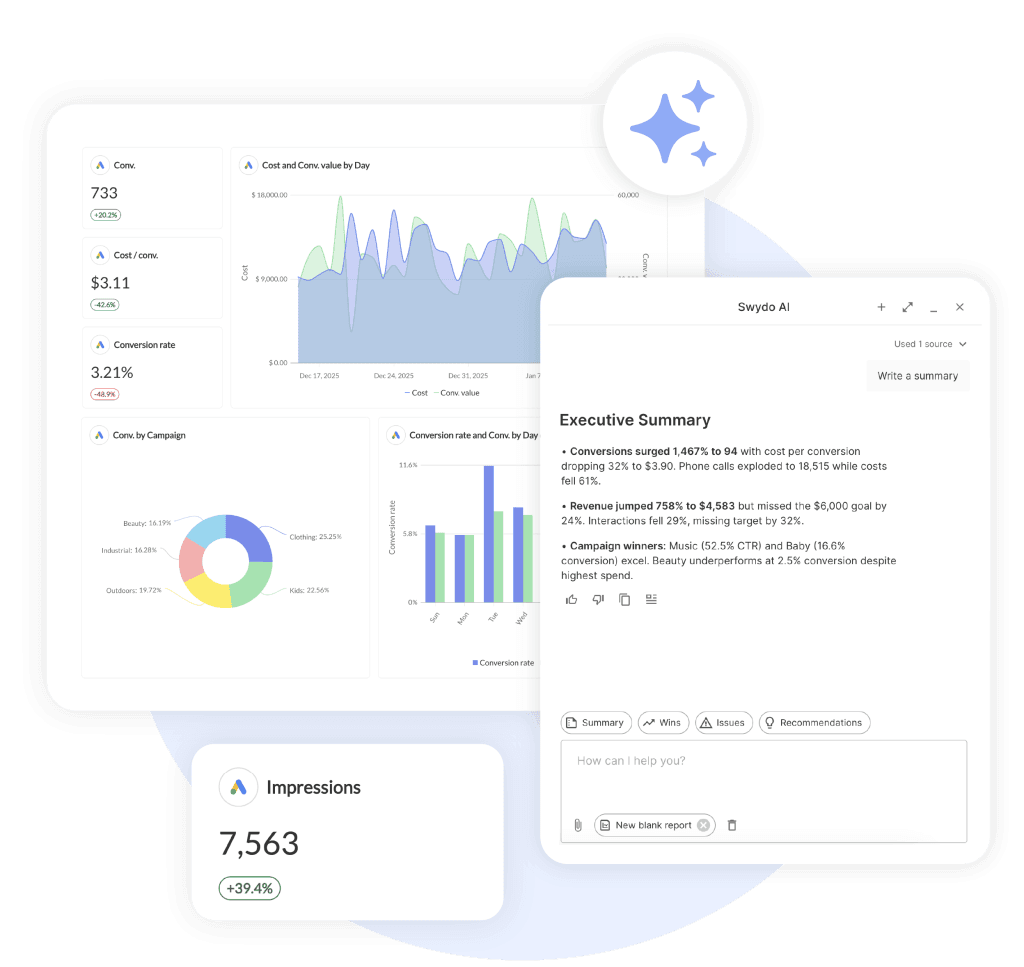
This is where I work. So I’ll tell you exactly when Swydo is the right answer and when it isn’t.
Swydo is the only tool in this list built around all three layers of the stack, and the AI sits inside that frame rather than bolted on top of it. Reports go to the client, Monitoring Boards stay internal for your team, and Alerts fire when a number or a connection moves without anyone asking.
Click the AI icon at the top of any report and you get four default prompts: Summary, Wins, Issues, Recommendations. The paperclip icon focuses the AI on one section or one metric instead of the whole report. Output drops straight into a text widget, so the commentary sits next to the data it describes, and AI-generated Summaries auto-insert into scheduled report emails so your client reads the narrative before they click into anything.
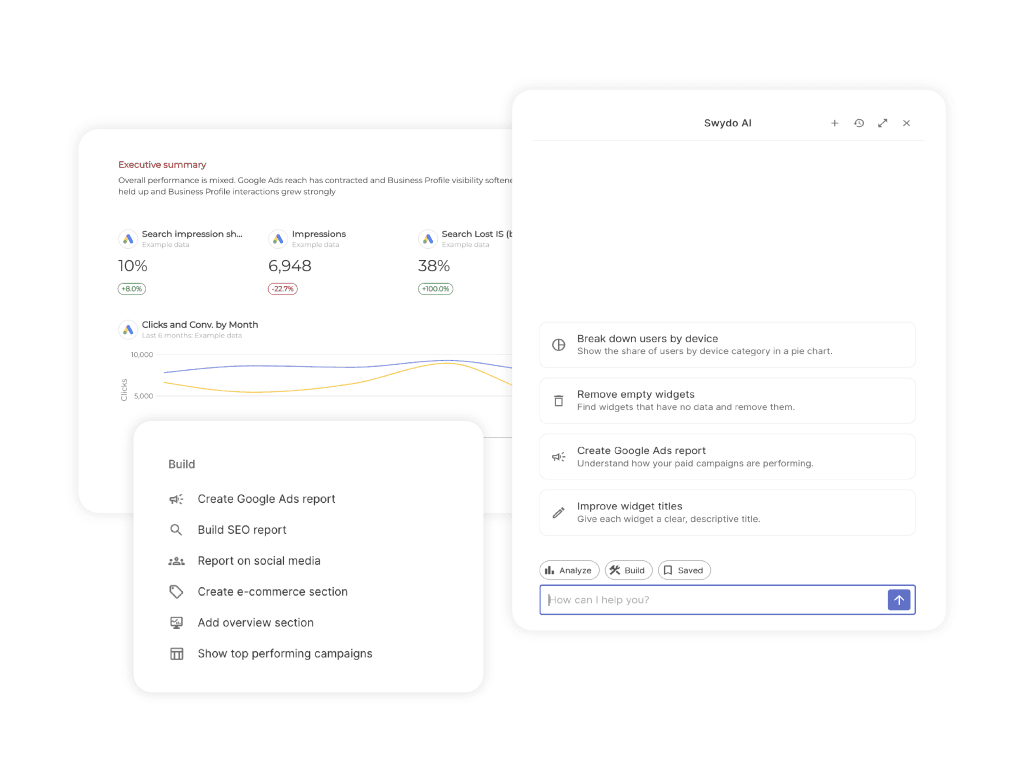
Swydo also builds the report now, not just the commentary. Agentic Reporting turns the AI panel into a conversation: describe the report you need and it generates the sections and widgets. AI Report Builder produces a full structure from one prompt, AI Widget Creation adds KPIs, tables, and charts in plain language, and AI Widget Editing changes date ranges, chart types, metrics, and sorting when you describe the change rather than clicking through settings.
AI Section Management creates, renames, moves, and organizes sections through the same conversation. Saved Prompts keeps the ones that work, so you can hand a new hire a prompt and their first client report comes out looking like everyone else’s. Whatagraph built its premium positioning on this capability, and it now ships on a $69/mo plan.
The Client Portal
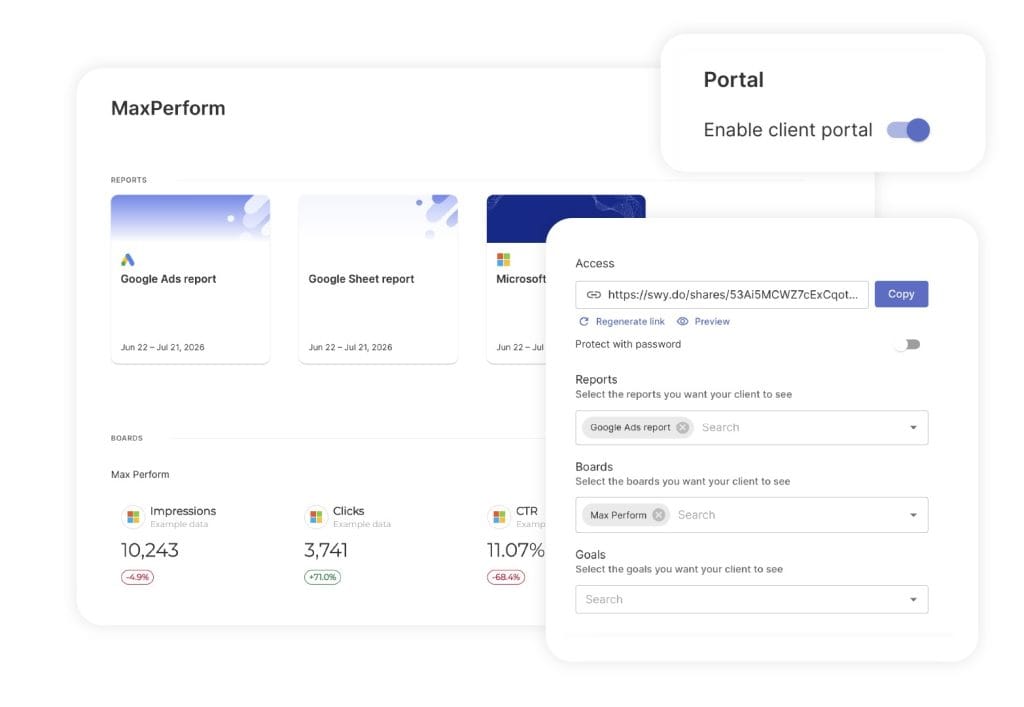
The Client Portal gives each client one secure link that holds everything you’ve chosen to share, instead of three separate URLs they lose in their inbox. Open the client’s account, go to the Portal tab, turn it on, and pick what goes in:
- Reports for the detailed monthly or weekly performance story.
- Boards for a quick read on the KPIs that matter between reports.
- Goals so the client can watch progress against their targets without asking you for a number.
Preview it before you send it, so you see the portal exactly as your client will. Add a password when a client’s procurement team asks for one. Regenerate the link at any point and the previous link dies immediately, which is the thing you want on the day an account manager leaves. Swap the shared content whenever the client’s reporting needs change and the link stays the same.
If your clients currently email you on the 18th of the month asking for a number, a portal is what stops that.
How the AI Credits Work
Every Swydo plan includes 4,000 AI credits a month. An average report summary uses about 95, so the included allowance covers roughly forty summaries before you think about it at all.
Credits are deducted by the complexity of the request rather than by a flat per-click charge, so a large report costs more than a small one. They reset monthly and don’t carry over. You’re not charged up front for them either: they’re billed only once they’re used, so an unused month costs you nothing, and you can set a spending limit if you’d rather cap the ceiling yourself. Billing → View usage details breaks down how many credits each thread and each team member consumed, which is how you find out that one person is running the same summary eleven times.
You can also turn the AI on for clients and for your wider team under Settings in the left-side menu. Client-facing AI chat lets clients ask their own questions about the report between meetings instead of pinging your account manager, and Dashboards carry a limited version of the feature set. Any usage they generate comes out of your credit pool, which is worth knowing before you switch it on for thirty accounts. The AI runs in Dutch, English, French, German, Spanish, and several more.
On the privacy question, Swydo processes AI requests in the AWS cloud using commercially available models, the data isn’t used for training, requests route globally depending on which region has capacity, and the offering is GDPR compliant. Our existing data processing agreement already covers AWS, so nothing changes on the paperwork side.
My favorite feature: Data Health Check Alerts. Swydo monitors connection health daily and sends a red-dot in-app indicator plus an email to the connection owner the moment a token expires. I worked at an agency where a Meta connection dropped overnight, nobody noticed for nine days, and we sent a client a report with the Meta column completely blank, which cost us more trust than three quarters of solid work had built.
Connection-health monitoring is what makes AI commentary worth reading in the first place, because AI narrating empty data is worse than no AI at all. If the distinction between watching numbers and reporting them is new to you, our guide to monitoring vs reporting covers the workflow difference.
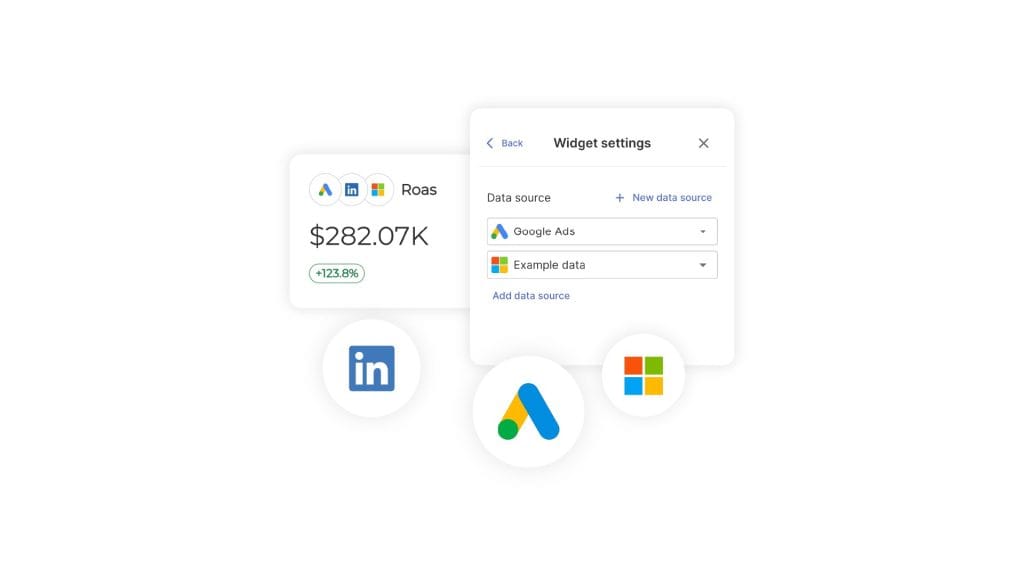
The other thing Swydo does that most of this list can’t is Combined Data Sources, which blends up to five ad platforms into a single widget. That covers Google Ads reporting, Microsoft Ads, Meta Ads reporting, LinkedIn, TikTok, Pinterest, Snapchat, X, and Reddit, out of 38 native integrations and counting. ChatGPT Ads landed as a native integration in July 2026, which makes Swydo the first tool here where OpenAI’s ad inventory reports alongside everything else instead of arriving as a manual export. One widget carries the cross-channel ROAS conversation that otherwise takes three browser tabs to explain. Our primer on data blending walks through when a blend beats a side-by-side.
Sidenote. Combined Data Sources don’t support custom metrics yet. Only the core paid-media set works: cost, clicks, impressions, conversions, CPC, CTR, CPM, cost/conv, revenue, ROAS, purchases. If you live and die by custom calculated fields, that’s a real gap. The Shopify integration is deprecated, so newer Shopify clients should connect through GA4 or Klaviyo. There’s also no public REST API and no permanent free tier.
Pricing: $69/mo base, 10 data sources included, unlimited seats. Additional sources scale down as you grow:
| Data sources | Per source |
|---|---|
| Up to 100 | $4.50/mo |
| 101–500 | $3/mo |
| 500+ | $2/mo |
Pause-subscription option ($10/mo) for seasonal agencies. 14-day free trial, no credit card required. Annual billing saves 10%.
2. AgencyAnalytics
If you want every AI feature on a single platform, this is the most complete agency-native option right now.
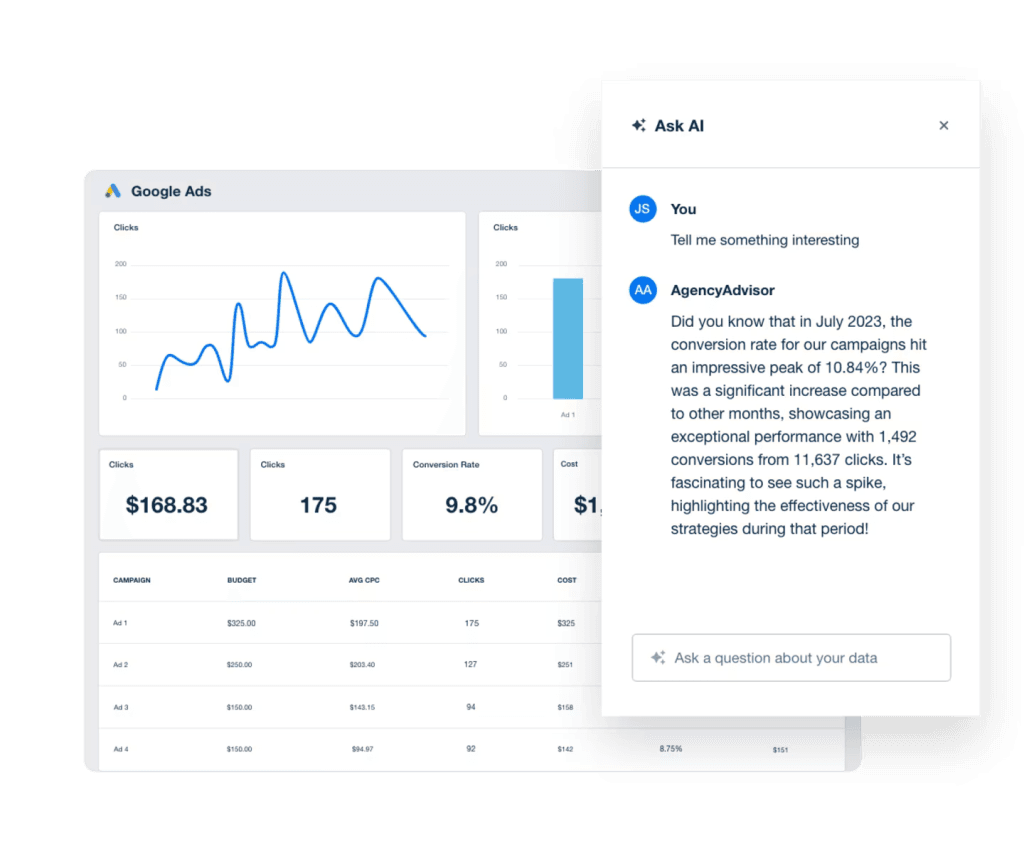
AgencyAnalytics has two named AI features. Ask AI is a chat assistant for your data, and AI Insights & Analysis is a drag-and-drop summary widget. They also bundle anomaly detection, forecasting, and benchmarks into every plan, plus Smart Reports that auto-generate a starter report from your connected integrations.
That combination covers four of the five things “AI reporting” can mean: summary writing, conversational Q&A, anomaly alerts, and forecasting. It’s the broadest agency-native AI stack as of mid-2026. And as of their 2026 pricing change, it’s no longer gated behind a top-tier plan.
My favorite feature: the anomaly detection. Most reporting tools wait for you to ask what changed. AgencyAnalytics pings you first. That single behavior shift, from pull to push, is what separates a reporting tool from a monitoring tool.
Sidenote. The per-client pricing model is honest at small scale but gets expensive fast. At 20 clients you’re at $500/month. At 50 you’re at $1,250. If you’re running 25+ clients, it’s worth comparing against some AgencyAnalytics alternatives on flat-rate pricing.
Pricing: $25/client/month on the Core plan (billed monthly), with a 20% discount on annual billing. Unlimited data sources, unlimited staff and client users, AI Insights, white-labeling, MCP access, and the client portal are all included. Enterprise (custom) starts at 25 clients. Add-ons: Rank Tracker $50/mo for 300 keywords, Database Connectors custom.
3. Whatagraph
The most aggressive AI bet in this category, now behind the highest published entry price in it.
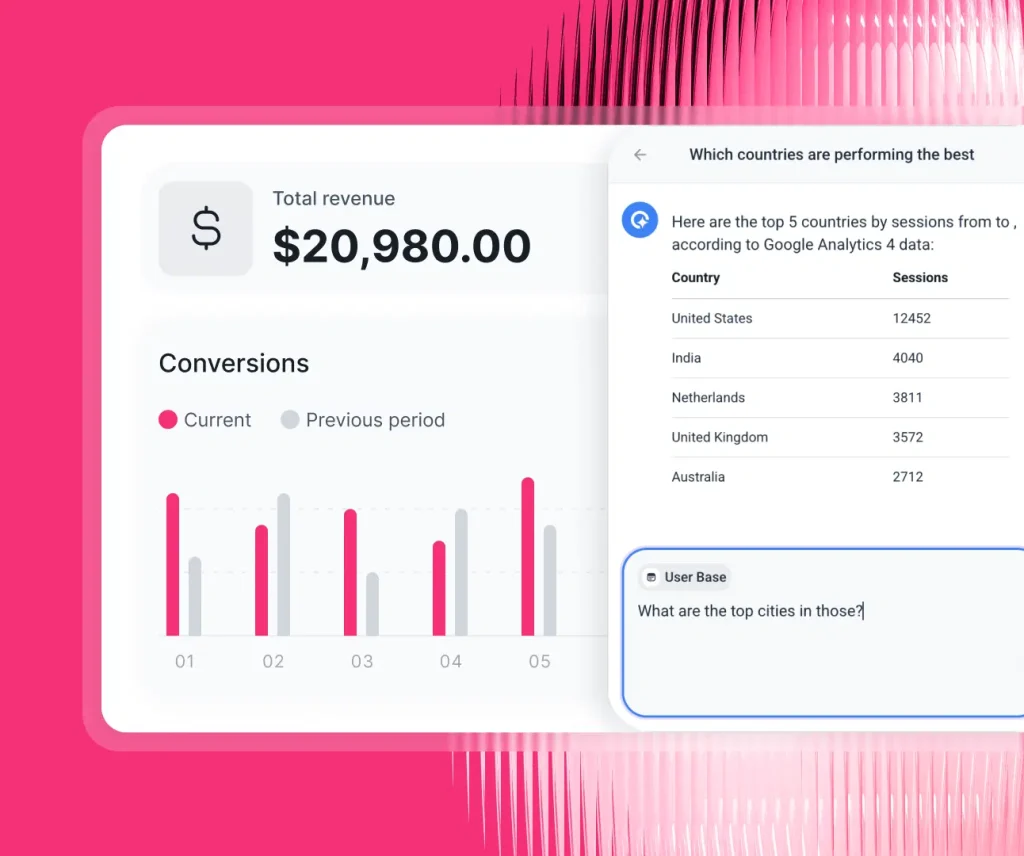
Whatagraph shipped version 3.0 in September 2025, and the IQ suite is the polish play. Type “Build me a paid search report for the last 30 days” and IQ generates a complete report. Upload a brand screenshot and IQ Themes auto-styles it to match. Summaries write in 18 languages, and IQ Chat lets your team ask questions inside the report.
Prompt-to-report was Whatagraph’s clearest lead through most of 2025 and 2026, and it’s now available at a tenth of the price, since Swydo shipped the same core loop of report structures, widgets, and sections from natural language on a $69/mo plan with monthly billing.
Whatagraph cut its lineup to two plans in 2026, and the naming catches people out. Max used to be the top tier and is now the entry tier, from $812/mo billed annually with a floor of 50 source credits. Prime sits above it at custom pricing. Free, Start, and Boost are gone.
Most of the old gating disappeared in that consolidation, which is the upside. White-label reports, custom branding, goals and alerts, custom aggregations, currency exchange, advanced integrations, and a Dedicated Success Manager all ship on Max now, along with the full IQ suite. The floor is the downside. A shop with 20 connected accounts and a shop with 50 pay the same $812, and IQ+, Looker Studio transfer, tailored onboarding, priority support, and the enterprise SLA all moved up to Prime. Custom report domain, BigQuery transfer, public API, and SAML are Prime add-ons on top of that.
My favorite feature: IQ Themes. Watching it pull brand colors and typography from a single screenshot is the kind of demo that makes account managers excited. That polish is most of what the price premium buys, though, and prompt-to-report is no longer exclusive to this tier. If you’d rather start from a pre-built structure than a prompt, a PPC report template gets you to the same finish line for a fraction of the money.
Two things worth knowing before you sign. Credits meter you at 1 credit per connected data account, so cross-channel work with blends and source groups eats them faster than a headline source count suggests. And there’s no monthly billing on either plan, which means the smallest commitment Whatagraph will take is roughly $9,700 for a year, with upgrades running through a sales call rather than a self-serve button.
Sidenote. Across roughly 277 G2 reviews, Whatagraph sits at 4.5 out of 5, and the recurring note is some version of “worth it, and expensive.” Most of those reviews predate the repricing, so read them as a verdict on the product rather than on the current bill. The Whatagraph alternatives roundup goes deeper.
Pricing: Annual billing only, on both plans.
- Max — $812/mo (€699), from 50 source credits. Unlimited users, unlimited reports, full IQ suite, advanced integrations, data groups and blends, white-label reports, KPI overviews with alerts, Dedicated Success Manager.
- Prime — custom. Everything in Max plus premium integrations, IQ+, Looker Studio transfer, tailored onboarding, priority support, enterprise SLA.
- Prime add-ons — custom report domain, BigQuery transfer, public API, SAML SSO.
Free plan discontinued. 14-day trial on Max, no credit card.
4. DashThis
DashThis is the only tool in this list that publicly tells you which LLM they use and what happens to your data.
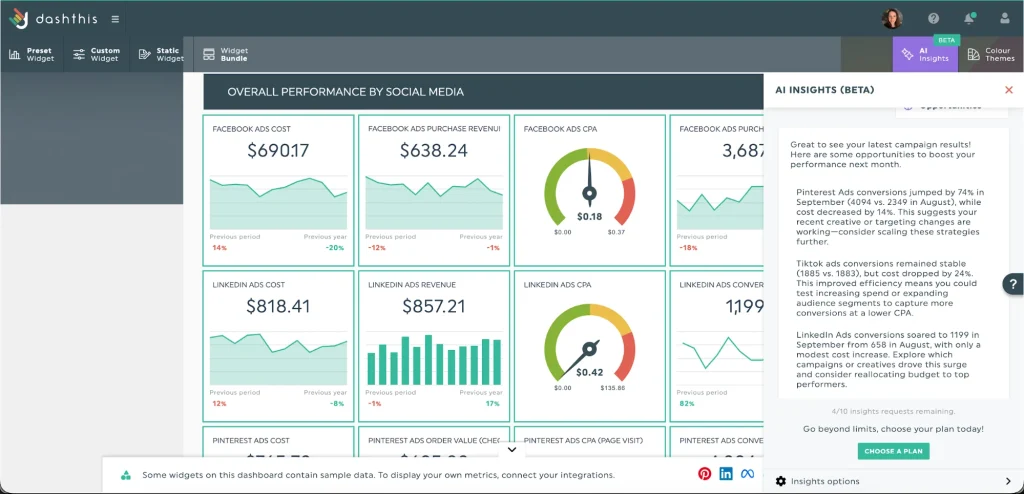
DashThis split AI into Free and Pro. AI Insights Free comes with every plan, giving you four preset insights: Wins, Issues, Opportunities, and Summary. AI Insights Pro is a $19/month add-on that unlocks Chat Mode and Dashboard Context, where you teach the AI your client-specific KPIs and preferred tone.
The bit nobody else matches: DashThis publicly discloses in their docs that they use OpenAI under the hood and run all AI requests under Zero Data Retention. Your content isn’t kept after processing. If you’re pitching a healthcare, finance, or legal client and procurement asks where their data flows, this is the answer that closes the deal.
My favorite feature: the privacy transparency itself. I personally prefer vendors who put this on a public docs page over vendors who only answer when asked. Trust scales better when you don’t have to ask.
Sidenote. DashThis is lighter on advanced features than AgencyAnalytics or Whatagraph. No anomaly detection. No forecasting. No deep data blending. Right tool, narrow job. If you outgrow it, the DashThis alternatives are worth a scan.
Pricing: Both monthly and annual billing.
| Plan | Monthly | Annual (per mo) | Dashboards | Sources |
|---|---|---|---|---|
| Individual | $54 | $44 | 3 | 15 |
| Professional | $164 | $139 | 10 | 40 |
| Business | $324 | $279 | 25 | 100 |
| Standard | $499 | $429 | 50 | 200 |
5. Databox
The conversational analyst other tools wish they had, on the only real free plan left in this list.
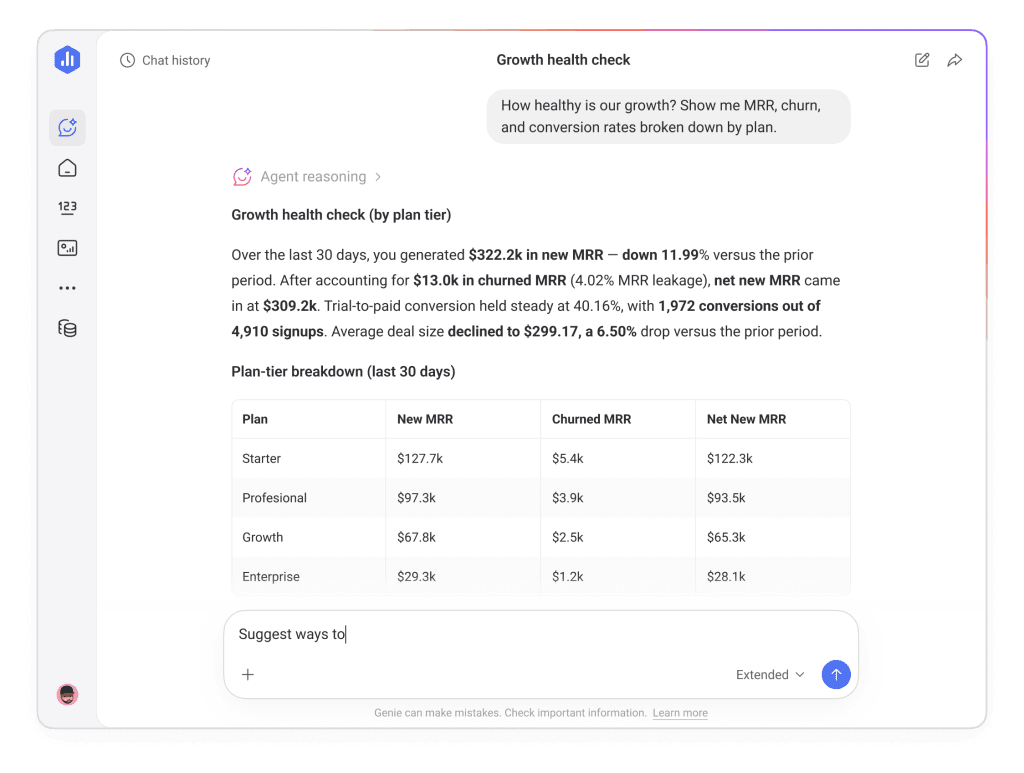
Databox’s flagship AI feature is Genie, a conversational analyst released widely in late 2025. You ask, it answers. The “what’s happening right now” answer is faster on Databox than on most of this list. They also have AI-powered Performance Recap summaries that auto-generate KPI-by-KPI analyses for each reporting period.
My favorite feature: Genie’s speed on internal exploration. For “I have ten minutes before the client call and I need to know what changed,” it works. And unlike most of this list, you can test that claim for nothing. The Free plan includes Genie, performance summaries, and the MCP server at 50 credits a month, which is enough to find out whether your team actually uses conversational AI or just says they will.
Sidenote. External client reporting works on Databox but isn’t the strongest suit, and the pricing makes that explicit. White-labeling isn’t on any self-serve plan. It’s a $200/mo add-on or it comes bundled into the Custom tier. Add it to Analyst and you’re at $280/mo for a single-user account. If client-facing work is the priority rather than internal dashboards, the Databox alternatives close that gap better.
Pricing:
| Plan | Monthly | Annual (per mo) | Data sources | Users | AI credits/mo |
|---|---|---|---|---|---|
| Free | $0 | $0 | 3 | 1 | 50 |
| Analyst | $80 | $64 | 5 | 1 | 500 |
| Pro | $199 | $159 | 3 includedunlimited add-on | Unlimited | 1,500 |
| Growth | $499 | $399 | 3 includedunlimited add-on | Unlimited | 4,000 |
| Custom | Talk to sales | Custom | Custom | Unlimited | Flexible |
Extra sources. Additional data sources on Pro and Growth cost $5.60/mo each on annual billing. A 14-day free trial runs on the Growth plan.
Add-ons, all billed annually. Branding and white-labeling $200/mo, advanced security with SSO and audit logs $80/mo, OKRs $160/mo, fiscal calendar $40/mo, 15-minute sync per source $14/mo.
Where features unlock. Anomaly detection unlocks on Analyst. Forecasting, 15-minute sync, sub-accounts, and a dedicated CSM unlock on Growth. Genie, performance summaries, and the MCP server are on every plan including Free.
6. Looker Studio Pro
If most of your clients live in Google Ads, GA4, and Search Console, the price-to-power ratio here is hard to beat.
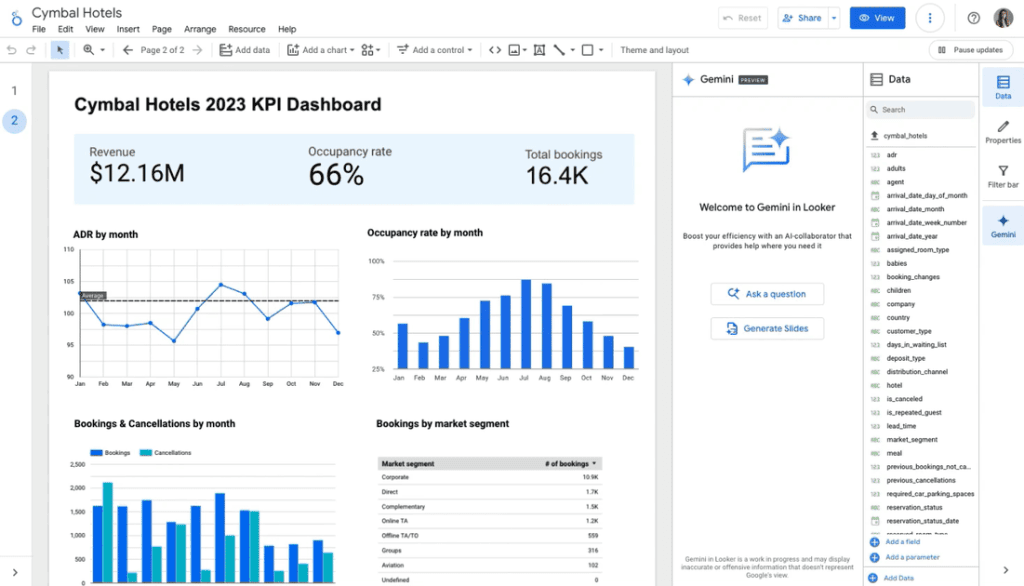
Looker Studio (free) doesn’t include Gemini AI features. Looker Studio Pro, at $9 per user per month, unlocks Gemini-powered natural-language calculated field creation, conversational analytics, and automatic Google Slides generation from reports.
Quick note. Google rebranded Looker Studio back to “Data Studio” in April 2026. Same product, different name on the URL.
My favorite feature: the Slides auto-generation. For agencies that present reports as decks rather than dashboards, this is a small but useful win.
Sidenote. It was built for analysts, not account managers. Multi-client management is clunky. No native client portal. No per-client white-labeling. No built-in scheduling that competes with agency-native tools. Hidden costs also creep in fast. Third-party connectors for Meta, TikTok, or LinkedIn data usually run $30–$500+/month, and BigQuery query costs add up at scale.
Pricing:
| Version | Price |
|---|---|
| Looker Studio (Free) | $0 |
| Looker Studio Pro | $9/user/mo |
Pro is billed annually per Google Cloud project. 30-day free trial.
7. Improvado
If you handle healthcare, finance, or any client where data residency is non-negotiable, Improvado has options agency-native tools don’t.
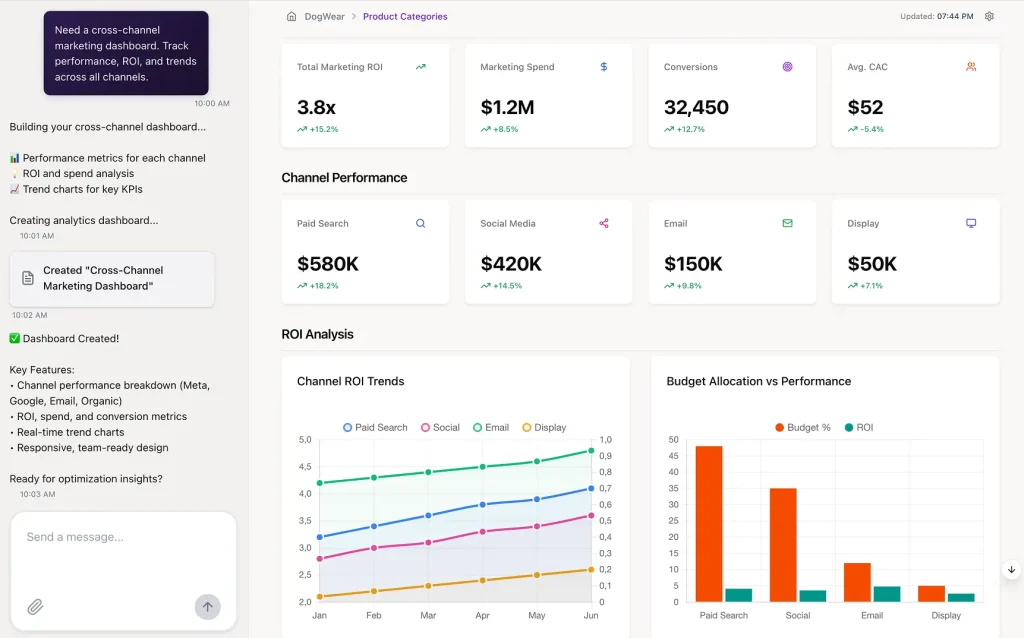
Improvado’s AI Agent lets you ask natural-language questions across multi-channel data. It’s one of the few tools that publicly lets you pick which LLM powers it: OpenAI, Anthropic, or Gemini. They’ve also built an MCP (Model Context Protocol) Hub that lets the AI act across your stack, getting closer to true agentic workflows than most agency-native tools offer.
My favorite feature: the in-warehouse deployment option. You can run Improvado inside your client’s data cloud (or your own), which means client data never leaves the perimeter procurement signed off on. SOC 2 Type II, ISO 27001, HIPAA-ready.
Sidenote. Implementation takes weeks, not days. Pricing isn’t public for a reason. This isn’t designed for small shops.
Pricing: Custom enterprise. Realistically four figures per month minimum.
8. NinjaCat
Built specifically for performance marketing agencies, with a Snowflake-connected app option that solves enterprise governance headaches.
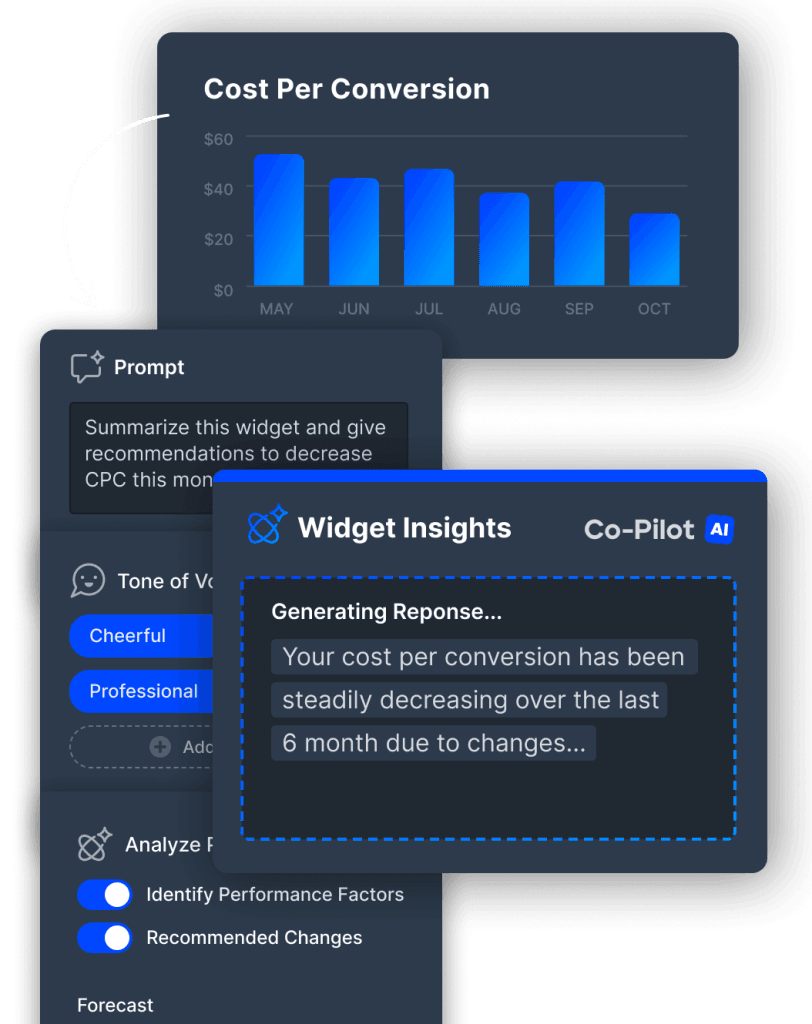
NinjaCat shipped a suite of AI Agents for marketing data tasks in late 2024 and openly disclose they use OpenAI GPT-4o plus Anthropic models. CoPilot lets you chat with marketing data; the Agents handle specific workflows like insight generation or attribution analysis.
My favorite feature: the Snowflake Connected App. Agencies serving enterprise clients can run NinjaCat inside the client’s data cloud, which solves a whole category of “where does the data live” procurement questions.
Sidenote. Like Improvado, overkill for smaller agencies. The setup investment is real.
Pricing: Custom enterprise.
How to Actually Pick
Three questions get you to a shortlist, and none of them are on the spec sheet.
What does your client portfolio look like? If most clients run Google Ads, Meta, and GA4, any agency-native tool works and you should pick on price and UX. If your portfolio leans into one specialty, get specific, because a PPC reporting tool workflow looks different from an SEO reporting one and the tool should match the channel mix you run. A few enterprise or regulated clients pushes you toward Improvado, NinjaCat, or DashThis for the transparency.
Which layers of the Three-Layer Stack do you need? Reports only makes Looker Studio Pro hard to beat on price. Reports plus Boards plus Alerts on one bill is Swydo’s lane. Reports plus the deepest AI feature set is AgencyAnalytics. Prompt-to-report building is available from both Swydo and Whatagraph now, so the deciding factor there is whether you want it at $69/mo with monthly billing or at $812/mo on an annual commitment with more visual polish on top.
What’s your real budget per client per month? Take your tool cost and divide it by your active clients. Above $15–20 per client per month you’re probably overspending, unless the platform also covers project management, time tracking, or other workflows that take cost off other line items. Our agency pricing guide walks through the models that hold up.
Narrowed it to a head-to-head? These go deeper: Swydo vs Whatagraph, Swydo vs AgencyAnalytics, Swydo vs DashThis.
What the Spec Sheet Won’t Tell You
AI commentary inside a client report is only as good as the data feeding it, and most of the failure modes I see at agencies aren’t the AI being wrong. They’re the AI confidently narrating a metric that’s been broken for nine days because nobody noticed the OAuth token expired.
Every tool in this list has AI. They don’t all have a system that catches a broken connection before your client does. Swydo does, AgencyAnalytics does, and the rest you’ll wire up yourself with Slack alerts or manual checks, which works right up until the week nobody has time to check. The tool that protects you from the embarrassing report is worth more than the tool with the prettiest AI summary, and the same instinct runs through the rest of the client reporting best practices that hold up at scale.
AI Reporting Tools for Marketing Agencies: FAQ
Direct answers to the questions agencies search when choosing reporting software
AI reporting tools pull data from your ad and analytics channels, like Google Ads, Meta, and GA4, and use AI to turn it into client-ready reports. They auto-write plain-language summaries, answer questions about the data, and flag unusual changes, cutting report-building time from hours to minutes. Common options include Swydo, AgencyAnalytics, Whatagraph, DashThis, and Databox.
They connect to your marketing channels through integrations, sync the data automatically, and layer AI on top to write the analysis. You click a prompt like “summary” or “wins and issues” and the tool writes commentary right next to the numbers. Most also let you, and sometimes your clients, ask follow-up questions in plain English and get answers from the live data.
Yes. AI can write the narrative parts of a report, meaning performance summaries, wins, issues, and recommendations, and works best when that commentary sits beside the data it describes. It handles the writing, but a human should still review before sending, because the AI only describes the data it’s given, including data that’s broken or missing.
The numbers are as accurate as your data connections, because the AI summarizes existing metrics rather than inventing them. The bigger risk is the AI confidently describing a metric that broke days ago because a connection silently dropped, which is why connection-health monitoring matters more than the AI itself.
It depends on your client mix, how many clients you run, and whether you need just reports or also live dashboards and alerts. For most agencies on Google Ads, Meta, and GA4, any agency-native tool works, so pick on price and ease of use. Swydo fits agencies wanting reports, dashboards, alerts, and a client portal on one bill. AgencyAnalytics has the deepest AI feature set. Databox has the strongest conversational analyst and the only real free tier. Whatagraph leads on visual polish at a much higher price point. Improvado or NinjaCat suit large or regulated portfolios.
For a few clients on the Google stack, free Looker Studio or spreadsheets can be enough, but both get manual and clunky as you grow. Looker was built for analysts, not account managers, with no native client portal or per-client white-labeling, and spreadsheets break the moment one cell is wrong. A dedicated tool automates the data pull, scales across clients, and handles white-labeling and scheduling out of the box. If reporting eats more than an hour or two per client each month, a tool usually pays for itself.
Yes, and Databox is the strongest of them. Its Free plan includes the Genie conversational analyst, performance summaries, and MCP access across 3 data sources for one user. Looker Studio is also free, though its AI features are a paid add-on. Whatagraph discontinued its free plan in 2026, and most agency-native tools give a free trial rather than a permanent free tier. Free works for testing or a very small portfolio, but white-labeling and client portals almost always require a paid plan or a paid add-on.
For paid media, prioritize cross-channel data blending and anomaly detection. Swydo can combine multiple ad platforms, including Google Ads, Microsoft Ads, Meta, LinkedIn, and TikTok, into a single widget for one blended ROAS view, while NinjaCat is built specifically for larger paid-media specialists. The feature that matters most is showing blended cost, conversions, and ROAS across channels in one place instead of three separate tabs.
They optimize for different jobs at very different price points. Swydo is built around the full stack, meaning client reports, internal dashboards, connection alerts, and a shareable client portal, on one flat bill from $69/mo with unlimited seats, and it builds reports from natural language. AgencyAnalytics has the broadest AI feature set (chat, anomaly detection, forecasting) but charges per client, which adds up at scale. Whatagraph focuses on prompt-to-report speed and visual polish, even styling reports from a single brand screenshot, but its entry plan is $812/mo billed annually. Pick based on whether you value all-in-one coverage, AI depth, or presentation, and whether you can commit a year up front.
Most of them. Swydo, AgencyAnalytics, DashThis, and Databox all bill month-to-month with a discount if you prepay for a year. Whatagraph is the outlier among self-serve tools, with no monthly option on either plan, so the smallest purchase is a year at $812/month. Improvado and NinjaCat are enterprise contracts and annual by default. If you’re testing a tool against a real client portfolio, the ability to leave after 30 days is worth more than a 20% annual discount.
White-label reporting means reports carry your agency’s branding, meaning your logo, colors, and domain, instead of the software vendor’s. To the client, it looks like your agency built the platform, which keeps the relationship centered on you rather than the tool. It’s a standard agency expectation, but check whether it’s included in the plan or sold separately: most agency-native tools bundle it, while Databox charges $200/month for it as an add-on and Looker Studio doesn’t offer per-client white-labeling at all. Our roundup of white label reporting tools compares what’s bundled where.
Yes, and it’s the newest capability in the category. Instead of dragging widgets into place, you describe the report you want and the tool generates the sections and widgets for you. Whatagraph IQ Report Creation pioneered it, and Swydo’s Agentic Reporting builds report structures, creates and edits widgets, organizes sections through conversation, and saves your best prompts for reuse.
The practical difference is price and billing. Whatagraph starts at $812/month billed annually, while Swydo includes it from $69/month with monthly billing available. Test both during a trial, because prompt quality varies more between tools than the feature lists suggest.
Yes. Most agency-native tools offer a client portal or shareable dashboard where clients log in and view live performance any time. Swydo’s Client Portal combines reports, boards, and goals into one link per client, with an optional password and a regenerate option that revokes the old link instantly. Some tools add a client-facing AI chat on top, so clients can ask their own questions about the report between meetings without emailing your team.
A good portal holds three things behind one link: the detailed performance reports, a board of headline KPIs for a quick check, and the goals the client is tracking against. Swydo’s Client Portal lets you pick exactly which of each to include per client, preview the portal as the client will see it before you send it, password-protect it when procurement asks, and swap the shared content later without changing the link. Regenerating the link kills the old one immediately, which is what you want the day an account manager leaves.
Yes. Cross-channel reporting is standard, and some tools go further by blending several ad platforms into a single chart. Swydo, for example, can merge multiple paid channels into one widget for a combined ROAS or CPA view. That’s useful for explaining cross-channel performance to a client without flipping between a separate tab for each platform.
Most cover the core stack, including Google Ads, Meta, GA4, Google Search Console, Microsoft Ads, LinkedIn, and TikTok, through native integrations, though coverage varies by tool. Swydo runs 38 native integrations and adds more each quarter. Emerging channels are where the gaps show: Swydo added a native OpenAI Advertising connector for ChatGPT Ads in July 2026 and it’s the only tool in this list with one. If you rely on a niche platform, confirm it’s supported before committing. For channels a tool doesn’t support directly, you can often connect through a source like GA4 or a third-party connector.
Yes. Scheduled reporting is a core feature. You set a cadence, weekly or monthly, and the tool emails the report to clients automatically, often with the AI-written summary in the email body so clients see the takeaways before clicking in. That removes the manual build-and-send step and keeps clients updated without you remembering to hit send.
Yes, and that’s what anomaly detection does. Instead of waiting for you to ask what changed, tools like AgencyAnalytics and Databox proactively flag unusual spikes or drops in your metrics. Paired with connection-health monitoring, which alerts you when a data source breaks, it means you learn about problems before your client opens the report.
Four pricing models cover this list. Flat-rate tools start in the range of roughly $50 to $80 per month for a base set of sources and seats. Per-client tools start around $25 per client per month, cheap when you’re small but climbing fast, since 20 clients can mean about $500/month. Credit-based tools meter you by connected data account, and Whatagraph sets a floor of $812/month billed annually. Enterprise tools like Improvado and NinjaCat use custom pricing, realistically four figures a month.
| Model | Entry point | Cost at 50 clients |
|---|---|---|
| Flat rate | $54–$80/mo | Rises with data sources, not clients |
| Per client | $25/client/mo | About $1,250/mo |
| Credit-based | $812/mo, annual only | Rises with connected accounts |
| Enterprise | Custom quote | Four figures a month |
Flat-rate is usually better once you pass roughly 25 clients, because the cost per client falls as you scale. Per-client pricing is honest and cheap when you’re small, but at 50 clients a $25-per-client plan runs about $1,250 a month. Credit models are a third case: they can look flat but carry a minimum, so you pay for headroom whether or not you use it. Do the math, because total monthly cost divided by active clients tells you which model fits your size.
AI credits are a usage allowance, deducted each time you generate a summary or an insight, with larger and more complex reports costing more than small ones. Swydo includes 4,000 credits a month on every plan, where an average report summary uses about 95, and they reset monthly without carrying over. You’re billed only for what you use rather than up front, so an unused month costs you nothing, and you can set a spending limit to cap the ceiling yourself.
Check two things before you switch AI on across every account: whether client-facing chat draws from the same pool, and whether the tool breaks usage down per team member so you can see where the credits went. Swydo shows both on the Billing page under view usage details.
The sticker price rarely covers everything an agency needs. White-labeling is the big one: Databox sells it as a $200/month add-on across every self-serve plan, and Whatagraph charges extra for a custom report domain on top of its Prime tier. Beyond that, watch for SSO and audit logs, faster sync frequency, extra data sources, additional AI credits, and rank tracking. Price the plan you’d run, not the one on the pricing page.
Divide your total monthly reporting cost by your number of active clients. Above about $15 to $20 per client per month you may be overspending, unless the platform also covers project management or time tracking that offsets other bills. Overspending usually comes from pricing models that scale faster than the value you get, or from plan minimums that charge you for capacity you haven’t grown into yet.
For most, yes. If reporting takes more than an hour or two per client each month, a tool quickly pays for itself in saved time. Small agencies can start on a free plan, a free trial, or an entry tier and scale up. Skip the tools with high annual minimums at this stage, because they’re priced for portfolios you don’t have yet. The other exception is a very small portfolio on the Google stack, where free Looker Studio may be enough until you grow.
It depends on the vendor, so check their data policy before committing. Several publish theirs: DashThis discloses which AI model it uses and runs requests under Zero Data Retention, and Swydo processes AI requests in the AWS cloud using commercially available models, doesn’t use the data for training, and covers AWS in its standard data processing agreement under GDPR. For sensitive clients, vendors who publish this on a docs page are easier to trust than those who only answer when asked.
Not with the vendors that publish a policy on it. Swydo states that AI requests are processed in the AWS cloud using commercially available models and that the data is not used for training, with requests routed globally depending on which region has capacity. DashThis runs requests under Zero Data Retention, so content isn’t kept after processing. Vendors who won’t put this in writing are the ones to press before you connect a regulated client’s account.
For clients where data residency is non-negotiable, enterprise tools like Improvado and NinjaCat offer in-warehouse or connected-app deployment, so data can stay inside the client’s own cloud and never leave the approved perimeter. They typically carry certifications like SOC 2 Type II and ISO 27001. Whatagraph runs an EU data center with ISO 27001 certification on both plans, which covers a narrower version of the same need. For a lighter option, DashThis’s Zero Data Retention is often enough to satisfy procurement.
Some tools let you. Improvado lets you pick between providers like OpenAI, Anthropic, or Gemini, and NinjaCat openly discloses the models it uses. Most agency-native tools run on a known provider without offering a choice. If your clients care where their data is processed, make model transparency a selection criterion.
Because AI commentary is only as good as the data feeding it. The most common reporting failure is the AI describing a metric that broke days ago because a connection silently expired and nobody noticed. Tools like Swydo and AgencyAnalytics monitor connections daily and alert you the moment one breaks, catching the problem before your client spots a blank column.
Final Thoughts
Run the arithmetic before you run another demo. Multiply your active clients by the number of data sources each one needs, price that against a flat-rate plan and a per-client plan, then divide the winner by your client count. Under about 25 clients, per-client pricing usually wins. Past that, flat-rate wins by a margin that isn’t close, and a $812 annual-only floor only makes sense if you’re big enough that the floor is below what you’d pay anyway.
If one thing decides it, make it connection health. The tool that tells you a data source broke before your client opens the report will save you a relationship that no AI summary can win back.
Then test it for real. Connect two shortlisted tools to one live client account, build the same report in both, and see which one you’d rather send. An afternoon is enough to know, and the full rundown of Swydo’s features is there if you want the map before you start.
Show clients their true cross-channel ROAS—with the AI summary already written.
Start Your Free Trial Today