
The best lead generation tools for most marketing agencies are a small, modular stack. That means one prospect data tool (Apollo or Clay), one cold email sender (Instantly, Smartlead, or lemlist), and one CRM (HubSpot) to hold it all together. LinkedIn Sales Navigator and a website visitor identification tool like RB2B are strong add-ons once the core is working. Enterprise databases like ZoomInfo and Cognism rarely pay off for agencies with fewer than 25 people.
There’s a catch most tool roundups skip, though. Agencies don’t win most of their clients from software. In Promethean Research’s survey of agency leaders, client referrals (3.7 out of 5), growing existing accounts (3.6), and partner referrals (3.0) were the only tactics that scored 3.0 or higher. The right tools amplify those channels and add a predictable outbound engine on top. The wrong ones burn credits, domains, and LinkedIn profiles.
This guide walks you through the tools by the job they do, with pricing checked on each vendor’s official site. You’ll also get recommended stacks by agency size, the deliverability and compliance rules you can’t ignore, and the costly mistakes that show up again and again in real user reviews.
Quick Picks by Job
If you only have two minutes, start here. Each pick is the tool that does one job best for a typical agency, not the tool that does everything.
- Best all-in-one for small agencies · Apollo.io, because data, sequences, and a dialer live in one login at a per-seat price.
- Best for building targeted lists for client campaigns · Clay, for waterfall enrichment across 150+ data providers and AI research.
- Best cold email sender at volume · Instantly, with unlimited sending accounts and warmup on every plan.
- Best for running many client campaigns · Smartlead, which adds client workspaces from its Pro plan.
- Best multichannel (email, LinkedIn, calls) · lemlist.
- Best CRM to hold it all together · HubSpot, starting with the free CRM.
- Best for account research and warm paths · LinkedIn Sales Navigator.
- Best website visitor identification (US traffic) · RB2B. For EU-heavy traffic, a company-level tool like Leadfeeder (Dealfront) is the safer choice.
Comparison at a Glance
Prices are entry-level list prices from each official pricing page. G2 ratings and review counts were checked on September 30, 2026.
| Tool | Best for | Starting price | Free option | G2 rating |
|---|---|---|---|---|
| Apollo.io | All-in-one data and sequencing | $49/user/mo billed annually | Free plan | 4.7 (9,839 reviews) |
| Clay | Enrichment and research for client lists | $185/mo (Launch) | 14-day trial | 4.6 (235) |
| Instantly | High-volume cold email | $47/mo (Outreach Growth) | Free trial | 4.8 (4,156) |
| Smartlead | Multi-client cold email | $39/mo (Base) | Free trial | 4.5 (450) |
| lemlist | Multichannel outreach | $69/mo (Email plan); $109/user/mo (Multichannel) | 14-day trial | 4.6 (2,292) |
| LinkedIn Sales Navigator | Account research | $119.99/mo (Core) | Free trial | 4.4 (2,211) |
| HubSpot Sales Hub | CRM and pipeline | Starter from $7/seat/mo annually ($20 monthly) | Free CRM for up to 2 users | 4.4 (14,342) |
| RB2B | US person-level visitor ID | $79/mo | Free company-level tier | 4.5 (284) |
| Hunter | Finding emails by domain | $49/mo ($34/mo annually) | 50 credits/month | 4.4 (658) |
| ZoomInfo | Enterprise data and intent | Quote only, annual contracts | ZoomInfo Lite | 4.5 (9,160) |
What Lead Generation Tools Actually Do for an Agency
Lead generation tools are software that help you find the right prospects, reach them, and track every conversation until it becomes a signed client. Think of your stack like a restaurant kitchen. The data tool is your supplier, delivering fresh ingredients (contacts). The sender and LinkedIn tools are your servers, carrying each dish to the right table. The CRM is the ticket rail, so no order gets lost between the kitchen and the dining room. A great supplier with no servers means food rots in the walk-in. Great servers with bad ingredients means unhappy guests and bounced emails.
The analogy gets you most of the way, but one layer deeper matters when you’re buying. Almost every tool on the market does one or more of these five jobs:
- Find prospects who match your ideal client profile (Apollo, Clay, ZoomInfo, Sales Navigator).
- Enrich and verify their contact details so emails don’t bounce (Clay, Hunter, Apollo’s verification).
- Reach them through email, LinkedIn, or phone (Instantly, Smartlead, lemlist).
- Catch signals that show someone is already interested, like a visit to your pricing page (RB2B, Leadfeeder).
- Track every deal from first reply to signed contract (HubSpot, Pipedrive).
Most buying mistakes come from paying twice for the same job. Apollo, lemlist, Instantly, and Hunter all sell contact data now, so an agency using three of them can end up with three overlapping databases and no single source of truth.
How Agencies Actually Win Clients (and Where Tools Fit)
Before you pick software, look at where agency revenue really comes from. Promethean Research asked agency leaders to rate 34 new business tactics on a 5-point scale. The results should shape how you spend your tool budget.
| Tactic | Effectiveness (out of 5) |
|---|---|
| Client referrals | 3.7 |
| Growing existing accounts | 3.6 |
| Partner referrals | 3.0 |
| Blogging and newsletters | 1.5 |
| Podcasts | 1.3 to 1.4 |
| Directory listings | 1.3 |
The same research found that clients who came from referrals and word of mouth stayed about twice as long as clients won through events, networking, or outbound. So your CRM isn’t just a pipeline tracker. It’s the tool that reminds you to run quarterly business reviews, ask happy clients for introductions, and spot upsell openings.
Outbound still has a clear place, though. Promethean found it performs well when the sale is simple. Among agencies selling low-complexity services, PPC scored 3.8, outbound email 3.5, and outbound calls 3.3. If you sell a defined, easy-to-understand offer (a Google Ads audit, a local SEO package), cold outreach tools can fill your calendar. If you sell complex, six-figure retainers, outbound tools work best as research and warm-up aids for a relationship-led process.
One more reality check on timing. Promethean reports the average agency deal takes 4.4 months and 3.6 meetings to close. Any tool that promises booked clients in a week is selling meetings, not revenue.
The Best Lead Generation Tools for Agencies, by Job
Each review below covers what the tool does well, what it costs on the official pricing page, and what real users complain about most on G2. The complaints matter as much as the features, because they tell you where your budget and patience will leak.
Prospect Data and Enrichment
This is where you find who to contact. Data quality decides everything downstream, since a bad list hurts your sending domain no matter how good your copy is.
Apollo.io
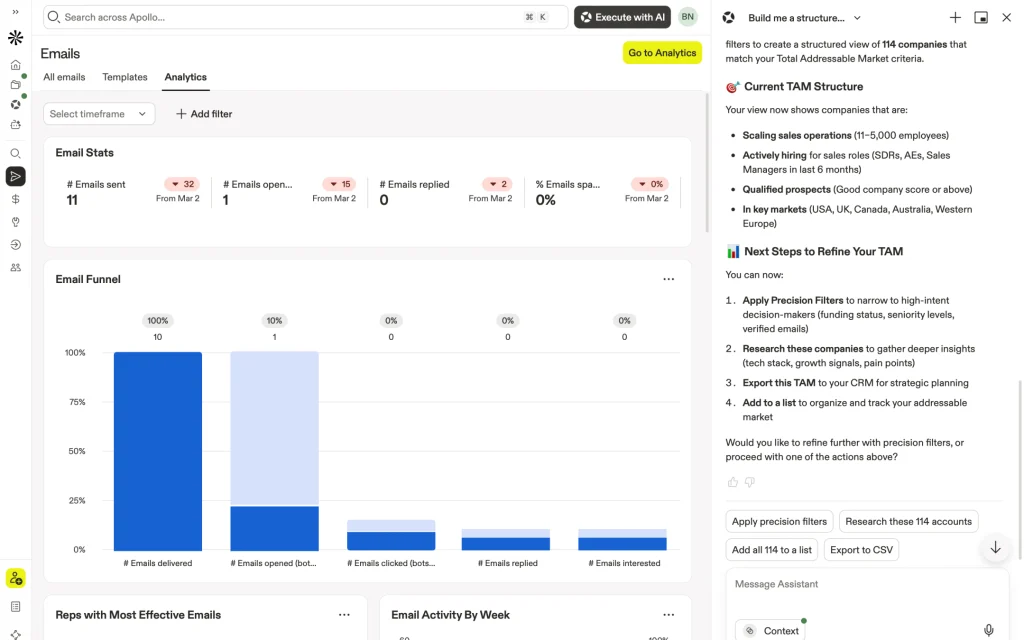
Apollo bundles a contact database, email sequences, and a dialer in one tool, so a small team can find prospects and contact them without stitching three products together. It’s the default starting point for agencies building their first outbound process.
Pricing
A free plan is available. Basic costs $49 per user per month on annual billing, with 30,000 credits a year and unlimited sequences. Professional ($79) adds a US dialer, five connected mailboxes, and AI research. Organization ($119) requires at least three users.
What users say
4.7 from nearly 10,000 G2 reviews, the largest review base on this list. The top complaint is outdated or inaccurate contacts, followed by credits running out faster than expected.
Best for
Solo operators and agencies under 10 people running outbound for their own pipeline.
Skip it if
You need deep research on every prospect for client campaigns. Clay handles that far better.
Clay
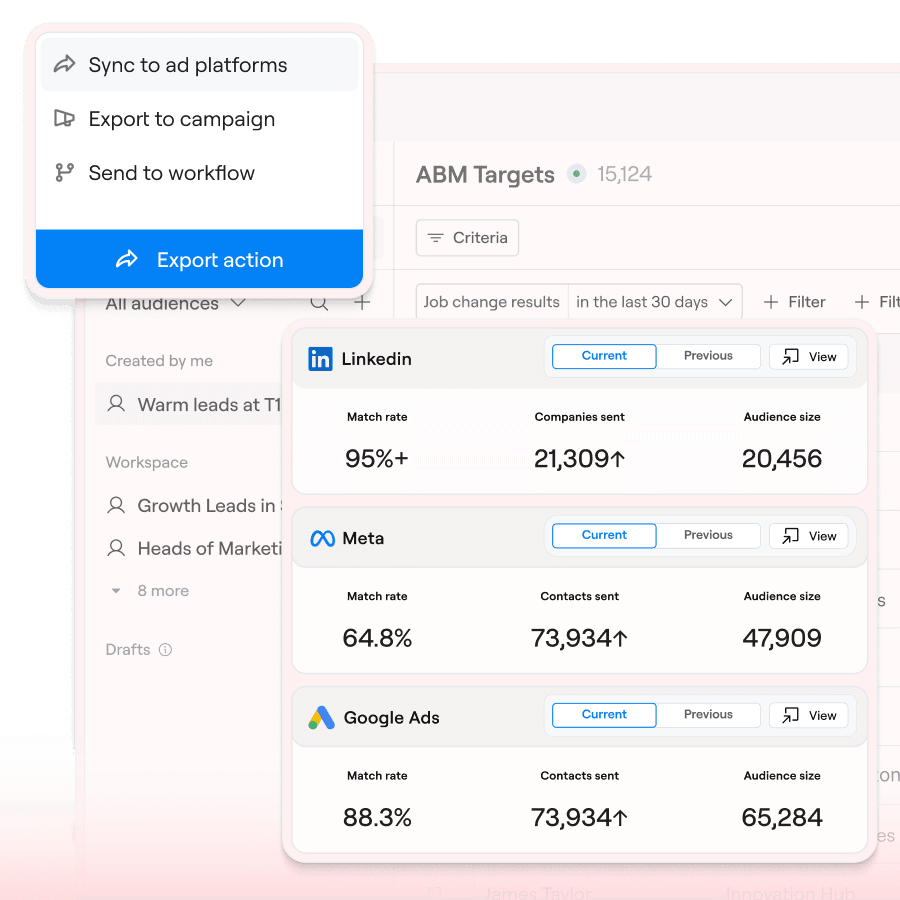
Clay is a list-building workshop rather than a database. It checks 150+ data providers in sequence until one finds the contact, and it can run AI research on every row, like spotting recent hires or which ad platforms a company uses.
Pricing
Launch starts at $185 a month with 2,500 Data Credits and 15,000 Actions. Growth starts at $495 a month with 6,000 Data Credits, 40,000 Actions, CRM integrations, and web intent signals. Unused monthly credits roll over, up to twice your allowance. Older reviews quoting $149 plans are out of date.
What users say
4.6 on G2. The steep learning curve is the top complaint, followed by cost.
Best for
Agencies running outbound for clients, with someone on the team who enjoys building workflows.
Skip it if
Nobody will own it week to week. A half-built Clay table burns credits without producing usable lists.
ZoomInfo and Cognism
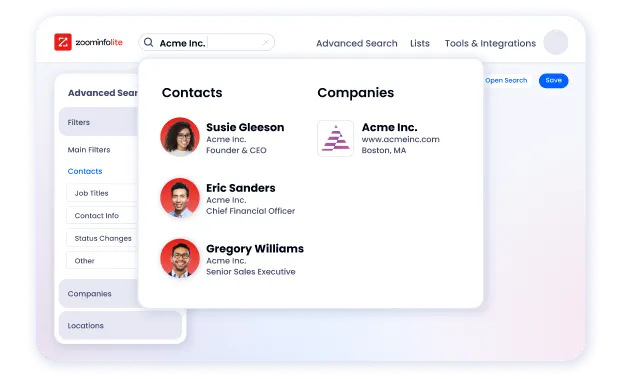
Both sell premium B2B data for larger sales teams. ZoomInfo pairs a large company and contact database with intent signals. Cognism is known for phone-verified mobile numbers and a GDPR-oriented approach, which makes it popular for UK and EU prospecting.
Pricing
Both are quote only and sold on annual contracts. You’ll need a sales call to get a number, and you can’t test either month to month. ZoomInfo Lite is a limited free option.
What users say
Both score 4.5 on G2, and data accuracy still tops their complaint lists despite the premium price.
Best for
Agencies with 25+ people, or teams doing heavy phone prospecting into Europe (Cognism).
Skip it if
You’re under about 25 people. Apollo or Clay covers most needs without a year-long commitment.
Hunter
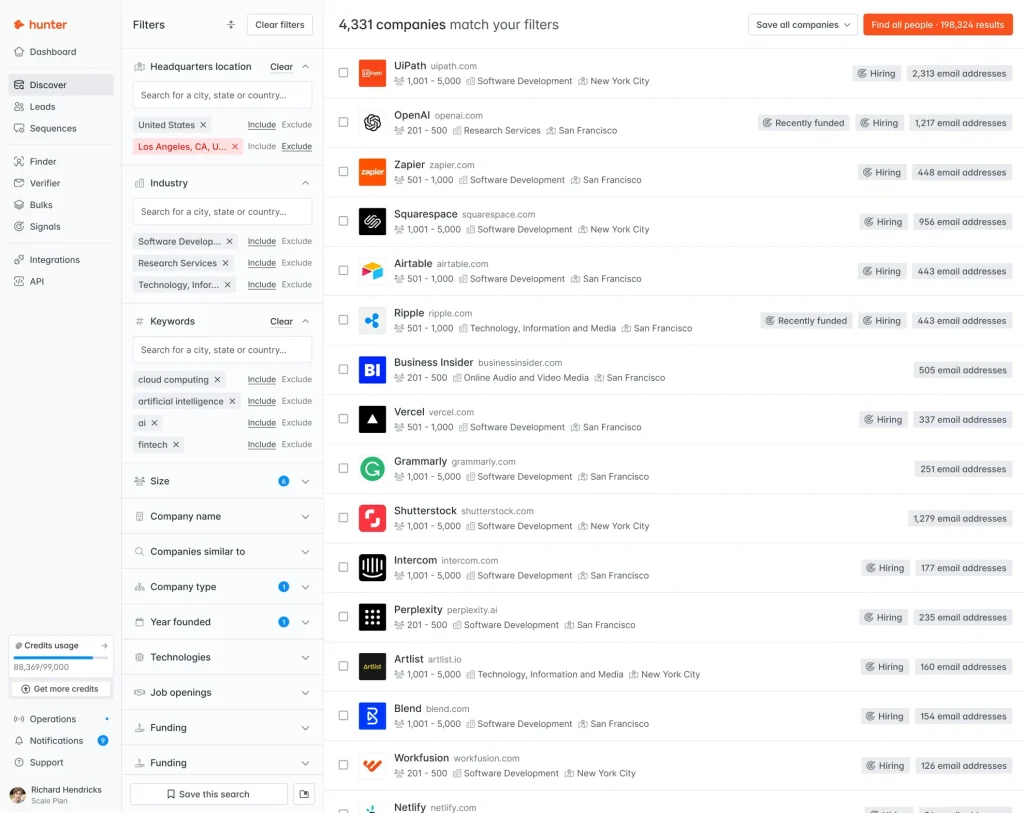
Hunter finds and verifies email addresses for people at a company domain you already know. It fits agencies that pick their target companies first, like local businesses in one city.
Pricing
The free plan includes 50 credits a month. Starter costs $49 a month ($34 a month billed annually) with 2,000 credits, three connected email accounts, and unlimited team members.
What users say
4.4 on G2. The main complaint is that credits get expensive at volume.
Best for
Account-based outreach to a hand-picked list of companies.
Skip it if
You want to search a large database by job title and industry. Apollo is built for that.
Which data tool should you choose? Start with Apollo. Add Hunter when you already know your target companies. Move to Clay when client campaigns need research on every prospect. Consider ZoomInfo or Cognism only past about 25 people or for European phone prospecting.
Cold Email Sending and Deliverability
Senders manage your inboxes, warm them up, rotate sending, and run follow-up sequences. For agencies, the key difference between them is how they price extra inboxes and client workspaces.
Instantly
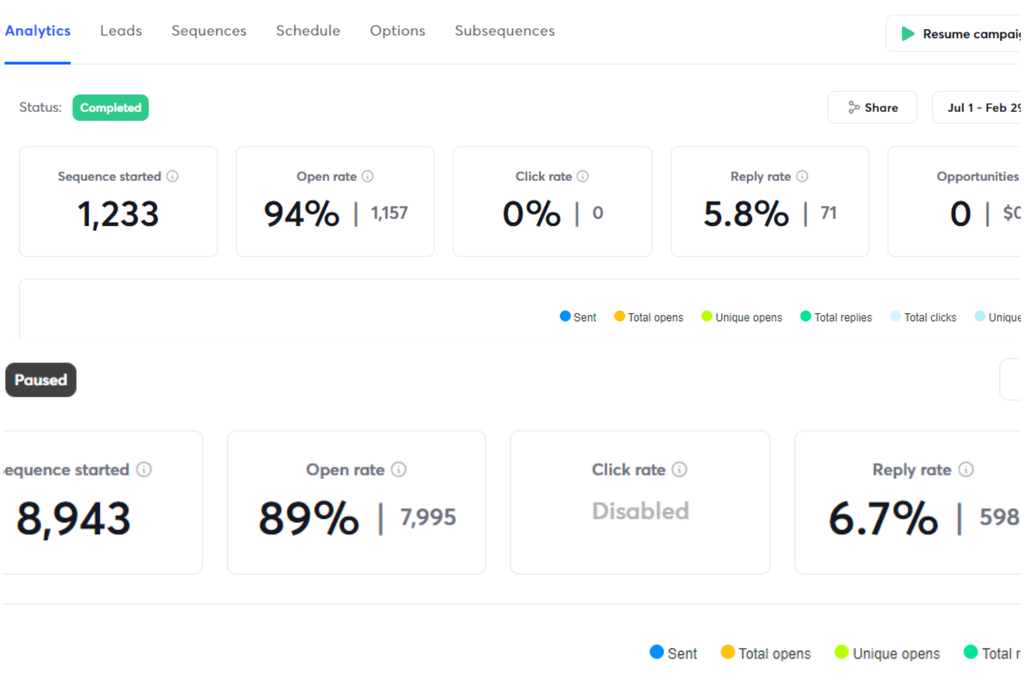
Instantly is a cold email sender built for volume. Every plan includes unlimited email accounts and warmup, so adding inboxes doesn’t raise your bill. Newer plans add AI agents for reply handling and lead finding.
Pricing
Outreach Growth costs $47 a month for up to 1,000 uploaded contacts and 5,000 emails a month. Contact data is sold separately through Credits plans, drawing on a 450M+ contact database.
What users say
4.8 from over 4,000 G2 reviews. Recurring complaints are key features locked to higher tiers and support or cancellation issues.
Best for
Agencies sending high volume across many domains who want flat, predictable pricing.
Skip it if
Your prospects respond better to LinkedIn and calls than email alone. lemlist covers all three in one sequence.
Smartlead
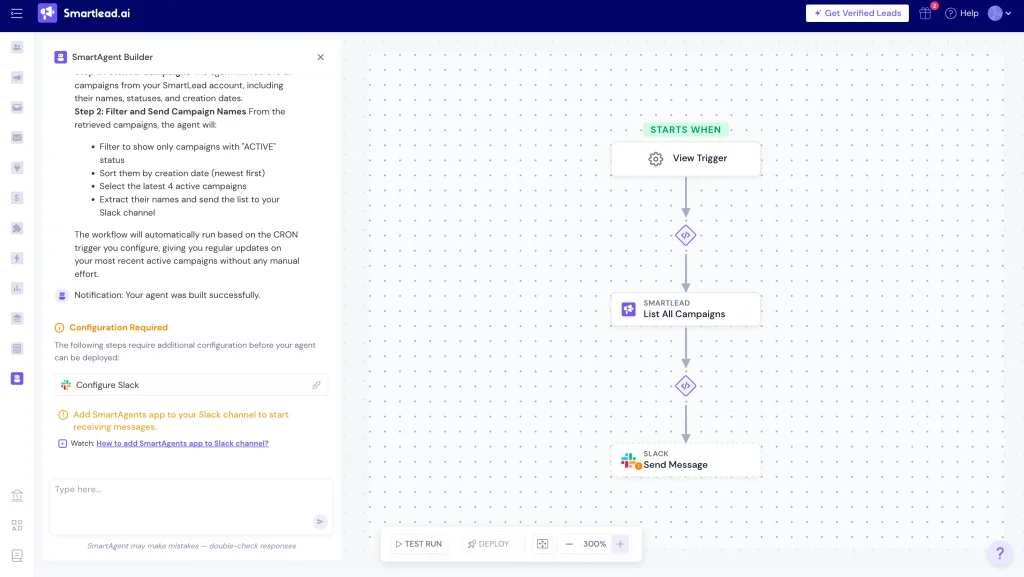
Smartlead is built for agencies running cold email for several clients at once. Every plan includes unlimited mailboxes, and client workspaces keep each client’s campaigns, inboxes, and results separate.
Pricing
Base costs $39 a month (2,000 contacts, 6,000 emails). Pro ($94) adds client workspaces. Unlimited Smart costs $174, and Unlimited Prime ($379) includes three client workspaces. Annual billing saves 17%.
What users say
4.5 on G2. Customer support is the most common complaint.
Best for
Agencies selling cold email as a service to multiple clients.
Skip it if
You depend on fast, hands-on support, since that’s where reviewers say it falls short.
lemlist
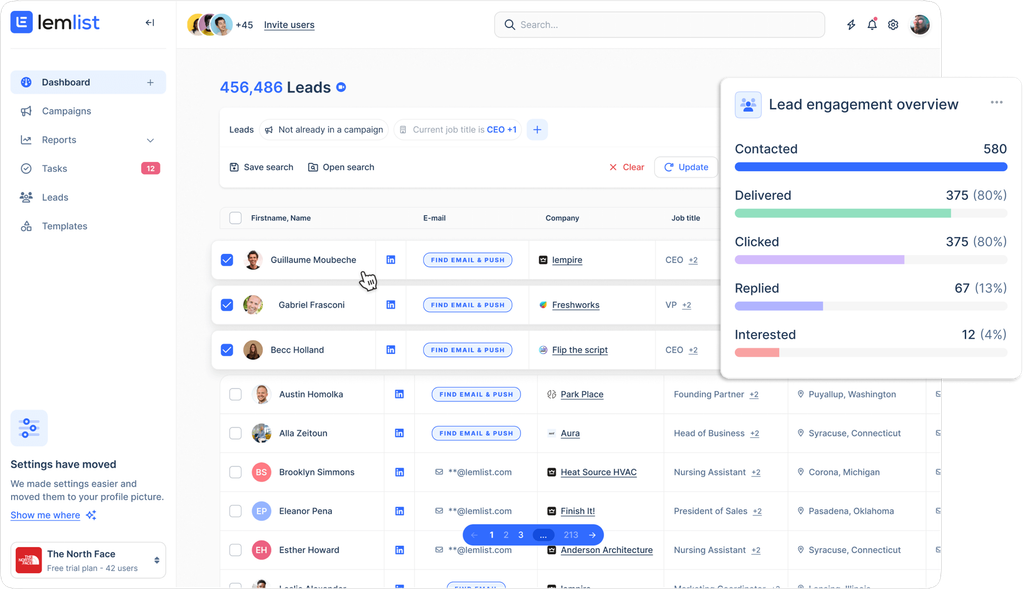
lemlist combines email, LinkedIn steps, and calls in one personalized sequence. That matters when your buyers ignore cold email but respond to a profile visit or a quick call.
Pricing
The Email plan includes unlimited users and is priced by volume, from $69 a month for 50,000 emails up to $659 for 1 million. Campaigns pause automatically when you hit the monthly cap. Multichannel Expert costs $109 per user per month with five senders, 400 enrichment credits, and 400 call minutes per user. Warmup is included.
What users say
4.6 on G2. Extra credit costs and missing features are the top complaints.
Best for
Agencies whose prospects respond better to a mix of email and LinkedIn than to email alone.
Skip it if
You want to avoid credit add-ons. Finding an email uses 5 credits and a phone number uses 20, at $0.01 per credit.
Which sender should you choose? Instantly for the most inboxes at a flat price. Smartlead for keeping several clients separate. lemlist when LinkedIn and calls belong in the same sequence as email.
LinkedIn Prospecting
LinkedIn is where agency buyers show who they are, what they post, and who they know. Used manually and thoughtfully, it’s one of the best research tools you can buy.
LinkedIn Sales Navigator
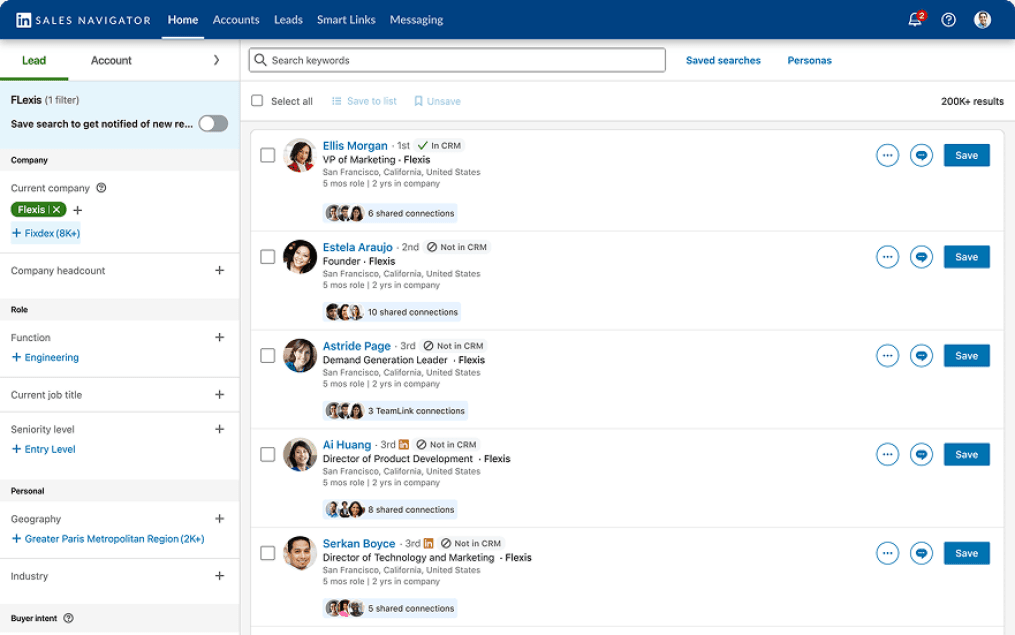
Sales Navigator adds advanced search filters, lead alerts, and InMail credits to LinkedIn. Its real strength is research on specific accounts, including warm paths through people you both know.
Pricing
Core costs $119.99 a month or $1,079.88 a year. Advanced costs $159.99 a month or $1,799.88 a year. Annual billing saves 25% on Core but only about 6% on Advanced.
What users say
4.4 from over 2,200 G2 reviews. Price and LinkedIn’s caps on InMails and invites are the top complaints.
Best for
Founders and account leads doing relationship-driven selling to specific companies.
Skip it if
You need contact data to export. Sales Navigator doesn’t export emails or phone numbers, so it only works alongside a data tool.
A Warning About LinkedIn Automation Tools
Cloud tools that automate connection requests and messages (HeyReach, Expandi, Dripify, and similar) break LinkedIn’s User Agreement, which bans bots and automated access. That risk became very real in 2026. On March 25, 2026, LinkedIn removed HeyReach’s company page and restricted its executives’ personal profiles, as documented in Overloop’s review of HeyReach’s own statement. HeyReach reported that customer accounts and campaigns kept running.
The practical takeaway for agencies is simple. Never run automation on the founder’s profile or a client’s profile you can’t afford to lose.
Website Visitor Identification
Visitor ID tools tell you which companies (or people) are looking at your site, turning anonymous traffic into warm outreach lists. For an agency with steady organic traffic, these are some of the warmest leads you’ll get.
RB2B
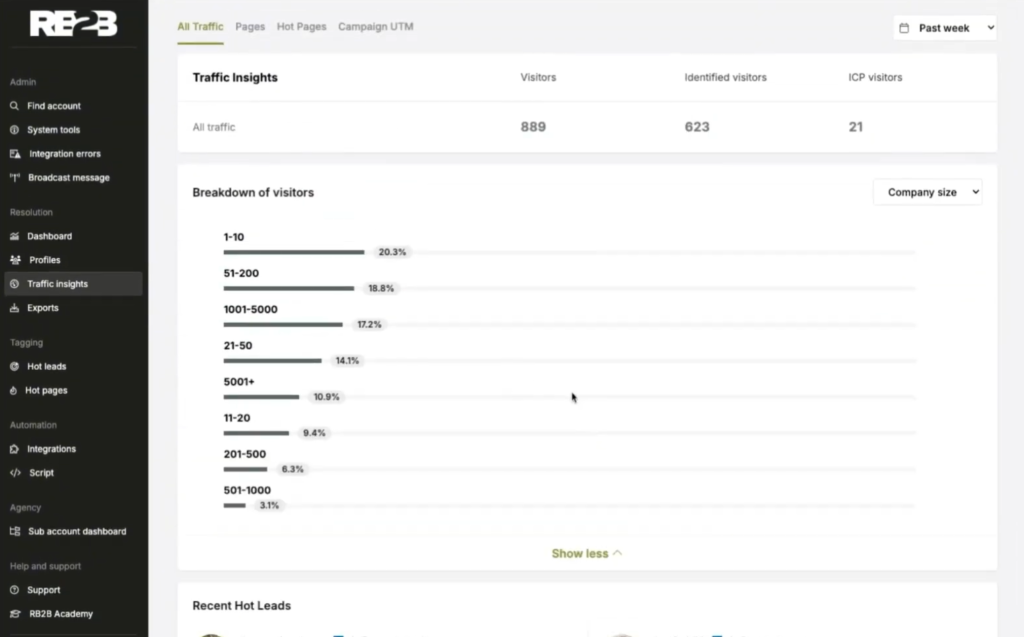
RB2B identifies individual US website visitors, often down to a LinkedIn profile, and sends them to Slack or your CRM. Instead of “someone from Acme visited,” you get a person to follow up with.
Pricing
A free plan covers company-level identification. Paid plans start at $79 a month.
What users say
4.5 on G2. Irrelevant visitors and match coverage are the main drawbacks.
Best for
US-focused agencies with steady site traffic that want a named person to contact.
Skip it if
A large share of your traffic comes from the EU or UK. Person-level identification only works for US visitors.
Leadfeeder (Dealfront)
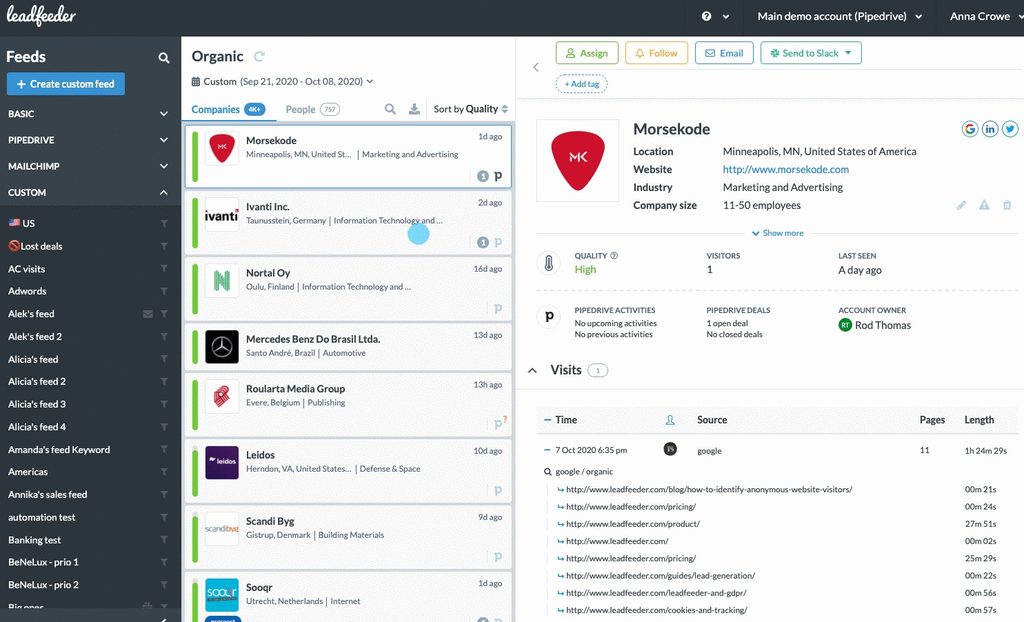
Leadfeeder shows which companies visit your site, which pages they read, and how often they return, then sends those accounts to your CRM. It identifies companies, not people, which makes it the safer pick for agencies with EU or UK traffic.
Pricing
The free plan identifies up to 100 companies a month but keeps only 7 days of data. Paid plans start at $99 a month on annual billing and rise with the number of companies identified, with each tracked website priced separately.
What users say
4.3 on G2. Capterra reviewers find the trial easy but the paid pricing high for smaller teams.
Best for
Agencies with steady traffic, especially from Europe, that want a warm account list without person-level tracking.
Skip it if
Your site gets little traffic. With few visiting companies, the paid plan won’t pay for itself.
RB2B or Leadfeeder? Choose RB2B if most of your traffic is from the US and you want a named person to contact. Choose Leadfeeder for meaningful EU or UK traffic, or if you’d rather work at the account level. Either way, you’ll still need a data tool to reach the right contact at an identified company.
CRM and Pipeline
Your CRM is where referrals, outbound replies, and inbound form fills finally meet. Without one, you’ll lose deals to a messy inbox and forgotten follow-ups.
HubSpot Sales Hub
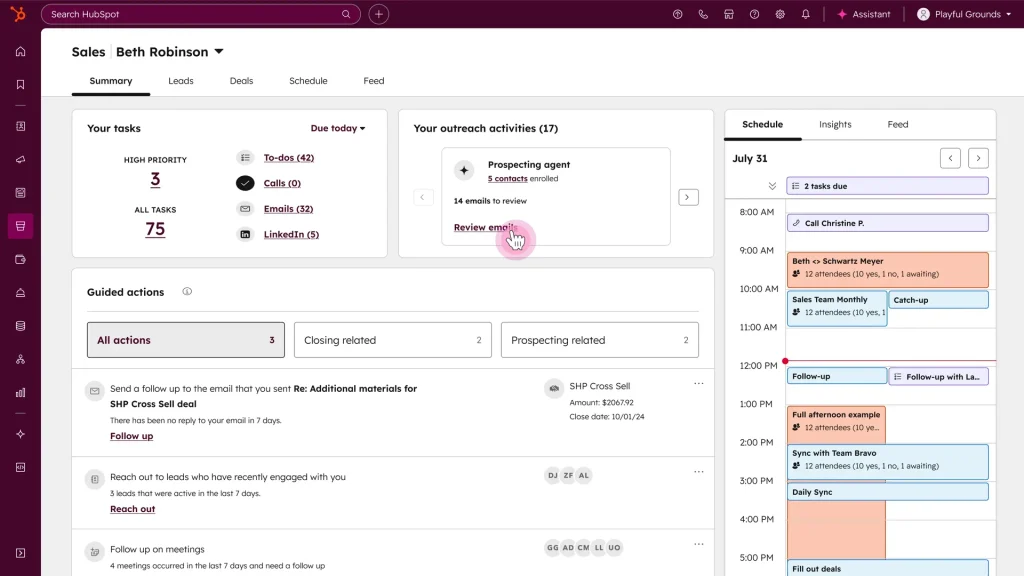
HubSpot’s CRM tracks contacts, deals, and pipelines in one place, so referrals, outbound replies, and inbound form fills don’t get lost in someone’s inbox. It also reminds you to run client reviews and ask for referrals, the habits behind most agency growth.
Pricing
The CRM is free for up to two users. Sales Hub Starter starts at $7 per seat per month on annual billing ($20 monthly) with 500 HubSpot Credits. Professional costs $90 per seat on annual billing ($100 monthly) plus a required $1,500 onboarding fee, and it’s the tier where sequences and workflow automation live. Enterprise starts at $150 per seat.
What users say
4.4 from over 14,000 G2 reviews, the largest review base of any CRM here. The biggest budget surprise is the jump to Professional once onboarding is added.
Best for
Almost every agency, starting on the free CRM.
Skip it if
You only want sequences on a small budget. They require Professional, so pairing the free CRM with Instantly or Smartlead costs far less.
AI SDRs and Built-In AI Agents
AI SDR tools promise to research prospects, write emails, and book meetings on their own. The honest picture is that the category is young. On G2, 11x has 33 reviews and Artisan has 56, compared with nearly 10,000 for Apollo. That’s not a verdict on quality, but it means little independent evidence exists yet.
Meanwhile, the tools you already use are adding AI agents. Instantly, lemlist, Smartlead, and HubSpot all now offer AI features for prospecting, reply handling, or research. For most agencies, trying those first is cheaper and less risky than signing a standalone AI SDR contract. Whatever you use, keep a human reviewing messages before they go out, because one tone-deaf AI email to a dream client costs more than the time you saved.
Recommended Stacks by Agency Size and Budget
The right stack depends less on features and more on how many people are prospecting and whether you run lead gen for clients. The monthly totals below add up the list prices from the reviews above, before any extra credits or add-ons.
| Agency size | Recommended stack | Estimated monthly cost |
|---|---|---|
| Solo or freelancer | Apollo (free or Basic), Smartlead Base or Instantly Growth, HubSpot free CRM | About $39 to $96 |
| 2 to 10 people | Apollo Basic for 2 seats, Instantly Growth or Smartlead Pro, Sales Navigator Core for the founder, RB2B free or $79 plan | About $265 to $400 |
| 10 to 50 people, running client campaigns | Clay Launch or Growth, Smartlead Unlimited Smart, lemlist Multichannel for 2 users, HubSpot Professional for 3 seats | About $850 to $1,160, plus HubSpot’s $1,500 one-time onboarding |
| 50+ people | The mid-size stack plus a quote-based data provider (ZoomInfo or Cognism) only if Clay’s waterfall can’t cover your markets | Custom, usually annual contracts |
A few notes to make these stacks work. First, start smaller than you think. A solo consultant with one well-built Apollo list and three warmed inboxes will outperform someone with five tools and no process. Second, add Sales Navigator when your deals get bigger, not when your list gets longer, since its value is research on specific accounts. Third, move to Clay only when you have someone who enjoys building workflows, because its power comes with a real learning curve.
Generating Leads for Your Agency vs. for Your Clients
Most tool guides treat these as the same job, and they’re not. Filling your own pipeline is about quality and relationships. Running lead gen as a service means managing many brands, many domains, and many sets of expectations at once, and your tools need to keep them apart.
Here’s what changes when you run campaigns for clients:
- Separate workspaces per client. Mixing clients in one account makes reporting messy and risks sending the wrong message to the wrong list. Smartlead offers client workspaces from its Pro plan ($94 a month), and its Unlimited Prime plan includes three client workspaces.
- Separate sending domains per client. A spam complaint on one client’s campaign should never touch another client’s reputation, or your own.
- Clear ownership of domains and data. Decide in your contract who owns the sending domains, the inboxes, and the lead lists if the client leaves. Agencies that skip this end up in awkward disputes over assets they paid for.
- Seat-friendly pricing. Per-user pricing adds up fast when account managers, SDRs, and clients all need access. lemlist’s Email plan includes unlimited users, and Hunter includes unlimited team members on every plan.
- Reporting clients actually understand. Clients care about meetings and pipeline, not open rates. Report on replies, positive replies, meetings booked, and cost per meeting, on a fixed schedule.
For your own pipeline, the priorities flip. Spend less on volume and more on research, relevance, and follow-up, because your ideal clients are a small, known list of companies you can study one by one.
Set Up Deliverability Before You Send a Single Email
The fastest way to waste a great lead gen stack is to land in spam. Gmail, Yahoo, and Microsoft now enforce authentication and spam-rate rules for high-volume senders, and cold email tools can’t protect you if your setup is wrong.
Here’s what the big mailbox providers require. Google’s email sender guidelines define bulk senders as anyone sending 5,000 or more messages a day to Gmail accounts. Bulk senders must authenticate with SPF, DKIM, and DMARC and offer one-click unsubscribe on marketing messages. Google’s sender guidelines FAQ says to keep your spam rate under 0.1% and never let it reach 0.3%. Microsoft now applies similar SPF, DKIM, and DMARC requirements to Outlook.com senders above 5,000 messages a day, as dmarcian explains.
Even if you send far fewer than 5,000 emails a day, follow these rules anyway. Providers judge small senders by the same signals, and the thresholds are the clearest guide to what “healthy” looks like.
Work through this checklist before your first campaign:
- Buy separate sending domains. Never send cold email from your main agency domain. If a campaign goes wrong, your client communication and proposals stay safe.
- Authenticate every domain. Set up SPF, DKIM, and DMARC records. Most senders, including Instantly, Smartlead, and lemlist, walk you through it.
- Warm up new inboxes. Let the warmup feature run for several weeks, then increase volume gradually.
- Verify every list. Run emails through verification before sending. Bounces are one of the fastest ways to damage a new domain.
- Spread volume across inboxes. Several inboxes sending modest daily volumes look far more natural than one inbox blasting hundreds.
- Make opting out easy. Include a clear way to unsubscribe, and honor requests quickly.
- Watch your spam rate. Use Google Postmaster Tools to track complaints on each sending domain.
Stay Compliant Wherever Your Prospects Live
The law that applies depends on where your prospect is, not where your agency is. A US agency emailing a marketing director in Toronto or Berlin has to follow Canadian or European rules for that email. This isn’t legal advice, but these are the basics every agency should know.
- United States (CAN-SPAM). Cold B2B email is allowed without prior consent, but the FTC’s CAN-SPAM compliance guide requires honest subject lines and headers, a valid physical postal address, a clear way to opt out, and honoring opt-outs within 10 business days.
- Canada (CASL). Canada’s rules are stricter and generally require consent, either express or implied, before you send a commercial message. The CRTC’s CASL FAQ explains when implied consent applies.
- European Union and UK (GDPR and related rules). B2B prospecting usually relies on “legitimate interest” under GDPR Article 6, which means your outreach must be relevant to the person’s role, you should document why, and you must offer an easy opt-out. Person-level website tracking is especially sensitive here, which is one reason RB2B limits person-level identification to US visitors.
- LinkedIn. Automation tools violate LinkedIn’s User Agreement regardless of country, as covered in the LinkedIn section above.
If you run campaigns for clients, put compliance responsibilities in writing. Spell out who approves the list, who handles opt-out requests, and which markets each campaign targets.
The Hidden Costs Behind the Sticker Price
The price on a pricing page is rarely what you’ll pay. Most lead gen tools now charge through credits, seats, or contract terms that only show up once you’re using the product.
| Tool | What costs extra | What to watch |
|---|---|---|
| Apollo.io | Credits beyond your plan’s annual allotment | Credit burn is a common G2 complaint, so track usage monthly |
| Clay | Two meters, Data Credits and Actions | Big enrichment workflows can drain both at once |
| Instantly | Lead data sold as separate Credits plans | The $47 sending plan includes no contact data |
| lemlist | Credits at $0.01 each (5 per email found, 20 per phone number) | Email plan campaigns pause when you hit your monthly cap |
| HubSpot | $1,500 onboarding fee for Professional | The cheapest Starter rate requires annual billing |
| Sales Navigator | Annual billing saves 25% on Core, about 6% on Advanced | Don’t lock into Advanced annually for a small discount |
| ZoomInfo | Quote-only annual contracts | Read the renewal terms before you sign |
Sources for these figures are the official pricing pages linked in the tool reviews above, including lemlist’s plan guide and HubSpot’s pricing page.
A simple habit protects you here. Before you buy, estimate how many contacts you’ll enrich and how many emails you’ll send each month. Then price the plan against that number, not against the headline rate.
Benchmarks to Measure Your Results Against
An average cold email reply rate is about 3.43%, according to Instantly’s Cold Email Benchmark Report, which analyzes billions of emails sent through its platform. The top quarter of senders reach 5.5% or more, and the top 10% reach 10.7% or more. Keep in mind this data comes from one vendor’s customers, so treat it as a useful reference point rather than a universal law.
The same report surfaced a few patterns worth building around:
- The first email does most of the work. 58% of replies came from the first step in a sequence, so put your best thinking into email one.
- Shorter wins. Emails under 80 words performed best.
- Midweek sends get more engagement. Wednesday showed the highest engagement of any day.
What you track matters as much as what you send. Open rates became unreliable once Apple’s Mail Privacy Protection started loading tracking pixels automatically, so they can look great while nobody reads a word. Focus on these numbers instead:
| Metric | Why it matters | Healthy signal |
|---|---|---|
| Reply rate | Shows whether your list and message fit | Around 3.4% average, 5.5%+ strong |
| Positive reply rate | Filters out “not interested” and “remove me” | Trending up over time |
| Meetings booked | The first number clients and partners care about | Tracked per campaign |
| Cost per meeting | Tells you if a channel is worth scaling | Lower than your other channels |
| Spam complaint rate | Protects your sending domains | Under 0.1%, per Google’s guidelines |
Review these every week for new campaigns and every month once a campaign is stable. When a number drops, check list quality first, since it causes more problems than copy.
Common Mistakes Agencies Make With Lead Generation Tools
These mistakes come up again and again in G2 reviews, agency forums, and vendor help centers. Avoid them and you’ll be ahead of most agencies buying these tools.
- Buying a database before fixing referrals. Referrals and account growth are the highest-rated agency growth tactics in Promethean Research’s data. Set up a simple referral ask and a quarterly review rhythm in your CRM first.
- Sending cold email from your main domain. One bad campaign can push your proposals and client emails into spam.
- Trusting any database blindly. Data accuracy is the top complaint for Apollo, ZoomInfo, Cognism, and Lusha on G2. Verify before you send.
- Automating LinkedIn on a profile you can’t lose. LinkedIn’s User Agreement bans automation, and enforcement tightened in 2026.
- Ignoring credit math. Credit-based tools can double your real cost if you don’t estimate volume first.
- Locking into annual contracts too early. Test on monthly billing for a quarter, then commit once you know your volume.
- Paying for the same job twice. Many senders now include data, and many data tools now include sequences. Pick one tool per job.
- Using person-level visitor ID on European traffic. It raises GDPR questions, and tools like RB2B only identify US visitors anyway.
- Letting AI write and send without review. AI helps with research and first drafts, but a person should approve every message to a high-value prospect.
- Measuring opens instead of meetings. Opens are unreliable. Replies, meetings, and cost per meeting tell you what’s working.
- Blasting generic offers. Short, relevant emails to a tight list consistently beat long, generic sequences to a huge one.
How to Choose the Right Tools for Your Agency
Answer these five questions honestly and your shortlist will mostly write itself.
- How do you sell? Simple, defined offers suit outbound email. Complex retainers need research tools and a strong CRM more than volume.
- Who is prospecting? One founder needs one all-in-one tool. A team running client campaigns needs workspaces and unlimited inboxes.
- Where are your prospects? US-focused agencies have more options for visitor ID. EU and Canadian prospects call for stricter consent and data practices.
- Who will run the tools? Clay rewards a technical operator. Apollo and Instantly work fine for non-technical teams.
- What’s your monthly volume? Estimate contacts and emails per month, then compare plans on that number.
Getting Recommended by AI Search
One lead source most agencies overlook is AI search. Promethean Research notes that prospects now use AI tools to research and shortlist agencies before they ever reach out. When someone asks ChatGPT or Perplexity for “the best PPC agency for dental practices,” the agencies that show up are the ones with clear, specific content about who they serve, visible client results, and consistent reviews on third-party sites.
No single tool fixes this, but the habits are the same ones that make outbound work. Pick a niche, publish proof, and make it easy for anyone (or any AI) to understand exactly what you do and for whom.
Agency Lead Generation Tools FAQ
| Agency size | Typical stack | Estimated monthly cost |
|---|---|---|
| Solo or freelancer | Apollo, Smartlead or Instantly, HubSpot free CRM | About $39 to $96 |
| 2 to 10 people | Apollo Basic (2 seats), Instantly or Smartlead, Sales Navigator Core, RB2B | About $265 to $400 |
| 10 to 50 people with client campaigns | Clay, Smartlead Unlimited Smart, lemlist Multichannel, HubSpot Professional | About $850 to $1,160, plus $1,500 HubSpot onboarding |
New clients are only half the job. Keep the ones you win, and earn more referrals, with reports that make your results easy to see.
Start Your Free Trial Today