
You know that sinking feeling when a client calls out of the blue, saying, “Our rankings tanked overnight!” or “Why are our competitors beating us?” And you’re caught off guard, with no idea what happened. It’s the worst, right?
Running an agency, you’re juggling tons of clients, each with their own website, rankings, and technical quirks. They expect you to have a pulse on their SEO performance 24/7. Increasingly, they want to know how they’re showing up in AI search results from ChatGPT, Perplexity, and Google’s AI Overviews. Checking every site manually every day is not feasible. That’s where a solid SEO monitoring system comes in, and it works like your personal radar, catching problems so you can focus on strategy and growing your business.
If you’re piecing together random tools not built for handling multiple clients, you’re probably missing things. Have you taken a close look at your monitoring setup lately? Is it keeping your clients’ sites safe and your reputation solid, or are you hoping nothing breaks until your next SEO report?
Let’s walk through how to build a monitoring system that works for your agency, using free Google tools you already have and adding specialized platforms to cover the gaps. This includes the new wave of AI visibility tools that have become essential today.

What Makes Monitoring Different from Research Tools?
First, let’s clear something up: monitoring isn’t the same as those all-in-one SEO suFirst, let’s clear something up: monitoring isn’t the same as those all-in-one SEO suites you use for research. Research tools help you plan your next move. Monitoring tools watch your clients’ sites when you’re not looking, like a security system that never sleeps.
A good monitoring setup catches issues before your clients notice. Instead of saying, “Sorry, I didn’t see that ranking drop last month,” you can say, “We spotted some keyword shifts last week and already tweaked things.” The best systems run nonstop, keeping an eye on:
- Big ranking changes for your clients’ top keywords
- New or lost backlinks that could hurt performance
- Technical issues like broken pages or crawl errors
- Drops in traffic or conversions
- Competitors creeping up on your clients’ spots
- Local visibility or review problems
- AI search visibility—how your clients appear in ChatGPT, Perplexity, Google AI Overviews, and AI Mode
These tools don’t just collect data. They also ping you or your team when something needs your attention, so you’re not digging through reports to find issues.
Get the Most Out of Google’s Free Tools
You don’t need to spend a fortune to start monitoring like a pro. Google’s free tools are packed with features if you know how to use them. These tools have received significant AI-powered upgrades in 2025. Let’s go through how you can squeeze every bit of value out of them for your clients.
Google Search Console: Your First Line of Defense
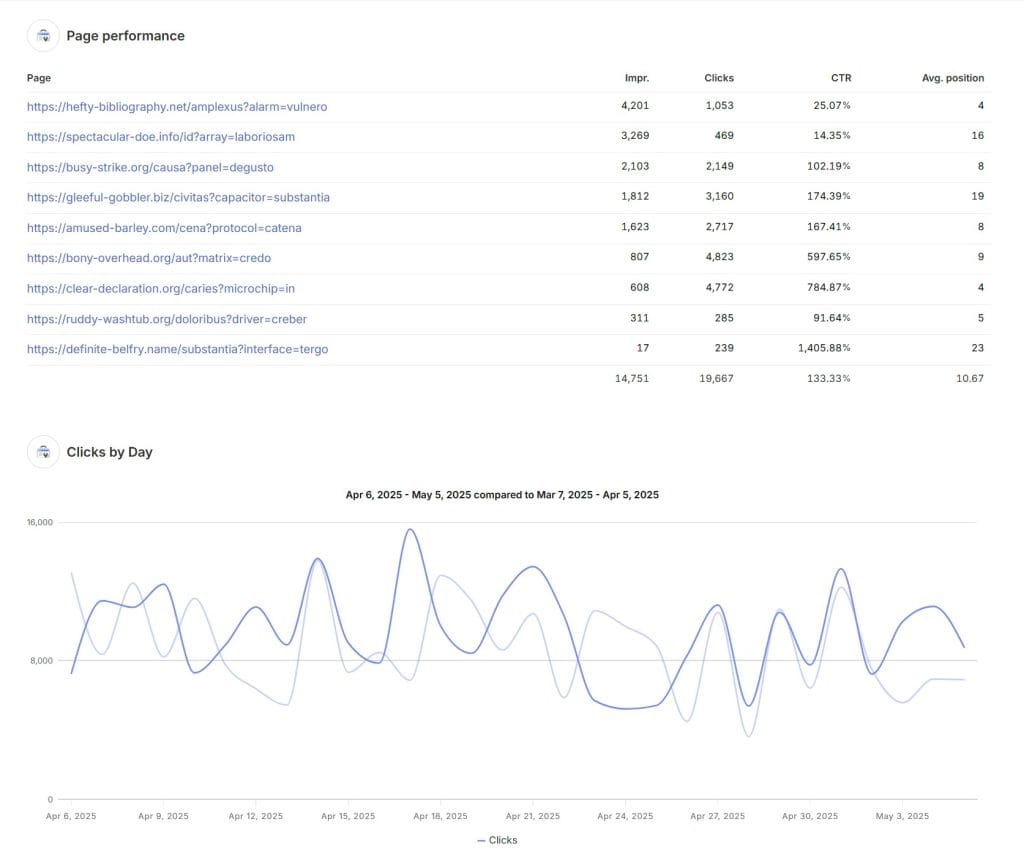
You’re probably using Google Search Console to check rankings and clicks, but it’s capable of so much more. In December 2025, Google rolled out an experimental AI-powered configuration feature that lets you describe the report you want in natural language, and GSC builds it automatically. You can type something like “compare clicks from UK versus France” and the system sets filters, comparisons, and metrics to match.
Set up email alerts for every client’s site to catch critical issues the second they pop up. Imagine you’re managing a client’s e-commerce site, and GSC alerts you to a hacked page before it tanks their rankings. That’s the kind of save that keeps clients happy.
Key GSC features:
- AI-powered configuration: Describe your analysis in natural language and GSC auto-configures the report
- Query groups: AI-powered feature that groups similar search queries, helping you identify main user interests without analyzing hundreds of variations
- Branded query filters: Automatically recognizes brand names, variations, and misspellings to separate branded vs non-branded traffic
- Annotations: Add custom notes directly to Performance report charts to mark site changes, launches, or events for easier correlation with traffic fluctuations
- Social channels integration: Experimental feature bringing social profile performance into Search Console Insights
The Coverage and Mobile Usability reports remain gold for spotting indexing problems or mobile issues as Google finds them. Use the API to pull GSC data into your reporting system, letting you track trends across all your clients in one place.
Google Analytics: More Than Just Traffic Numbers
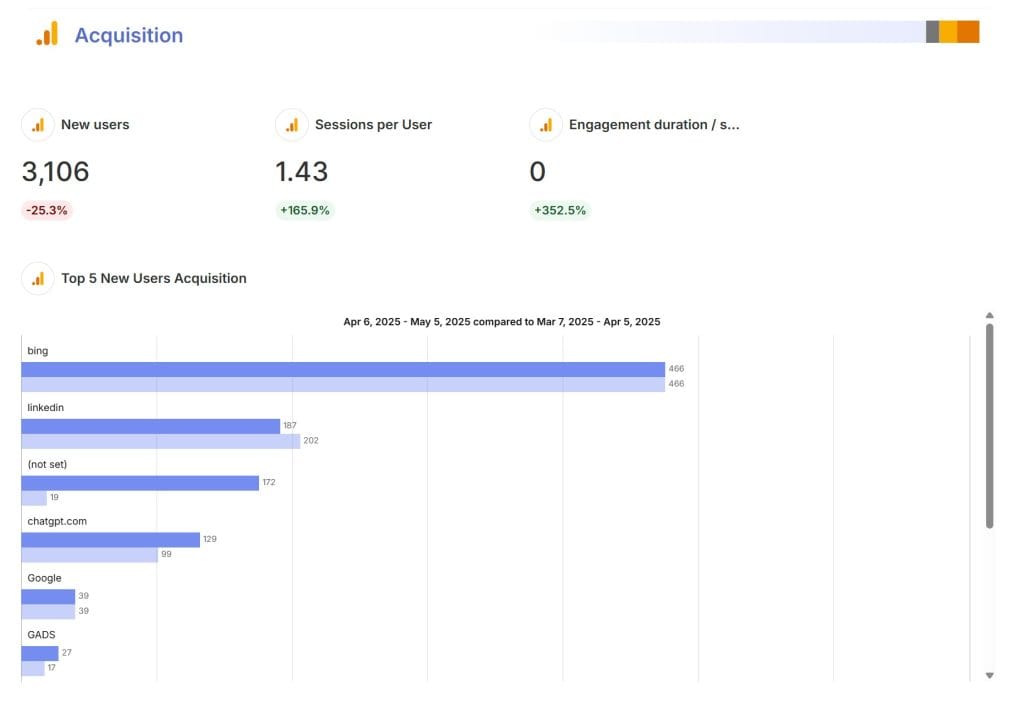
GA4 isn’t just for reports. Set it up right, and it becomes a powerful monitoring tool. Its Anomaly Set it up right, and GA4 becomes an essential proactive monitoring system. Recent 2025 enhancements have further strengthened its AI-driven insights, anomaly detection, and overall usability.
Key GA4 features for monitoring:
- Anomaly detection with AI insights: GA4 automatically highlights trends, anomalies, and opportunities. If a product page suddenly spikes in traffic, GA4 flags it and suggests possible causes.
- Analytics Advisor: A conversational AI assistant (rolled out in late 2025) that surfaces high-level insights, diagnoses performance changes, and guides you through features.
- Expanded benchmarking: Compare your performance against industry peers with 20+ unnormalized metrics (e.g., absolute New users or Total Revenue).
- Cross-property report copying: Copy reports and explorations from one property to another, which is a a game-changer for agencies managing multiple sites.
- Consent Mode V2 integration: View breakdowns of consented vs. modeled data for easier compliance reporting.
Create custom alerts to flag big drops in organic traffic, changes in conversion rates, spikes in bounce rates, or shorter session times. Link these alerts to email (or integrate with tools like Slack via exports) so you or your team get notified instantly.
Google Business Profile: Don’t Sleep on Local Monitoring
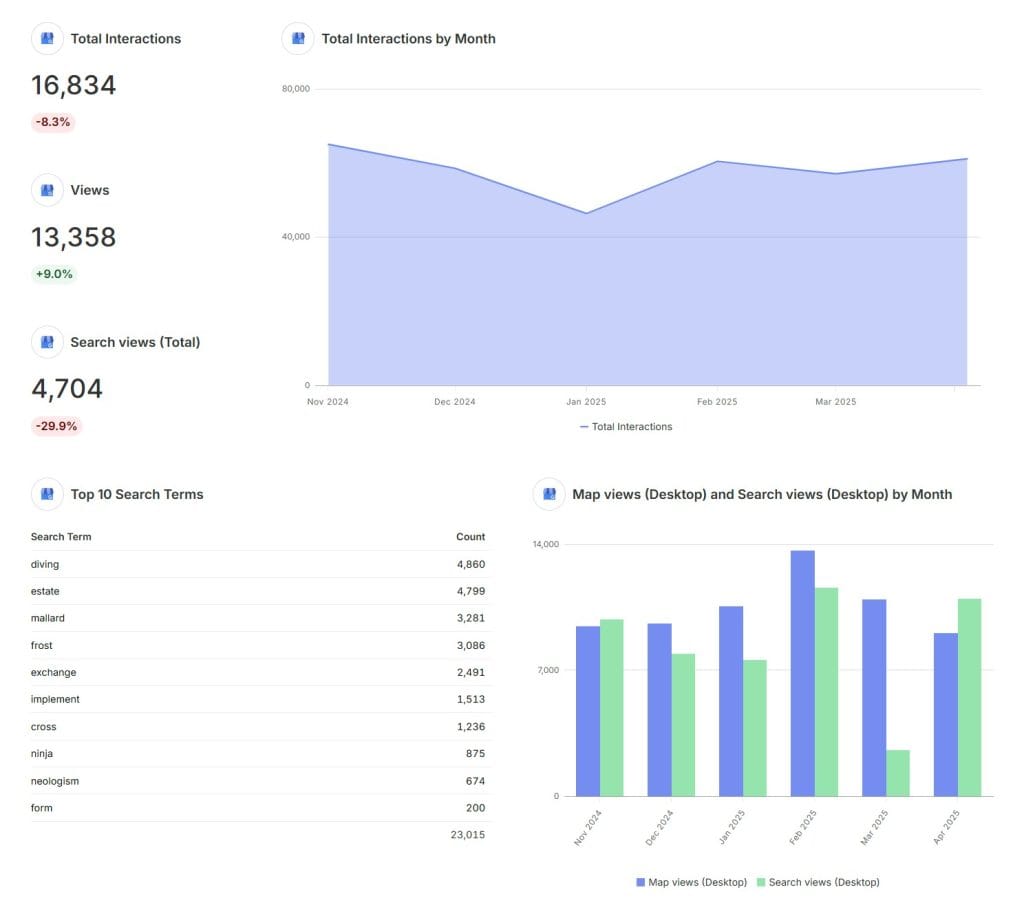
If you’ve got clients with physical locations—like restaurants, law firms, or retail stores—their Google Business Profile is just as important as their website. GBP received several updates in 2025 that make local monitoring more efficient.
2025 GBP updates:
- Improved fake review reporting: June 2025 update makes it easier to flag and remove fraudulent reviews
- Redesigned reporting: Hides low-volume keywords to focus on top queries (adjust your analysis accordingly)
- Post scheduling: Schedule GBP posts in advance
- Multi-location posting: Post to multiple locations simultaneously
Set up notifications to alert you when new reviews come in. If you’re managing a client’s dental practice, one bad review left unanswered for weeks could scare off potential patients. Respond fast to keep their reputation intact.
Pull It All Together with Swydo
Google’s tools are great, but flipping between GSC, GA4, and GBP for every client gets old fast, especially as your agency grows. That’s where Swydo’s automated marketing report comes in. It’s like the control center for your monitoring, pulling data from all your Google tools and other platforms into one place.
With Swydo, you can create dashboards for your team to monitor issues and polished reports for your clients, all from the same data. Set alerts to notify you when metrics—like a client’s organic traffic or keyword rankings—cross certain thresholds. This way, nothing slips through the cracks.
Swydo connects to over 30 data sources, so you’re not just tracking SEO. It pulls in:
- Google tools like Search Console, Analytics, Ads, and GBP
- SEO platforms like Semrush, AccuRanker, and SE Ranking
- Social media accounts from Facebook, Instagram, and LinkedIn
- Call tracking tools like CallRail and CallTrackingMetrics
- Email marketing platforms like Mailchimp and Campaign Monitor
This matters because your job isn’t just about rankings. You need to see how SEO ties to social, calls, and email to spot problems or opportunities across your clients’ marketing.
Swydo doesn’t just pull your data together—it also helps you monitor SEO performance and track goals with custom dashboards and alerts. Start by setting up a monitoring overview to see all your clients’ key metrics in one place.
Go to the Overview tab and either create from scratch—picking up to six metrics like organic traffic or conversions—or use a template like Google Analytics 4 KPIs, which pre-fills metrics you can tweak. You can filter the overview to show only specific clients by clicking the pencil icon under Clients, so if you’re focusing on a few key accounts, you don’t get overwhelmed.
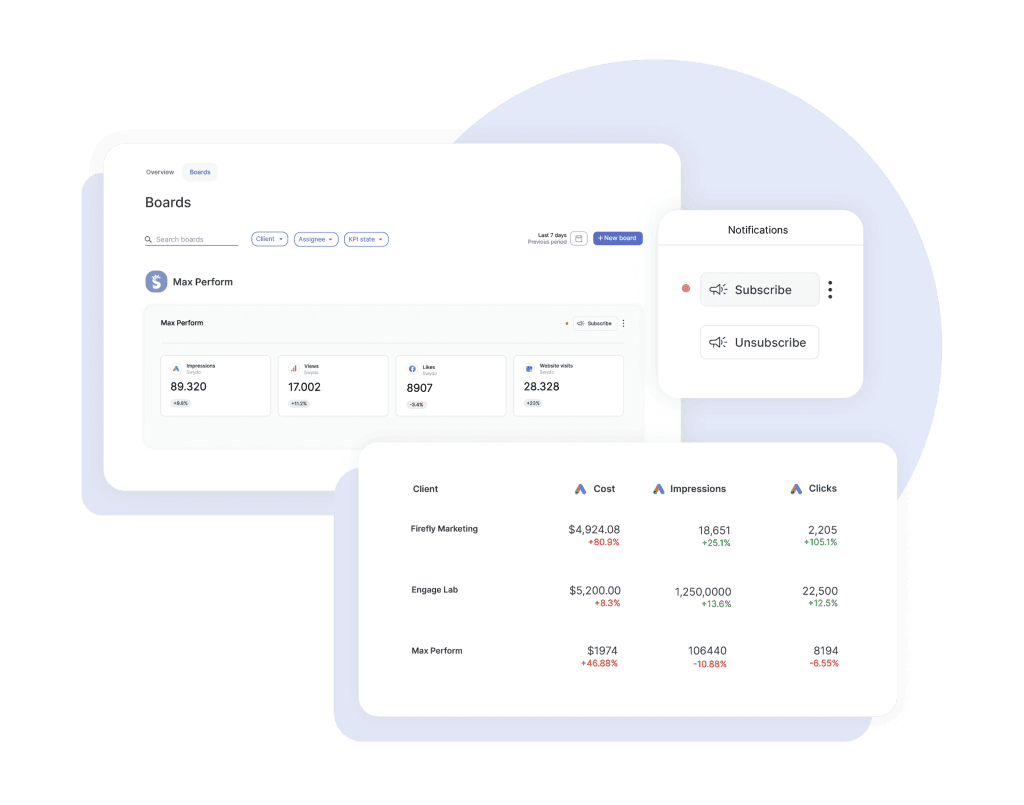
To track specific SEO goals, create a monitoring board under the Monitoring section. Select a client, name your board—like “SEO Performance”—and add widgets for KPIs such as keyword rankings or traffic from tools like Google Analytics. Set alerts to get notified if something’s off, like a traffic drop below a certain threshold, by adding a target in the widget settings and subscribing to email notifications.
The video below shows how your board displays metrics like sessions or users with performance comparisons, making it easy to spot trends. Swydo’s real-time tracking and alerts mean you’ll catch SEO issues fast, keeping your clients’ sites on track without constant manual checks.
Specialized Tools to Cover the Gaps
Google and Swydo give you a solid foundation, but some monitoring tasks need tools built for specific jobs. Here’s what you should consider adding to your stack.
AccuRanker: Track Rankings with Precision
Your clients probably care a lot about their rankings, noticing changes before you see traffic dips in Analytics. AccuRanker tracks keywords with laser focus, giving you daily or on-demand updates across locations, devices, and search engines, offering far more precision than GSC’s estimates.
Key features:
- AccuLLM: Track your visibility in AI search including ChatGPT, Perplexity, AI Overviews, and Google’s AI Mode. Get visibility scores, sentiment analysis, average rank in LLM answers, and citation tracking
- Real-time updates: Hit refresh and get live ranking data in seconds
- Grid tracking: Shows how rankings shift across neighborhoods or ZIP codes for local clients
- SERP feature tracking: Track Featured Snippets, Knowledge Panels, Local Packs, and ‘People Also Ask’
- Competitive alerts: Get notified when rivals start climbing
- API access: Send automated alerts to clients when top keywords move
AccuRanker Pricing:
- Professional: $224/month for 2,000-5,000 keywords
- Expert: $764/month for 10,000-25,000 keywords (includes AI CTR, Tag Cloud, Looker Studio)
- Enterprise: Custom pricing for 25K+ keywords
- AccuLLM available as separate add-on for LLM visibility tracking
14-day free trial available. Annual billing saves 10%.
Semrush Sensor & AI Visibility Toolkit: Explain What’s Happening

tracks algorithm changes across over 25 industries. But in 2025, Semrush made a major move with their AI Visibility Toolkit and Semrush One, which addresses the massive shift toward AI search.
Key features:
- Semrush Sensor: Tracks algorithm volatility and now monitors AI Overviews occurrence across industries (showing around 15% of searches in late 2025)
- AI Visibility Toolkit ($99/month add-on): Track brand presence across ChatGPT, Perplexity, Google AI Overviews, and AI Mode. Includes AI Visibility Score, sentiment analysis, brand mentions, and citations
- Position Tracking AI Overviews: See which keywords help you rank as a data source in AI-generated answers
- Semrush Copilot: AI-powered assistant that analyzes data from six core tools and serves up prioritized recommendations
- Competitor AI benchmarking: Compare your AI visibility against competitors, spot prompt-level gaps
Semrush Pricing:
- Pro: $139.95/month (5 projects, 500 keywords)
- Guru: $249.95/month (15 projects, 1,500 keywords, historical data)
- Business: $499.95/month (40 projects, 5,000 keywords, API access)
- Semrush One (NEW): Bundles SEO + AI Visibility toolkits. Starter $199/month, Pro+ $299/month, Advanced $549/month
AI Visibility Toolkit: $99/month add-on. Annual billing saves up to 17%.
ContentKing: Catch Technical Issues in Real Time

Most technical SEO tools crawl sites once a week or month, but problems can pop up anytime. ContentKing, now part of Conductor’s enterprise platform, monitors your clients’ sites continuously, alerting you to issues as they happen.
What it monitors:
- Meta tags and headings
- Canonical tags
- Robots directives
- Schema markup
- Internal links
- Content updates
If you’ve got clients with active dev teams—like an e-commerce site constantly updating products—this real-time monitoring saves you from surprises. You can set it up to send critical alerts to your technical SEO specialist while less urgent ones go to a weekly review.
Pricing: Custom pricing based on requirements. Website Monitoring is available as a standalone plan or bundled with Conductor Intelligence. Typical costs range from lower amounts for startups to $60,000-$180,000/year for enterprise deployments.nt ones go to a weekly review.
Pingdom: Monitor Performance Beyond Speed Scores

Site speed affects rankings, user experience, and conversions, but one-off PageSpeed tests don’t show how your clients’ sites perform over time. Pingdom (by SolarWinds) checks performance, uptime, and user experience constantly, testing from multiple global locations as often as every minute.
Key features:
- Synthetic monitoring: Proactive monitoring of web applications, availability, and performance
- Real user monitoring (RUM): See how your site performs for actual visitors
- Transaction monitoring: Simulates user paths like cart checkout and alerts you if something breaks
- Historical data: Show clients how optimizations improved speed over time
- Global testing locations: Check performance from multiple regions
Pingdom Pricing:
- Synthetic monitoring starts at $10-15/month (10 uptime checks, 1 advanced check)
- Scales to $95/month (90 uptime checks, 20 advanced checks)
- Real user monitoring priced separately based on pageviews
- Enterprise plans for high-volume sites
30-day free trial available.
CallRail and CallTrackingMetrics: Track the Money
Rankings and traffic are great, but if they don’t turn into leads or sales, your clients won’t care. You might be watching top-funnel metrics but missing conversion problems until it’s time for reports. Call tracking tools like CallRail and CallTrackingMetrics monitor lead generation in real time, which is critical if you’re working with clients like lawyers or contractors where phone calls drive business.
These tools show which channels, keywords, or pages lead to calls, so you can tie your SEO work directly to revenue. If you’re managing a client’s home services site, an alert about a drop in calls from organic search could point to a ranking issue on high-intent keywords, even if overall traffic looks fine. Both tools integrate with Swydo, so you can pull call data into your dashboards alongside SEO metrics for a full picture.
AI Visibility Monitoring Tools
The biggest shift in SEO monitoring since 2025 has been the rise of AI search. Google’s AI Overviews now appear in approximately 15-16% of search results, and platforms like ChatGPT and Perplexity are driving measurable traffic. Studies show AI-referred visitors convert at 4.4x higher rates than traditional organic visitors. If you’re not monitoring AI visibility, you’re flying blind.
Here are the leading dedicated AI visibility tools that have emerged:
Otterly AI
Award-winning AI search monitoring platform recognized by G2, OMR, and Gartner. Tracks brand mentions and website citations across ChatGPT, Google AI Overviews, AI Mode, Gemini, Perplexity, and Copilot.
- Best for: Teams wanting straightforward AI visibility tracking without complexity
- Pricing: Lite plan available; premium tiers scale up
Peec AI
German-based platform that raised €7M in 2025 funding. Focuses on real-time AI visibility and multi-language support across 115+ languages—particularly attractive for European and global brands.
- Best for: Global brands needing multi-platform tracking at mid-market pricing
- Pricing: Starter €89/month, Pro €199/month, Enterprise €499+/month
Profound
Enterprise-focused AI SEO tracker. The Conversion Explorer feature uses data similar to traditional keyword tools to uncover prompts you may not be thinking about, making it a unique differentiator.
- Best for: Large organizations with dedicated content, digital PR, and SEO teams
- Pricing: Starter $99/month, Growth $399/month, Enterprise custom
Ahrefs Brand Radar
Uses 150M+ real prompts from Ahrefs’ 110B keyword database rather than AI-generated test queries. Shows AI Share of Voice, mentions, citations, and impressions across multiple AI platforms.
- Best for: Teams already using Ahrefs who want to add AI monitoring without a separate subscription
- Pricing: Freemium tier available; included with Ahrefs subscriptions ($99-399/month)
Recommendation: Start with one tool to prove ROI before investing heavily. For most agencies, the AI Visibility features built into Semrush, AccuRanker, or Ahrefs provide good coverage. Dedicated tools like Peec AI or Profound make sense when AI visibility becomes a primary focus.
Build a Monitoring System for Your Agency’s Size
Your monitoring setup should fit where your agency is at and how many clients you’re handling. Here’s how to structure it as you grow.
Small Agency (5-10 Clients)
- Set up robust alerts in GSC, GA4, and GBP for all clients
- Add AccuRanker Professional ($224/month) for precise rank tracking
- Use ContentKing’s startup plan for technical monitoring
- Get Swydo ($69/month base) to tie everything together
- Consider Semrush Pro + AI Visibility Toolkit ($239/month) for AI search monitoring
Estimated monthly cost: $400-600
Mid-Size Agency (10-25 Clients)
- Connect Google tools to APIs for automated data pulls
- Upgrade AccuRanker Expert ($764/month) with AccuLLM for AI visibility
- Add Semrush Guru ($249.95/month) for algorithm tracking and competitor analysis
- Use Pingdom ($95/month) for performance monitoring
- Get CallRail Complete Suite ($195/month) for lead tracking
- Upgrade Swydo (~$150-200/month for 30-50 data sources)
- Consider Peec AI Pro (€199/month) for dedicated AI monitoring
Estimated monthly cost: $1,500-2,500
Enterprise Agency (25+ Clients)
- Build custom API setups for Google tools
- Use agency-tier plans:
AccuRanker Enterprise (custom pricing)
Semrush Business ($499.95/month) + AI Visibility Toolkit
Conductor Enterprise (custom pricing)
Pingdom Enterprise
CallTrackingMetrics Enterprise ($1,999/month)
Swydo Agency (scaled pricing)
- Add dedicated AI visibility tools: Profound Enterprise or Semrush AIO platform
Estimated monthly cost: $5,000+
How to Make Your Monitoring System Work for You
Having the right tools is just the beginning. How you set them up and use them makes all the difference.
Set Up Alerts That Make Sense
Not every issue deserves a 2 a.m. wake-up call. Organize your alerts into tiers:
| Alert Level | Examples | Response | Who Gets It | Action |
|---|---|---|---|---|
| Critical | Site down, manual penalty, big ranking drops, AI visibility loss | Same day | You + SEO lead | Tell client, fix now |
| Important | Technical glitches, lost backlinks, smaller ranking shifts | 24-48 hours | Specialist | Investigate, update client |
| Monitor | Minor changes, low-priority AI mention shifts | Next scheduled | Team dashboard | Note it, routine tasks |
Double-Check Before You Panic
False alarms waste your time and stress out clients. Before you escalate an issue, cross-check it. If AccuRanker shows a ranking drop, look at GSC to see if traffic’s actually down. If GSC flags an indexing issue, use ContentKing to pinpoint what’s wrong. If GA4 shows a traffic dip, check Pingdom to rule out performance problems. For AI visibility drops, verify across multiple platforms before raising concerns.
Customize Monitoring for Each Client
Every client’s different. A huge e-commerce site in a cutthroat industry needs more attention than a local bakery’s simple site. Tailor your monitoring based on:
- How big and complex their site is
- How tough their competition is
- How stable their rankings have been
- How much revenue is at stake
- What they’re paying you
- How important AI search is to their industry
Get Your Team on the Same Page
Make monitoring part of your team’s daily routine:
- Assign clear roles—who’s checking alerts, who’s handling technical fixes?
- Set a schedule for regular system reviews
- Define how alerts escalate
- Write down standard responses for common issues
- Every quarter, look at what’s working and what’s not
- Include AI visibility in your weekly reviews
Think Like a Proactive Agency Owner
Tools and processes are critical, but the real magic happens when you and your team start thinking ahead. Don’t just fix problems when alerts go off. Instead, look for ways to stop them before they start.
If Google announces an algorithm update, check your most vulnerable clients’ sites early. If you see a trend—like AI Overviews expanding into commercial queries (which happened throughout 2025)—proactively optimize affected clients’ content. With AI search, studies show that AI Overviews caused a 61% drop in organic CTR for informational queries. Being ahead of these shifts is what separates proactive agencies from reactive ones.
Your Next Steps
- Check how you’re using Google’s tools and check whether you are leveraging the new AI-powered features?
- Figure out which specialized tools would fix holes in your setup
- Add AI visibility monitoring, which is no longer optional in 2026
- Get Swydo or a similar platform to bring all your data into one place
- Create alert rules that match your clients’ needs
- Write down how you’ll handle common issues
- Train your team on AI search fundamentals and monitoring
You don’t need to monitor every little thing because that is impossible. Focus on the metrics that matter most to each client’s business and build systems to catch changes fast. A strong monitoring setup turns you from a reactive firefighter into a proactive strategist, delivering better results and happier clients.
SEO Monitoring FAQ for Agencies
Comprehensive answers to the most common questions about proactive SEO monitoring
SEO monitoring is the continuous tracking of a website’s performance, rankings, technical health, backlinks, traffic, and visibility in search results — including traditional and AI-driven search. It uses automated tools to detect changes and issues in real time.
Manual checks don’t scale across multiple clients. A good system catches ranking drops, technical errors, or visibility losses early — before clients notice — protecting your reputation and allowing proactive fixes.
Research and audit tools are used periodically for planning and diagnostics. Monitoring tools run 24/7 in the background and send alerts when something changes, acting like a security system for SEO performance.
Key areas: keyword rankings, organic traffic & conversions, technical issues (indexing, crawl errors, speed), backlinks, competitor movements, local visibility/reviews, and presence in AI search answers.
It lets you spot and fix issues before clients see negative results, demonstrates ongoing value through data-driven insights, and positions your agency as proactive rather than reactive.
Yes. Starting with free Google tools and affordable platforms saves time, prevents revenue loss from undetected issues, and helps win/retain clients by showing consistent attention to their performance.
Enable email alerts for critical issues. Regularly check Coverage, Mobile Usability, and Performance reports. Use query groups, branded filters, and annotations to track trends and correlate changes with site updates.
AI-powered anomaly detection, custom alerts for organic traffic drops, benchmarking against industry peers, and the Analytics Advisor for automated insights into performance changes.
Turn on notifications for new reviews, photos, and questions. Monitor search queries, views, and actions in the Performance section. Quick responses protect local rankings and reputation.
They form an excellent foundation but lack precise daily ranking data, real-time technical monitoring, AI visibility tracking, and unified multi-client dashboards that paid tools provide.
Yes — verification is essential for accurate data and alerts. Make it standard onboarding procedure for all new clients.
Switching between multiple tools for dozens of clients wastes time. A unified dashboard shows all key metrics in one place, enables faster issue detection, and simplifies team collaboration.
Swydo is a reporting and dashboard platform that integrates 30+ data sources (GSC, GA4, GBP, Semrush, AccuRanker, CallRail, etc.) into custom monitoring boards with real-time widgets and threshold-based alerts.
Use the Overview tab to display up to six key metrics across all clients. Filter by specific clients or create dedicated monitoring boards with widgets for rankings, traffic, calls, and more.
Yes — platforms like Swydo let you set targets on widgets and subscribe to email/Slack notifications when metrics fall below thresholds.
Looker Studio (free, Google-focused), AgencyAnalytics, DashThis, and ReportGarden are popular alternatives with similar multi-source integration capabilities.
AccuRanker — daily or on-demand updates, local grid tracking, SERP feature monitoring, real-time refresh, and competitive alerts.
ContentKing (now part of Conductor) continuously monitors meta tags, canonicals, schema, internal links, and content changes, alerting you the moment issues appear.
Pingdom — tests performance and availability from global locations every minute, with synthetic and real-user monitoring plus transaction checks.
CallRail or CallTrackingMetrics attribute calls to specific keywords, pages, and channels. Integrate with your dashboard to see direct revenue impact.
It monitors search algorithm volatility across industries and AI Overview appearance rates, helping you understand if performance changes are site-specific or market-wide.
AI answers (Google AI Overviews, ChatGPT, Perplexity) now influence a significant portion of searches and drive higher-converting traffic while sometimes reducing traditional clicks.
Integrated options: AccuLLM (AccuRanker), AI Visibility Toolkit (Semrush), Ahrefs Brand Radar.
Dedicated platforms: Otterly AI, Peec AI (multi-language), Profound (enterprise).
Visibility scores, brand mentions, source citations, sentiment analysis, share of voice, and ranking within AI-generated answers across platforms.
Prioritize clients in informational or commercial intent niches where AI answers are common. Start with tools already in your stack (Semrush/Ahrefs) before adding dedicated platforms.
Show increases in citations/mentions over time, correlate with traffic changes, and highlight prevented losses when competitors gain share in AI answers.
Tier alerts by severity: Critical (immediate action), Important (24-48 hours), Monitor (weekly review). Customize thresholds per client and always verify before escalating.
Tailor based on site size, competition level, revenue at stake, and business model (e.g., heavy local focus = more GBP alerts; e-commerce = speed + call tracking).
Document standard responses for common issues, assign clear roles (who investigates, who communicates with client), and require cross-verification across tools before action.
Conduct quarterly reviews of tools, alerts, and client priorities. Add new metrics (like AI visibility) as search evolves and remove underused alerts.
1. Verify all clients in GSC/GA4/GBP
2. Set basic alerts in Google tools
3. Choose a central dashboard (e.g., Swydo)
4. Add one specialized tool (rank tracking)
5. Document processes and train the team.
Small (5-10 clients): $400–600/month
Mid-size (10-25 clients): $1,500–2,500/month
Enterprise (25+): $5,000+/month
Costs scale with precision, AI tracking, and number of keywords/sites.
Catch SEO issues early and deliver proactive value to your clients.
Start Your Free Trial Today