
Your team members probably lose entire Fridays piecing together client reports. Many agencies share this struggle, and skilled SEO experts waste hours wrestling with spreadsheets when they could devise powerful strategies instead.
The numbers tell a frustrating story. When you dedicate 5 hours per client to monthly reports and handle 10 clients, you lose 50 hours each month. That time could go toward sharper client plans, new business pitches, or a stress-free weekend before Monday deadlines loom.
I’ve watched agency leaders grapple with reporting as a necessary chore for years. Many hesitate to adopt tools because they view them as added costs, yet the right SEO reporting software actually protects profits. It strengthens client trust and frees your team to focus on tasks that deliver real impact.
Why SEO Reports Strengthen Client Relationships
When you create SEO reports for your clients, those reports serve as the backbone of your relationships with them. They answer the inevitable question about whether their investment is paying off, and they do so with clear, compelling data.
Clients today demand insights beyond rankings or traffic stats. They want reports that tell a story about what changed, why it occurred, and what actions follow. When you demonstrate how your work boosts their revenue, you build the kind of trust that keeps clients for years while competitors face constant turnover.
Quality reporting makes this difference tangible. Clear, actionable reports build trust and justify your fees. Vague data confuses clients and makes them question your worth.
Why Excel Fails for Scaling Agencies
Spreadsheets seem cost-effective at first. You can manage one or two clients in Excel without much trouble. The problems emerge when you scale to more clients, and chaos takes over.
Consider what happens when you handle 15 clients, each needing monthly reports. Someone must log into multiple platforms, export data, format charts, and write explanations. Errors creep in. Formatting falters. Reports lose their professional polish. Month-end tasks turn into a nightmare your team dreads.
Cutting reporting time by 80% unlocks growth. I’ve seen this shift transform agencies. Excel falls short for four specific reasons:
- Hours drag on. A dedicated tool finishes in 20 minutes what takes 4 hours in Excel.
- Mistakes multiply. A mistyped formula breaks the entire report, and you lose trust in your own data.
- Scaling breaks it. A process that works for 3 clients collapses with 10 or more.
- Charts look dated. Clients judge your expertise by your reports’ professionalism.
What Are Essential Features of an SEO Reporting Tool
Some tools produce flashy charts while others revolutionize your operations. The features below separate tools that genuinely help from those that just look impressive in demos.
Comprehensive Data for Clear Insights
Collect every critical SEO metrics: rankings across search engines and regions, organic traffic with user behavior, technical issues, backlink growth, and competitor benchmarks.
Turn raw numbers into actionable insights. Identify why traffic dipped. Spot untapped opportunities. Prioritize high-impact strategies.
AI-Powered Analytics and Visibility Tracking
AI search visibility has become essential. Google’s AI Overviews now appear in over 13% of searches, up from 6.5% in January 2025. Your reporting tools must track how your content appears in AI-generated answers across platforms like ChatGPT, Perplexity, and Google’s AI features. Leading tools now include AI visibility tracking, automated insights generation, and predictive analytics to help agencies stay ahead of algorithmic changes.
Visuals That Engage Clients
Lose clients’ focus with dense data tables? SEO specialists love spreadsheets, but clients need visuals that clarify.
Select tools with interactive dashboards, tailored charts, and highlighted insights. Create moments when clients grasp your work’s impact.
Branding That Reflects Your Agency
Showcase your agency’s identity in every report, not a software logo. White-labeling builds a professional image.
Customize logos, colors, and dashboard domains to create a seamless client experience.
Workflow That Simplifies Operations
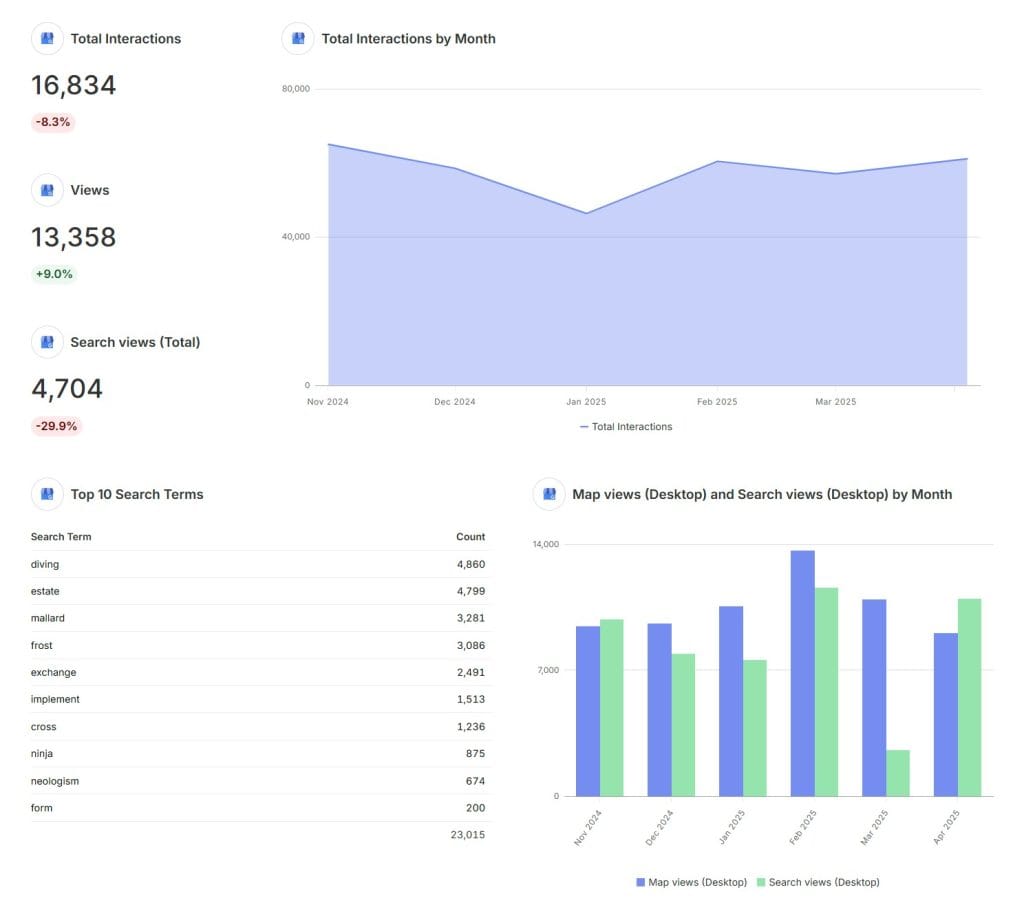
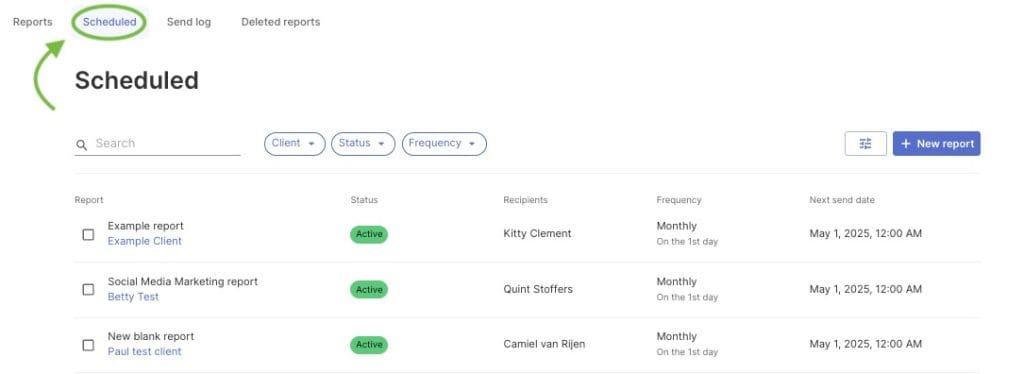
Streamline behind-the-scenes tasks. Create one report template and apply it to all clients. Schedule automatic delivery.
Enable smooth team collaboration. These features save hours and reduce frustration.
Six Critical SEO Report Types for Clients
Tailor reports to diverse client needs. Equip your tool to produce these six essential report types:
Executive Dashboard for Decision Makers
This high-level overview is designed for decision-makers who don’t need to dive into technical details. It should show overall organic traffic trends, conversion and revenue metrics, year-over-year comparisons, and goal achievement at a glance. Think simple visualizations that tell the story in seconds.
Technical SEO Report for Site Health
This more detailed report documents site health and technical optimization progress. It should include crawl errors, page speed metrics, mobile usability issues, indexation trends, and Core Web Vitals performance. It’s typically more technical but still needs to connect issues to business impact.
Keyword Performance Report for Search Visibility
This report tracks visibility in search, showing ranking distribution (positions 1-3, 4-10, 11-20), featured snippet presence, keyword movement over time, and competitive rank comparison. For local businesses, local rank tracking is essential to show geographic performance.
Content Performance Report for Business Results
This analysis shows how SEO content drives business results, highlighting top-performing pages by traffic, engagement metrics by content, conversion attribution to content, and content-driven backlink acquisition. It helps justify content investments by connecting them to outcomes.
Link Building Report for Backlink Growth
This documents backlink profile improvements, showing new links acquired, link quality metrics, referring domain growth, and competitor backlink comparison. It demonstrates the often-invisible work of link building in a tangible way.
Local SEO Report for Geographic Performance
For businesses serving specific geographic areas, this tracks local search visibility, including local pack rankings, Google Business Profile performance, review quantity and sentiment, and location-specific conversion tracking.
The best reporting tools allow you to create customized templates for each of these report types, tailoring them to specific client needs while maintaining consistent structure across your client base for operational efficiency.
| Report Type | Key Metrics | Purpose |
|---|---|---|
| Executive Dashboard | Organic traffic trends, conversions, revenue, year-over-year comparisons | High-level overview for decision-makers |
| Technical SEO Report | Crawl errors, page speed, mobile usability, Core Web Vitals | Tracks site health and technical progress |
| Keyword Performance Report | Ranking distribution, snippet presence, keyword movement | Monitors search visibility and competition |
| Content Performance Report | Top pages, engagement metrics, conversions, backlinks | Justifies content investments |
| Link Building Report | New links, link quality, referring domains | Shows backlink profile improvements |
| Local SEO Report | Local pack rankings, Google Business Profile, reviews | Tracks geographic search performance |
Top SEO Reporting Tools for Agency Needs
After testing dozens of options and helping agencies implement reporting systems for years, I’ve identified the best tools for different agency situations. Let’s look at what might work for your specific needs.
1. Swydo Streamlines Multi-Channel Reporting
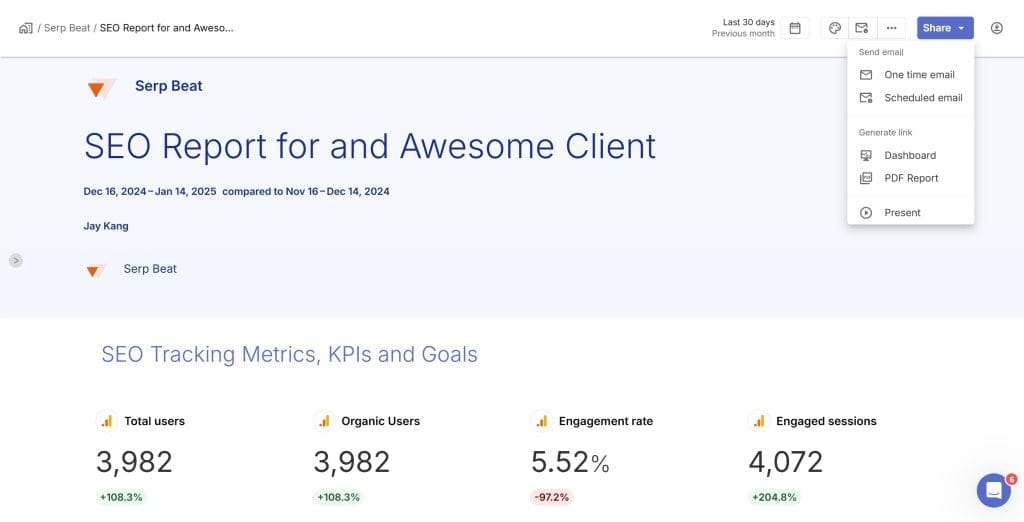
Price: $69/month (includes 10 data sources; additional sources $4.50 each for 11-100, $3.00 for 101-500, $2.00 for 501+)
Swydos’ SEO reporting tool transforms how agencies handle multi-channel reporting. One agency owner reported slashing reporting time from hours to 15 minutes per client—a game-changer for busy teams.
Unlike per-client pricing, Swydo charges per data connection, offering better value for agencies managing SEO, PPC, and social for multiple clients. White-labeling is robust and free, with your logo, colors, and support for 14 languages. Automate reports as PDFs, emails, or shareable links for seamless delivery.
The catch? Swydo’s 30+ integrations are reliable but fewer than some competitors. Still, quality trumps quantity here.
Swydo’s Monitoring and Goal Tracking Tool
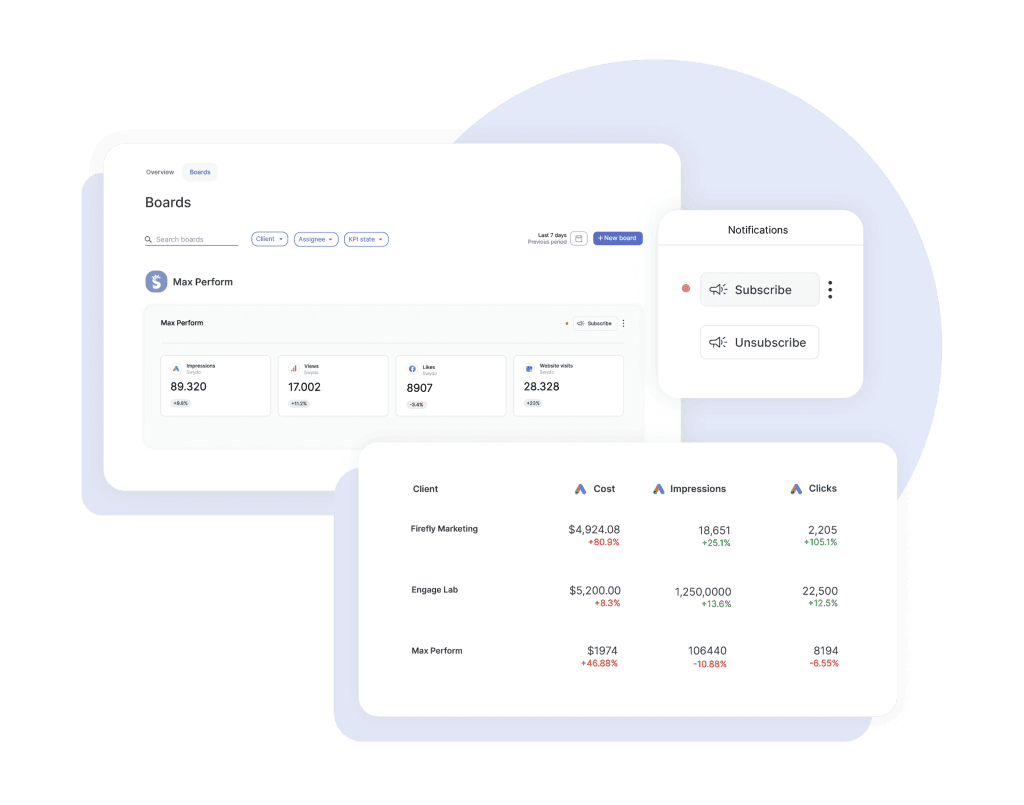
Swydo’s automated reporting tool empowers agencies to manage campaigns proactively, save time, and impress clients with clear insights. It streamlines workflows and drives results without the manual grind.
- Proactive Management: Real-time dashboards track KPIs like organic traffic or ad conversions, with green/red indicators highlighting trends instantly. Automated email alerts flag issues, like a dip in clicks, letting you act fast. This cuts manual checks, freeing your team for strategic work.
- Clear Client Communication: Visual dashboards turn complex data into client-friendly charts or tables. Blend metrics from Google Ads, Instagram Ads, or Google Analytics 4 to show campaign impact clearly, building trust and reducing client queries.
- Unified Multi-Channel Insights: The Combined Data Sources feature (in beta) merges data from up to five ad platforms (e.g., Google Ads, TikTok Ads) into one KPI, table, or chart. Display total ad spend or conversions in a single view to evaluate budget pacing or performance, saving hours on manual data merging and creating polished, high-level reports.
- Time-Saving Automation: Build dashboards quickly with pre-built templates or customize in minutes. Swydo auto-updates metrics and triggers alerts, slashing reporting time by up to 80% so your team can focus on growth.
- Actionable Decisions: Track KPIs against targets to spot high-performing pages or underperforming keywords. Filter clients by KPI state (good/bad) for quick prioritization, enabling data-driven strategies that boost client outcomes.
Is Swydo right for you? If you manage multiple channels and need efficient, client-friendly reporting, Swydo delivers. Its Monitoring and Goal Tracking, paired with Combined Data Sources, saves time, enhances communication, and supports scaling—all for $49/month. Ideal for agencies prioritizing value and impact.
2. Moz Pro Balances SEO and Reporting
Price:
- Starter: $99/mo ($79/mo billed annually) for 1 user, 1 site, 50 keywords
- Standard: $179/mo ($143/mo annually) for 1 user, 3 sites, 300 keywords
- Medium: $249/mo ($199/mo annually) for 2 users, 10 sites, 1,500 keywords
- Premium: $599/mo ($479/mo annually) for 5 users, 50 sites, 4,500 keywords
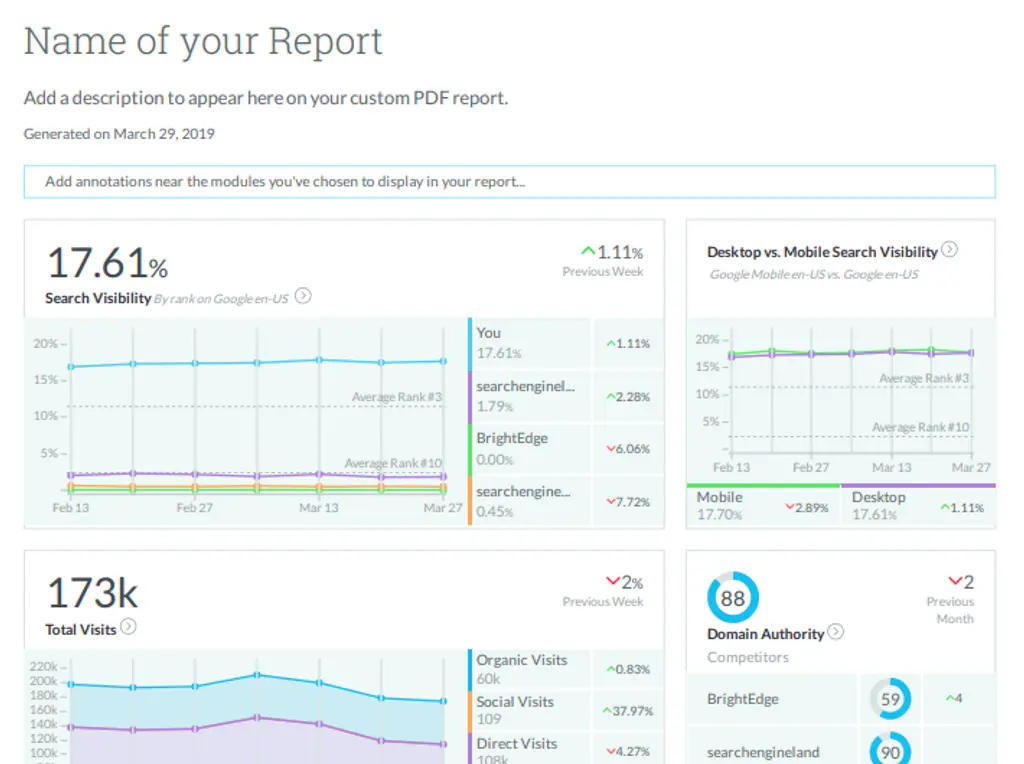
Moz has been around since the early days of SEO, and their platform balances execution tools with solid reporting capabilities. Their Domain Authority metric has become an industry standard that clients actually understand, which makes explaining SEO progress much easier.
New team members can get up to speed quickly because the interface stays approachable without overwhelming non-technical users. Custom PDF reports can be scheduled and branded from the Medium plan up. The platform now includes AI-powered tools, Brand Authority scoring, and AI Overview tracking by keyword.
Moz shines brightest with local businesses. Moz Local ($24-40/month per location) offers specialized tools for listing management, review monitoring, and local rank tracking.
Best for: Agencies wanting a balanced platform for both SEO execution and reporting, especially those serving local businesses like restaurants, law firms, or medical practices. name, especially for local businesses, Moz makes a lot of sense.
3. SEO PowerSuite Enables Unlimited Keyword Tracking
Price:
- Free version: Basic features with limited functionality
- Professional: $349/year (~$29/mo) for unlimited projects, scheduling, 5 competitors per project
- Enterprise: $599/year (~$50/mo) for white-label reports, 40 competitors, advanced exports
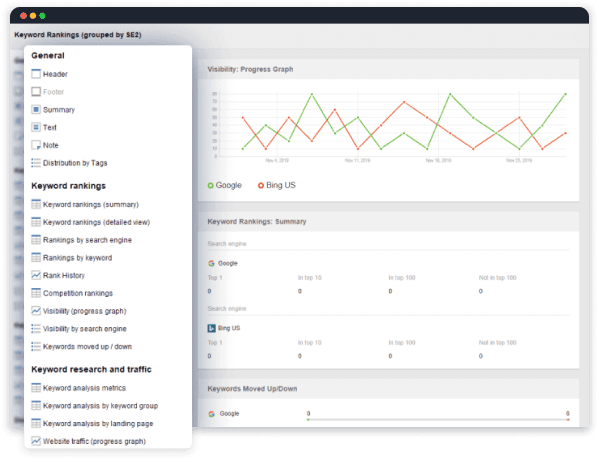
SEO PowerSuite takes a desktop-based approach that creates unique advantages, especially for agencies tracking thousands of keywords.
The biggest selling point is unlimited keyword tracking for a flat annual fee. Most cloud tools charge you more as you add keywords, which gets expensive fast. If you monitor thousands of keywords across multiple clients, the savings become enormous. The software now includes AI Overviews tracking to monitor visibility in AI-generated search results.
Users report checking hundreds of keywords across multiple search engines in under a minute. Reports can be white-labeled and customized, though distribution requires more manual work than cloud platforms.
Best for: Agencies monitoring massive keyword sets who prefer owning software rather than renting it. Multi-year discounts up to 34% make it even more cost-effective. automation for substantial cost savings at scale.
4. Screaming Frog Excels in Technical Audits
Price:
- Free version: Limited to 500 URLs per crawl
- Paid license: £199/year (~$279 USD) per user
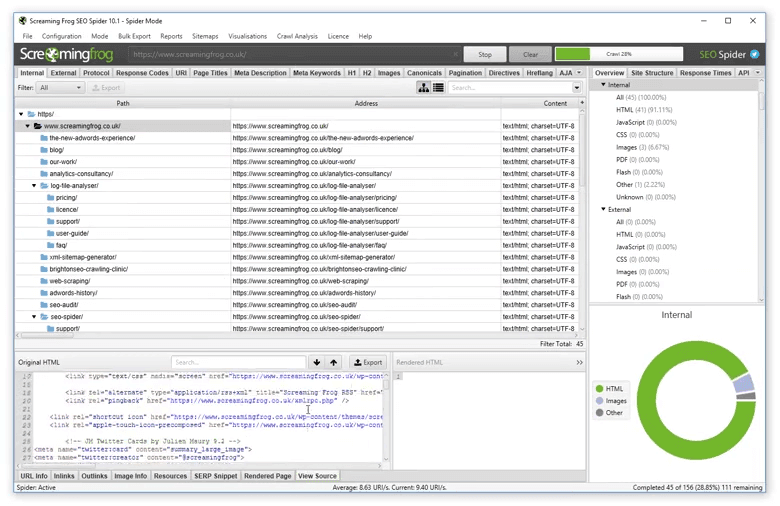
Screaming Frog focuses on being the best technical SEO crawler in the business rather than trying to be a comprehensive reporting platform. This specialization makes it indispensable. Every serious agency I know has at least one license.
The tool excels at rapidly crawling websites to identify technical issues, from broken links and redirect chains to duplicate content and structured data problems. The speed and thoroughness remain unmatched for technical diagnostics.
Best for: Technical SEO work. Most agencies pair it with other reporting tools, using Screaming Frog for the technical heavy lifting and then translating findings into client-friendly reports through other platforms.
5. Google Free Tools Provide Essential Data
Price: Free
Google provides powerful tools that cost absolutely nothing:
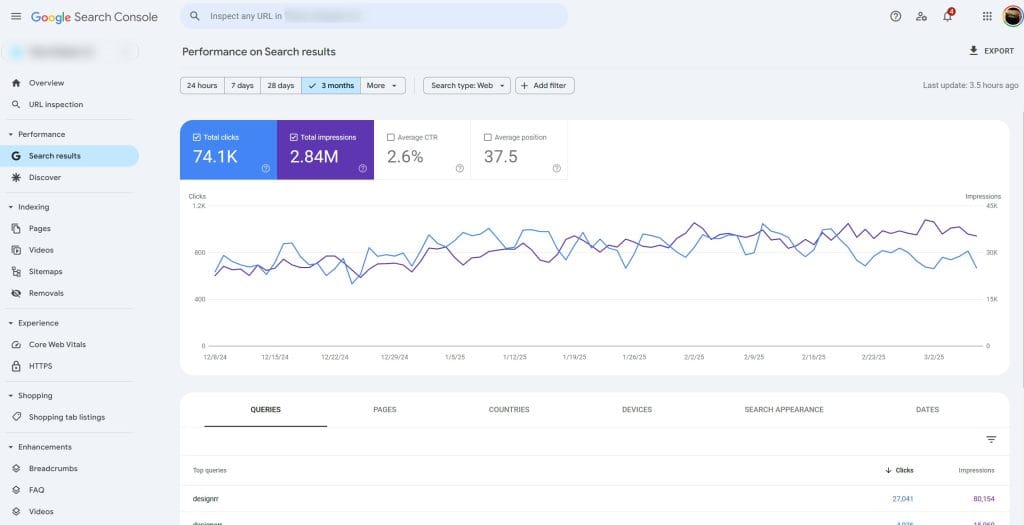
- Google Analytics 4 delivers comprehensive traffic and user behavior data
- Google Search Console provides direct keyword and indexing insights
- Google Looker Studio creates customizable dashboards and reports with 31+ connectors
These tools require more manual setup than paid alternatives, but they provide direct access to Google’s data and eliminate questions about accuracy. Looker Studio now includes enhanced AI data blending and better BigQuery integration for custom dashboards.
Best for: Forming the foundation of virtually every agency’s reporting stack. Startups or agencies with technical team members might find them sufficient alone.
Major SEO Platforms with Robust Reporting Tools
Let’s talk about some of the heavy hitters in the SEO world. These are the tools most SEO professionals know by name – the ones that offer comprehensive functionality beyond just reporting. But how good are they when it comes specifically to showing your clients results?
6. Semrush Offers Comprehensive SEO Solutions
SEO Toolkit Pricing:
- Pro: $139.95/month ($117.33/mo annually)
- Guru: $249.95/month ($208.33/mo annually)
- Business: $499.95/month ($416.66/mo annually)
Semrush One (SEO + AI Visibility bundled):
- Starter: $199/month for freelancers and startups
- Pro+: $299/month for growing businesses and small agencies
- Advanced: $549/month for larger agencies and enterprises
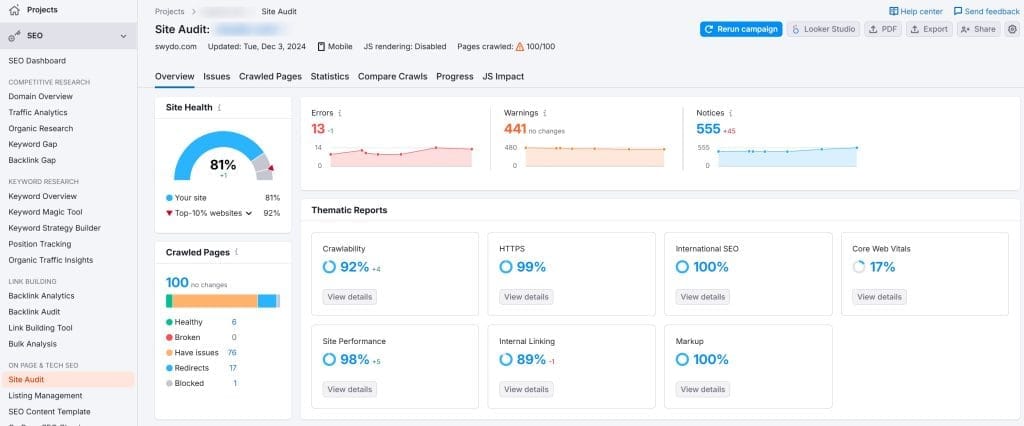
Semrush provides everything from keyword research to competitive analysis to content tools under one roof. The “My Reports” tool pulls data from across the platform into a single, cohesive report. The new AI Visibility Toolkit ($99/month standalone or bundled in Semrush One) tracks how your content appears in AI search results across ChatGPT, Google AI Overviews, and other AI engines.
White-labeling is available through the Agency Growth Kit add-on ($69+/month). Reports can be scheduled for automated delivery.
Best for: Agencies wanting a single platform for both SEO execution and reporting, especially those who value depth of data and AI visibility tracking.
7. Ahrefs Dominates Backlink Analysis
Current Pricing:
- Starter: $29/month with 100 credits and limited features for beginners
- Lite: $129/month ($108/mo annually) with 500 credits and 5 projects
- Standard: $249/month ($208/mo annually) with SERP updates and 6 months history
- Advanced: $449/month ($374/mo annually) with 50 projects and advanced features
- Enterprise: $1,499/month ($1,249/mo annually) with 100 projects and API access
- Additional users: $20-100/month depending on tier
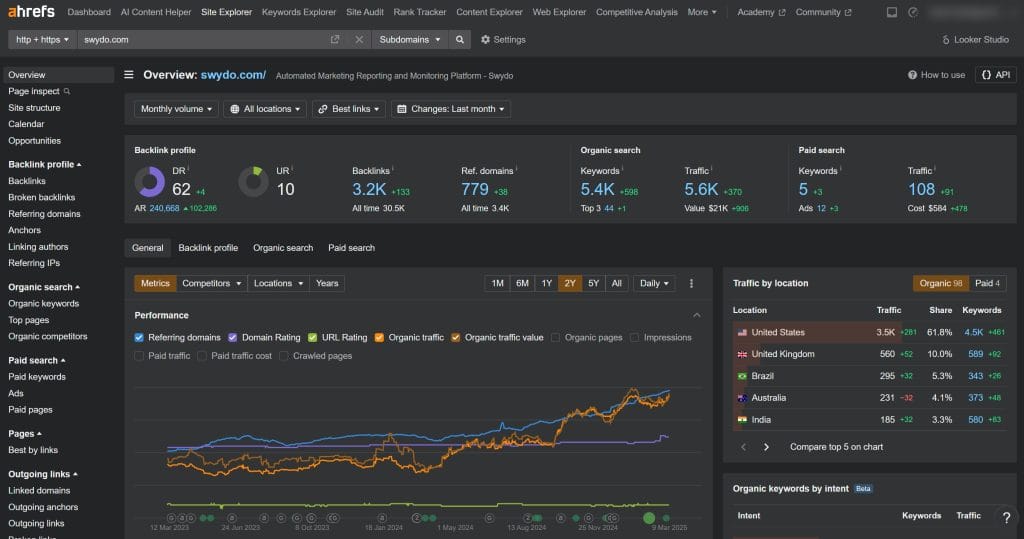
Ahrefs maintains the gold standard for backlink data. Their 36+ trillion link index provides unmatched coverage for backlink analysis and competitor research. When you show clients backlink growth or competitive link gap analysis, the depth and accuracy of Ahrefs data makes your reports more credible.
The interface is cleaner and more intuitive than some competitors. The credit-based system on lower tiers can frustrate heavy users, but higher plans include expanded limits.
Best for: Agencies focused on link building and technical SEO who prioritize data quality over reporting automation.
8. SE Ranking Delivers Affordable SEO Features
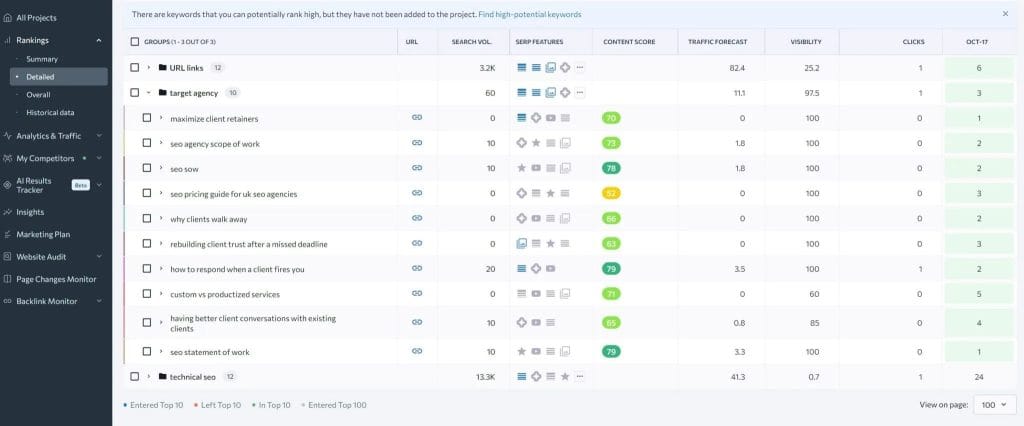
Current Pricing:
- Essential: $52/month annually ($65/mo monthly) with 750 keywords and 10 projects
- Pro: $95.20/month annually with unlimited projects, 3 manager seats, 10 competitors
- Business: $207.20/month annually with API access, 5,000 keywords, local rank tracking
- Agency Pack add-on: $50/month for lead generation tools and client management
SE Ranking positions itself as the affordable alternative that maintains full functionality. The platform now includes AI Data Insights, AI search visibility tracking for AI Overviews and LLM mentions, enhanced reporting, and an improved report builder with better visuals.
The interface is more approachable than Semrush or Ahrefs, which makes onboarding new team members faster. White-label reports are customizable and can be scheduled for automated delivery.
Best for: Growing agencies seeking a balance of features, usability, and affordability without premium price tags.
9. AccuRanker Specializes in Precise Rank Tracking
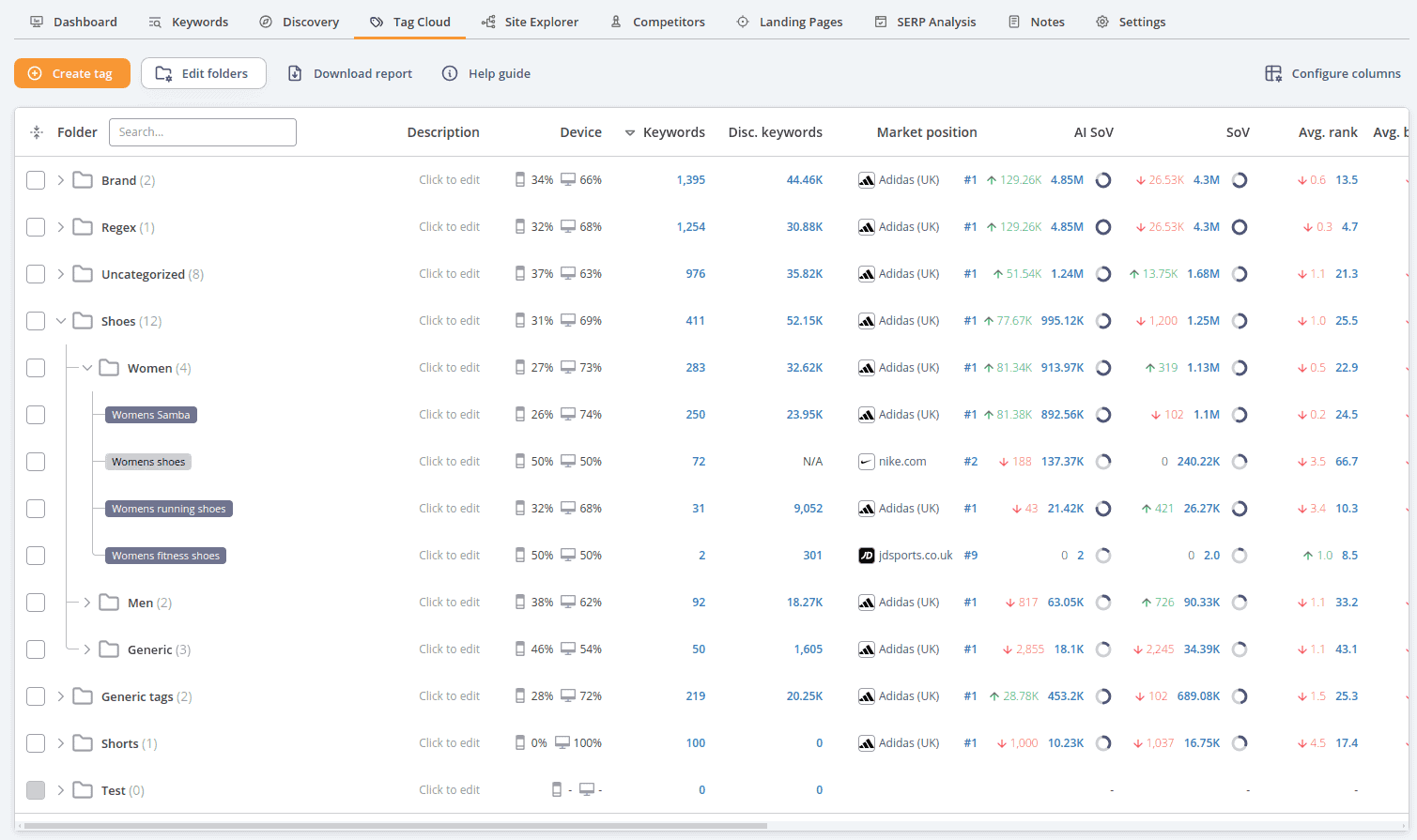
Current Pricing:
- Professional: $129/month for up to 1,000 keywords
- Expert: $849/month for up to 10,000 keywords
- Enterprise: $2,409/month for up to 40,000 keywords
- 10% discount on annual billing; unlimited users and domains on all plans
AccuRanker does rank tracking with exceptional precision and speed. It updates rankings instantly on demand while most tools take hours or have daily limits. The location specificity lets you track rankings down to a specific street or zip code.
The reporting focuses on ranking data visualization and competitor comparisons. You can create custom reports, export to PDF, and schedule automated delivery. All plans include unlimited users and domains.
Best for: Agencies with clients who prioritize ranking improvements above all other SEO metrics, especially those needing highly localized or on-demand ranking data. highly localized or on-demand ranking data.
Tool Comparison Summary
| Tool | Starting Price | Best For |
|---|---|---|
| Swydo | $69/mo (10 sources) | Multi-channel reporting efficiency |
| Moz Pro | $99-$599/mo | All-in-one for local businesses |
| SEO PowerSuite | $349-$599/year | Unlimited keyword tracking |
| Screaming Frog | £199/year (~$279) | Technical SEO audits |
| Google Tools | Free | Foundational data for all agencies |
| Semrush | $139.95-$499.95/mo | Comprehensive SEO + AI visibility |
| Ahrefs | $29-$1,499/mo | Backlink analysis focus |
| SE Ranking | $52-$207/mo | Budget-friendly alternative |
| AccuRanker | $129/mo (1K keywords) | Precise rank tracking |
How to Choose the Most Cost-Effective Tool
Let’s be practical. Budget matters. But the “cheapest” tool isn’t alwaysBudget matters, but the cheapest tool rarely proves most cost-effective when you factor in time savings and value delivered. The breakdown below shows how different agency situations call for different solutions.
Just Starting Out (1-3 Clients)
When cash flow is king, leverage Google’s free tools while you build your client base. Investing time in custom Looker Studio dashboards is manageable with just a few clients, and the skills will serve you well regardless of what tools you add later.
Growing Fast (5-15 Clients+)
Dedicated reporting tools start paying for themselves at this stage. Swydo’s $69/month baseline with added sources as needed provides exceptional value as you scale. The time savings quickly outweigh the investment and free your team for revenue-generating activities.
Keyword-Intensive Campaigns
When clients need tracking for thousands of keywords across multiple locations, SEO PowerSuite’s flat annual fee ($349-$599/year) with unlimited tracking becomes unbeatable. Cloud tools with per-keyword pricing would cost exponentially more for equivalent capability.
Local Business Specialists
Agencies serving local businesses face unique needs. Moz Local ($24-40/month per location) provides specialized local SEO features that generic platforms cannot match. For multi-location clients, build the subscription cost into your service packages.
The real cost equation includes software price plus the time your team spends using it. A seemingly expensive tool that saves 10 hours per month might actually cost less than a budget option requiring extensive manual work.
Agency Scenario Recommendations
| Agency Scenario | Recommended Tool | Why It Fits |
|---|---|---|
| 1-3 Clients | Google’s Free Tools | Low cost, builds skills |
| 5-15+ Clients | Swydo ($69/mo) | Time savings for scaling |
| Keyword-Intensive | SEO PowerSuite ($349/yr) | Unlimited tracking, cost-effective |
| Local Businesses | Moz Local ($24-40/mo) | Specialized local SEO features |
Three Models to Optimize Your Reporting Stack
After evaluating hundreds of agency reporting setups, I’ve identified three dominant models that balance effectiveness with resource constraints.
All-in-One Platform for Streamlined SEO
Implementation Strategy: Select a comprehensive SEO platform like Semrush, Ahrefs, Moz Pro, or SE Ranking as your primary tool for both execution and reporting.
Advantages:
- Unified workflow between SEO activities and reporting
- Consistent methodology and metrics
- Simplified tool management and training
- Potential cost savings versus multiple specialized tools
Best For: SEO-focused agencies with streamlined service offerings and teams under 10 members.
Specialized Tools for Precision Reporting
Implementation Strategy: Combine specialized tools for different functions. Use Screaming Frog for technical auditing, AccuRanker or SEO PowerSuite for rank tracking, Moz Local for local SEO, and Swydo or Google Looker Studio for reporting visualization.
Advantages:
- Best-in-class capabilities for each function
- Superior data depth and precision
- More economical team scaling because you add users only to needed tools
- Maximum flexibility to adapt to client needs
Best For: Technical SEO agencies with dedicated specialists and custom reporting needs.
Hybrid Approach for Balanced Efficiency
Implementation Strategy: Use a core all-in-one platform for primary SEO work, supplemented by a cross-channel reporting tool and specialized audit software. For example: Semrush or Ahrefs for core SEO, Swydo for reporting, and Screaming Frog for technical audits.
Advantages:
- Balances workflow efficiency with reporting sophistication
- Leverages strengths of both approach types
- Adapts to different client reporting needs
- Streamlines multi-channel reporting
Best For: Full-service agencies managing multiple marketing channels alongside SEO.
How to Create an Effective Reporting System
Getting the right tools is just the first step. The real magic happens in how you implement them. The following insights come from helping dozens of agencies overhaul their reporting systems.
Templates Tailored to Client Needs
Reports that nobody understands are almost as bad as no reports at all. Your clients come from different industries and have different goals, so giving them all identical reports wastes opportunities to demonstrate value.
A local restaurant wants to know about their Google Business Profile performance and local rankings. An e-commerce store cares about product page visibility and conversion paths. Your reporting needs to reflect these differences.
Start by developing core templates for different client types:
- Local business focus
- E-commerce focus
- B2B service focus
For each template, put an executive summary first. Busy executives need the story in the first 30 seconds, with detailed data available for those who want to dig deeper. Keep your visuals consistent so clients can quickly interpret the data.
Workflow That Enhances Efficiency
Reports delayed because the one person who knows the process was out sick create client trust problems. Reports with errors because three different people worked on them without clear coordination create accuracy problems. Workflow solves both.
A simple but effective approach assigns clear responsibilities:
- Junior staff pulls the initial data and builds the report framework
- SEO specialists add analysis and recommendations
- Account managers add client-specific context and final review
Define who does what, when they do it, and how handoffs happen. Create checklists for each role so nothing gets missed. Automate whatever you can because most tools let you schedule data refreshes and delivery.
Metrics to Measure Reporting ROI
Tracking the impact tells you whether your new reporting system is worth the investment.
For immediate ROI, measure time savings:
- Hours spent on reporting before versus after
- Cost of those hours based on staff rates
- Value of freed-up time redirected to billable work
For longer-term ROI, watch these metrics:
- Client retention rates
- Feedback scores on reporting quality
- Team satisfaction and reduced stress
- Ability to take on new clients without adding staff
One agency I worked with saved over 40 hours monthly after implementing a proper reporting system. That full work week went toward growth activities instead of spreadsheet wrangling.
Why Audit Tools Fall Short for Client Reporting
Many agency owners ask whether they can just use reports from their SEO audit tools. The short answer is yes, but those reports serve a different purpose than client-facing reporting.
Audit tools like Screaming Frog produce fantastic data exports. They tell you about every broken link, missing meta description, and crawl issue. That information is incredibly valuable for your team’s work, but clients need something different.
Most audit tool reports are designed for SEO practitioners rather than business owners. They focus on technical details rather than business outcomes. They provide heavy data but light context and recommendations.
From your client’s perspective, a list of 302 redirects matters less than understanding how your work improves their business. Technical reports belong in your workflow, and they should feed into your client-facing reporting rather than replace it.es best, creating a more effective overall system.
Action Plan to Upgrade Your Reporting
Manual reporting processes or cobbled-together data from multiple sources leave money on the table. The waste comes from both the time spent and the missed opportunities to showcase your value to clients.
This action plan moves you forward:
- Audit your current process. Measure how much time your team spends on reporting and assess the quality of insights you deliver. Be honest about the gaps.
- Define your priorities. Determine whether time savings, white-labeling, or data integration matters most. Different tools excel in different areas.
- Start small but start now. You don’t need to overhaul everything overnight. Begin with one or two clients, perfect your approach, then expand.
The best reporting tool is the one that actually fits your agency’s workflow and client needs. Sometimes a simpler but consistent system delivers better results than a complex one that nobody fully utilizes.
The right approach depends on your specific needs, client base, and team structure. This guide provides the roadmap for making that decision.
SEO Reporting Tools FAQ
Quick answers to the most common questions about SEO reporting for agencies
An SEO report is a document that tracks how a website performs in search results. It covers organic traffic, keyword rankings, backlinks, technical health, and conversions. The report shows what’s working, what needs improvement, and helps connect SEO activities to business results like leads and revenue.
Monthly is the standard. Changes are more noticeable month-over-month, and the 30-day timeframe smooths out temporary fluctuations. Supplement with quarterly business reviews for strategy discussions and annual summaries sent 6-8 weeks before budget planning season. Weekly reports rarely provide actionable insights and waste time better spent on execution.
Excel works for 1-3 clients but breaks at scale. The problems: manual data entry takes 4+ hours per report, formulas break without warning, formatting looks unprofessional, and the process that works for 3 clients collapses with 10+. Dedicated tools cut reporting time by 80% and eliminate human error in data handling.
With manual methods: 4-5 hours per client. With proper tools: 15-30 minutes. The difference comes from automated data collection, pre-built templates, and scheduled delivery. Agencies handling 10+ clients can reclaim 40+ hours monthly by switching from spreadsheets to dedicated reporting software.
An SEO audit is a one-time diagnostic that identifies technical issues, on-page problems, and optimization opportunities. It’s prescriptive—here’s what to fix. An SEO report is ongoing performance tracking that shows results over time. Audits create the roadmap; reports measure progress along that roadmap. Most agencies need both.
Google’s free stack: Search Console for ranking and indexing data, Analytics for traffic behavior, and Looker Studio for visualization. Together they provide direct access to Google’s own data with no accuracy questions. The tradeoff is setup time—Looker Studio has a steep learning curve. For agencies just starting out, this combination handles reporting for 1-5 clients without software costs.
Five essentials: comprehensive integrations (Google Analytics, Search Console, Ahrefs, Semrush), white-label branding (your logo and colors), automated scheduling (set it and forget it), visual dashboards (not data tables), and AI visibility tracking (for monitoring AI search features). Secondary priorities include template libraries, multi-user collaboration, and client login portals.
Usually yes. Technical audit tools like Screaming Frog excel at crawling sites and identifying issues but produce practitioner-focused exports, not client-ready reports. Reporting tools like Swydo or AgencyAnalytics visualize performance trends but don’t crawl sites. Most agencies use a hybrid approach: Screaming Frog for audits, an all-in-one platform for SEO work, and a dedicated tool for client-facing reports.
For precision: AccuRanker (updates on-demand, tracks to street-level locations). For unlimited keywords at a flat rate: SEO PowerSuite ($349-599/year). For enterprise-level tracking with AI visibility: Semrush or SE Ranking. For budget-conscious agencies: SE Ranking offers competitive tracking at lower price points than premium tools.
White-label reporting lets you brand reports with your agency’s logo, colors, and domain instead of the software provider’s. Clients see professional reports that appear custom-built for your agency. Most tools offer this feature, though some charge extra. Swydo includes white-labeling free; Semrush requires an Agency Growth Kit add-on ($69+/month).
Core metrics: organic traffic (sessions from search), keyword rankings (positions for target terms), organic conversions (leads or sales from search traffic), backlink growth (new referring domains), and technical health (Core Web Vitals, crawl errors). Connect these to revenue whenever possible—clients care more about leads generated than rankings achieved.
Calculate the cost per acquisition from organic traffic versus paid channels. If paid search costs $50 per lead and organic costs $15, that’s clear ROI. Track organic conversions in Google Analytics using goals or key events. Show revenue attributed to SEO-optimized landing pages. Compare customer lifetime value by acquisition channel—organic visitors often have higher LTV than paid.
Core Web Vitals are Google’s user experience metrics: Largest Contentful Paint (loading speed), Interaction to Next Paint (responsiveness), and Cumulative Layout Shift (visual stability). Yes, report on them—they’re ranking factors. But translate technical scores to business impact: “Improving load time from 4s to 2s could increase conversions by X% based on industry benchmarks.”
Yes. AI Overviews now appear in a significant percentage of searches and that number keeps growing. Track whether your content appears in AI-generated answers on Google, ChatGPT, and Perplexity. Tools like Semrush, SE Ranking, and newer platforms now include AI visibility tracking. This data shows how your content performs in the evolving search landscape beyond traditional rankings.
Four elements: key performance changes since last report, biggest wins and challenges, progress toward stated goals, and recommended next steps. Keep it to one page maximum. Busy executives need the story in 30 seconds—detailed data belongs in subsequent sections. Lead with business outcomes (revenue, leads) not vanity metrics (impressions, rankings).
Translate technical metrics to business language. Instead of “we improved Domain Authority from 35 to 42,” say “your site now competes more effectively against larger competitors in search.” Instead of ranking reports, show traffic to revenue funnels. Use visualizations—charts beat tables. Add brief educational notes explaining why metrics matter. Avoid jargon entirely or define it when unavoidable.
Local businesses need Google Business Profile metrics, local pack rankings, and review sentiment. E-commerce clients want product page visibility, conversion paths, and revenue attribution. B2B companies focus on lead generation, content performance, and competitive positioning. Don’t use identical reports for different business types—customize templates for each client category.
Be transparent—hiding bad news destroys trust. Explain the cause: algorithm update, technical issue, seasonal trend, or competitive pressure. Show what you’re doing to address it with specific action items and timelines. Contextualize with industry benchmarks if competitors also declined. Most importantly, demonstrate you identified the problem early and have a recovery plan.
Free: Google’s tools (Analytics, Search Console, Looker Studio). Budget: $50-100/month (Swydo, SE Ranking, Mangools). Mid-range: $100-250/month (Semrush Pro/Guru, Ahrefs, AgencyAnalytics). Enterprise: $500+/month (Semrush Business, Ahrefs Enterprise). Desktop options like SEO PowerSuite cost $349-599/year flat with unlimited keyword tracking.
Calculate: hours per report × hourly rate × number of clients. If a team member earning $50/hour spends 5 hours per client monthly on 10 clients, that’s $2,500/month in labor. A $100/month tool that reduces time to 30 minutes per client saves $2,000+ monthly. The “free” spreadsheet approach typically costs more than paid software when you factor in labor.
Depends on agency size and services. Starting out (1-5 clients): Google’s free tools. Growing (5-15 clients): Swydo at $69/month with per-connection pricing or SE Ranking for combined SEO work and reporting. Large agencies: AgencyAnalytics for dedicated client reporting or all-in-one platforms like Semrush. Compare per-client costs, not just monthly fees.
Reporting should be included in your retainer—it’s how you demonstrate value and justify ongoing fees. The cost savings from automation shouldn’t go to lower prices but to improved margins and capacity for more clients. What you might charge separately: custom dashboard development, real-time client portals with login access, or quarterly business review presentations beyond standard reports.
Build professional SEO reports in minutes, not hours—and keep clients coming back.
Start Your Free Trial Today