
Your agency’s biggest expense is your team’s time. And if you’re not tracking it well, you’re losing money. Not a little, either. Agencies without solid time tracking lose 15–30% of their billable revenue to hours that get worked but never billed. According to QuickBooks Time research, 80% of timesheets need corrections. And per TMetric’s 2026 Marketing Agency Benchmarks, only 35% of agencies consistently hit their key financial benchmarks.
The right time tracking tool fixes that. But most comparison articles just list features and prices without telling you which tool actually fits your agency’s billing model, team culture, and tech stack. We went through over 30 tools, verified all pricing and features directly on each platform’s official site, and cut the list to the 11 that actually make sense for marketing agencies right now.
The short answer: the best time tracking app for most marketing agencies in 2026 is Toggl Track ($18/user/month). It has the highest adoption rate across creative teams, a privacy-first approach with no screenshots or surveillance, AI-powered Smart Suggestions that draft your timesheets, 100+ integrations, and profitability reporting tied directly to client projects. For agencies on a tight budget, Clockify offers unlimited users for free. For agencies that need built-in invoicing, Harvest ($10.80/seat/month annual) handles the full track-to-invoice-to-payment cycle better than any other tool.
Here’s how the top three compare side by side:
| What you’re comparing | Toggl Track | Clockify | Harvest |
|---|---|---|---|
| Best for | Team adoption and simplicity | Maximum budget savings | Time-to-invoice workflow |
| Free plan | Up to 5 users | Unlimited users | 1 seat, 2 projects |
| Paid starting price | ~$16.20/user/mo (annual) | $3.99/seat/mo (annual) | $10.80/seat/mo (annual) |
| AI features | Smart Suggestions, gap detection | None | None |
| Invoicing | PDF invoicing + QuickBooks | Standard plan+ | Native, best-in-class |
| Profitability reporting | Premium ($18/user/mo) | Pro ($7.99/seat/mo) | Pro ($10.80/seat/mo) |
| Integrations | 100+ | 80+ | 50+ |
| Mobile app quality | Excellent | Good | Good |
| User experience | Most polished | Functional | Clean but dated |
| Ratings | G2 4.6 · Capterra 4.7 | G2 4.5 · Capterra 4.7 | G2 4.3 · Capterra 4.6 |
Tool Comparison
How the Top 6 Tools Stack Up
Rated across four dimensions that matter most to marketing agencies
Scores are editorial assessments based on publicly available feature data, user reviews (G2/Capterra), and pricing as of 2026. Not sponsored.
The other eight tools on our list cover specific needs: Timely (G2 4.8/5, highest in category) for AI auto-tracking when your team won’t use manual timers, Clockk for multi-client project switching, Scoro for full agency operations management, ClickUp for teams already on that PM platform, Everhour (G2 4.7, Capterra 4.8) for deep Asana/Jira/Trello integration, Hubstaff for remote team monitoring, Time Doctor for compliance-heavy environments, and TMetric for budget-friendly AI features.
A Karya Keeper analysis on time tracking ROI found that organizations typically see a 200–400% return on their investment in time tracking software. So picking the right tool pays for itself fast. The rest of this article covers each tool in detail, how to choose between them based on your billing model, and how to actually roll this out at your agency without your team pushing back.
Why Your Agency Can’t Afford to Skip Time Tracking
A 15-person agency that misses just 15 minutes of trackable time per employee per day loses roughly $121,875 per year in unbilled work (at a $125/hour blended rate). That’s 975 hours of work your team did but never charged for.
Interactive Calculator
How Much Revenue Is Your Agency Leaking?
Move the sliders to see your estimated annual revenue loss from untracked hours
Team Size
10 people
Avg. Billable Rate
$125/hr
Untracked Mins/Day
15 mins
Utilization Rate
65%
Lost Hours / Year
975
per team member
Annual Revenue Lost
$121,875
at current rates
Util. Zone
On Target
65–80% is the sweet spot
Based on 52 weeks × 5 days per year. Revenue loss = team size × (untracked minutes ÷ 60) × 260 days × rate × (utilization ÷ 100).
Direct labor makes up 40–65% of a typical marketing agency’s total costs. When those hours go untracked, you’re flying blind on your biggest expense. And that number above isn’t unusual. Most agencies leak revenue this way and don’t know it because they don’t have the data to see it.
There’s also the question of how efficiently your team uses their available hours. The TMetric benchmarks report found the sweet spot sits between 65% and 80%. Drop below 65% and your profitability takes a hit. Push above 85% and burnout becomes a real problem.
Agency Benchmarks
The Utilization Rate Sweet Spot
Where your agency sits on this scale determines whether you’re profitable — or burning out your team
< 65%
Profit Squeeze
Direct labor costs outpacing billable output. Margins compress fast. Time to audit your team’s work allocation and find the non-billable drains.
65–80%
The Sweet Spot
Per TMetric’s 2026 benchmarks, this is where the most profitable agencies operate. Enough slack for admin, training, and unexpected work.
> 85%
Burnout Territory
Short-term revenue looks great, but creative quality drops, turnover rises, and client work starts suffering. Only 35% of agencies consistently hit key benchmarks here.
A lot of agency leaders still think of time tracking as micromanagement. But the agencies that actually track time well? They use that data as their main profitability lever. With margins getting tighter and clients asking for more transparency, that lever matters more right now than it ever has.
How to Pick the Right Tool for Your Agency
Your billing model should drive your tool choice, not the feature list. Almost no other guide talks about this, but it’s the most important filter.
Decision Guide
Which Tool Fits Your Billing Model?
Select how your agency bills clients — we’ll show you the right fit
What Matters for Hourly Billing
Granular task-level tracking, configurable billable rates per client or role, and a clean path from tracked hours to invoice. Accuracy and ease of use are non-negotiable — every missed minute is revenue left on the table.
Toggl Track
Highest team adoption, billable rates per project and client, profitability reporting on Premium. Hours flow cleanly to invoices.
Harvest
The cleanest track-to-invoice workflow available. Stripe/PayPal payment built in. Best if you want everything in one tool.
ClickUp
Time tracking is secondary to project management here. Invoicing requires third-party tools, adding friction.
Key metric to watch: Billable hours ratio. Target 65–80% of total available hours tracked as billable.
What Matters for Retainer Billing
Monthly hour budgets, real-time burn-rate alerts, and the ability to see exactly when a retainer client is over-consuming. Scope creep is your #1 enemy — your tool should surface it before it eats your margin.
Harvest
Budget monitoring with automatic alerts when projects approach limits. Real-time percent-complete and dollars-remaining views per client.
Everhour
Project budget alerts built directly into Asana, Jira, and Trello. See burn rate without leaving your PM tool.
Clockify Free
Budget monitoring requires a paid plan. Not the right starting point for agencies managing active retainer accounts.
Key metric to watch: Effective Hourly Rate = total retainer income ÷ actual hours worked. Calculate quarterly to catch scope creep early.
What Matters for Fixed-Price Billing
Internal tracking even when clients never see the reports. Fixed-price work is where agencies lose money most often because there’s no external check. You need data to price future projects accurately.
Toggl Track
Profitability reports by project and client let you see exactly which project types erode margin. Essential for refining future fixed-price quotes.
Scoro
Full quote-to-delivery-to-invoice pipeline. Time tracking is connected to financials, so you see real profitability at every project stage.
Timely
Great for capturing hours automatically, but lacks the project-type profitability analytics needed to price fixed work better over time.
Key metric to watch: Estimated vs. actual hours per project type. A consistent 20%+ overrun on specific work types = a pricing problem.
What Matters for Mixed Billing
Flexibility to handle hourly, retainer, and fixed-price work from one dashboard. You need a tool that doesn’t force you into a single billing structure — and that can report across all three models simultaneously.
Toggl Track
Configurable rates and billing types per project. Profitability reporting works across all billing models. The most flexible standalone option.
Scoro
Designed for agencies with complex billing. Quote-to-invoice at any model, CRM, PM, and financials in one place. Best for 15+ person agencies.
Harvest
Best-in-class for hourly/retainer but fixed-price internal tracking feels bolted on. Works, but less elegant for complex mixed environments.
Key metric to watch: Blended Effective Rate across all billing models. Track it monthly — mixed-model agencies often can’t see where margin actually comes from.
Match the Tool to Your Billing Model
Hourly billing needs granular project and task-level tracking with billable rates you can configure per client or per role. Toggl Track, Harvest, and Clockify all handle this well. Your tracked hours flow directly into invoices, so accuracy and ease of use are non-negotiable.
Retainer billing shifts your priority to monthly hour budgets and burn-rate alerts. You need to see, in real time, whether a retainer client is eating more hours than the agreement covers. Harvest’s budget monitoring and Everhour’s project budget alerts were built for exactly this. A good practice here, according to a Function Point guide on retainer management, is to calculate your Effective Hourly Rate every quarter. That’s total retainer income divided by actual hours worked. It’s the fastest way to spot scope creep before it eats your margins.
Fixed-price billing still needs internal tracking, even if you never show those reports to clients. Fixed-price work is where agencies lose money most often because there’s no external check on hours. Internal tracking shows you which project types and clients are actually profitable and helps you price future work more accurately.
Trust-Based vs. Monitoring-Based Tools
Trust-based tools win for agencies. That’s the short answer.
Trust-based tools like Toggl Track, Timely, Harvest, and Clockk record hours and project assignments but don’t surveil your team. No screenshots. No keystroke logs. No mouse movement tracking. The idea is simple: give people easy tools, trust them to use those tools, and focus on outcomes.
Monitoring-based tools like Hubstaff and Time Doctor add oversight. Screenshots, app usage tracking, activity levels, idle detection. The idea: verify that logged time matches actual work.
Why do trust-based tools make more sense for agencies? Creative work doesn’t look “productive” to a monitoring algorithm. A designer staring at a blank screen is thinking through the problem. A strategist reading industry articles is building the context your campaigns need. Monitoring tools flag those moments as inactivity, and that creates frustration and resentment.
As Insightful’s research on creative agencies found, only 17% of creative professionals track time accurately every day. Surveillance-style tracking makes that number worse.
Put Integrations Ahead of Features
The tool your team already uses daily should drive this decision. A simple tracker that lives inside your PM tool will get used. A feature-rich standalone app that requires a separate login won’t.
If your agency runs on Asana, Trello, or Jira, look at Everhour first. It embeds directly inside those tools, so your team tracks time without switching apps. If Slack is your team’s hub, check whether the tracker has a native Slack integration (Toggl Track does). And if you bill through QuickBooks or Xero, Harvest’s native sync is the most mature option available right now.
The 11 Best Time Tracking Apps for Marketing Agencies in 2026
Best for Most Marketing Agencies
1. Toggl Track
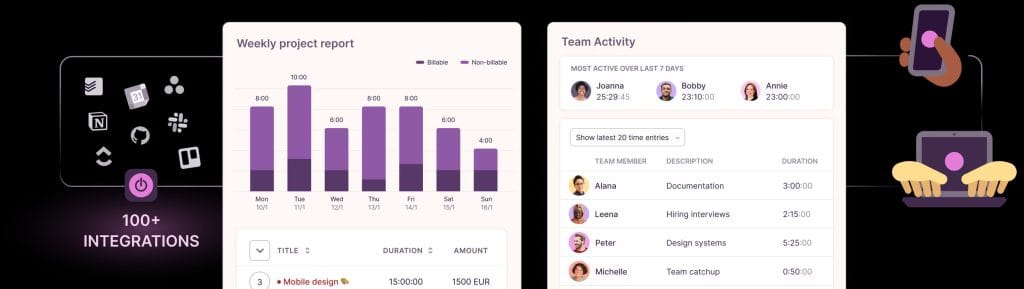
Best overall for ease of use and team adoption
Toggl Track is our top pick for most marketing agencies. It hits the best balance between simplicity and power. A junior designer won’t feel overwhelmed on day one. But a VP pulling profitability reports by client won’t feel limited, either.
Pricing:
| Plan | Monthly | Annual (per user/mo) |
|---|---|---|
| Free | $0 (up to 5 users) | $0 |
| Premium | $18/user | ~$16.20/user |
| Enterprise | Custom | Custom |
The free plan works well for freelancers or agencies with five or fewer people. You get time tracking, basic reporting, and access on every platform. Premium is where most agencies land because that’s where you get profitability reports, timesheet approvals, billable rates, labor cost tracking, project templates, and team dashboards. Annual billing saves about 10%.
Toggl is a privacy-first tool. It won’t take screenshots, log keystrokes, or monitor mouse activity. That’s a deliberate choice, and it’s one creative teams appreciate. According to Toggl’s own data on their site, teams typically see ROI in about 2.4 months.
What changed recently? Toggl launched “Smart Suggestions” in early 2025. This feature uses AI to look at your past behavior and suggest time entries, auto-fill project info, and flag gaps in your timesheet. They also rolled out AI-driven productivity analytics later in the year and rebranded Toggl Plan to Toggl Focus as a companion planning tool.
Your team can connect Toggl to 100+ tools: Asana, Trello, Monday.com, ClickUp, Notion, Basecamp, Slack, Microsoft Teams, QuickBooks, Xero, FreshBooks, Google Calendar, Outlook, GitHub, Jira (Premium+), and Salesforce (Premium+). The browser extension lets you start timers from inside just about any web app.
What to watch out for: No GPS tracking or geofencing, but that’s irrelevant for most desk-based agencies. No native payroll integration. The invoicing feature handles PDF invoices and connects to QuickBooks, but it’s not a full replacement for dedicated invoicing software like FreshBooks or Xero. Timesheet approvals are locked behind Premium at $18/user/month, which feels like a lot for what should be a standard feature.
Ratings: G2 4.6/5 · Capterra 4.7/5 (2,500+ reviews)
If you want one recommendation and your agency doesn’t have unusual requirements, start here. Adoption will be higher than any other tool on this list because it’s genuinely pleasant to use. And that’s what determines whether time tracking actually works in practice.
2. Harvest
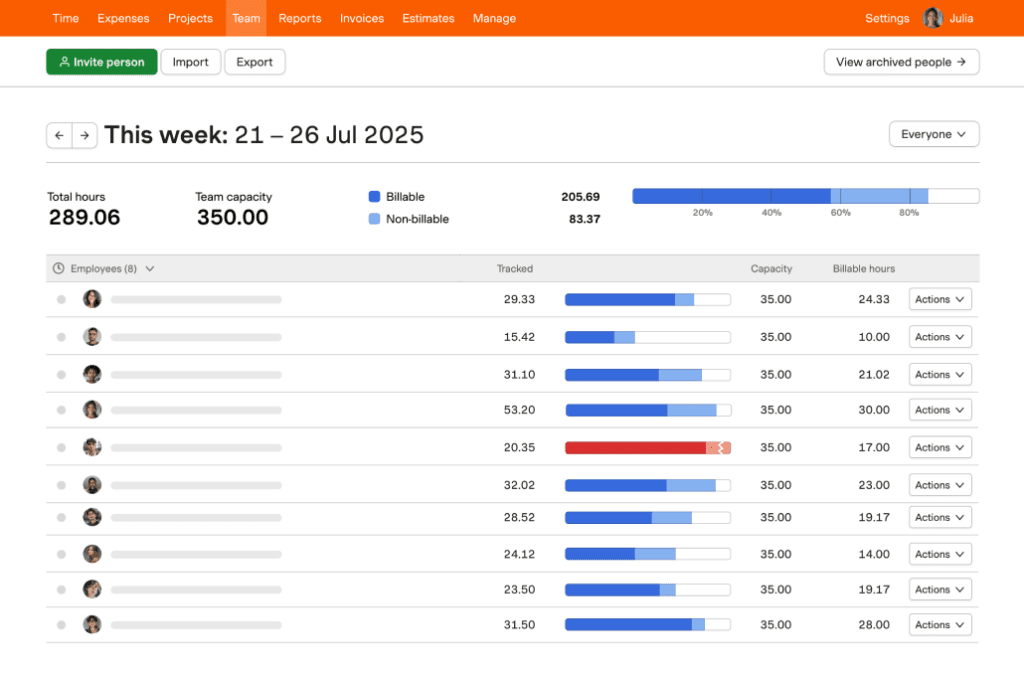
Best for agencies that bill clients directly from tracked hours
Harvest is the best tool for agencies where the core workflow is tracked time → invoice → payment. Over 70,000 companies use it, and marketing and advertising professionals make up the largest industry segment at 25% of their user base, according to GetApp review data.
Pricing:
| Plan | Monthly | Annual (per seat/mo) |
|---|---|---|
| Free | $0 (1 seat, 2 projects) | $0 |
| Pro | $12/seat | $10.80/seat |
| Premium | Contact sales | Contact sales |
Harvest recently added a Premium tier above Pro for larger organizations that need SAML-based single sign-on and advanced admin controls. Discounts are available for teams of 50+, nonprofits, and educational institutions.
The reason agencies love Harvest is the invoicing workflow. You track your time, select the billable entries, generate an invoice, send it to your client, and collect payment through Stripe or PayPal. All of that happens without leaving the app. Budget monitoring sends automatic alerts when projects approach their limits, which is a lifesaver when you’re juggling multiple campaigns at once.
Harvest also gives you solid reporting on project budgets (percent complete and dollars remaining), team capacity, and profitability by project or client. If you run retainers, that data is critical.
You can connect Harvest to 50+ tools, including Asana, Trello, Basecamp, ClickUp, Slack, QuickBooks, Xero, Stripe, PayPal, GitHub, and Zapier. Harvest Forecast (a separate product) adds team scheduling and resource planning.
What to watch out for: The interface is clean but feels dated next to Toggl Track. No AI features. No automatic time tracking. The free plan is very limited at just 1 seat and 2 projects. And for larger teams, the per-seat cost adds up fast without volume discounts.
Ratings: G2 4.3/5 · Capterra 4.6/5
Choose Harvest if you need time tracking and invoicing in one place and you bill clients directly from tracked hours. It handles that better than anything else on the market right now.
3. Clockify
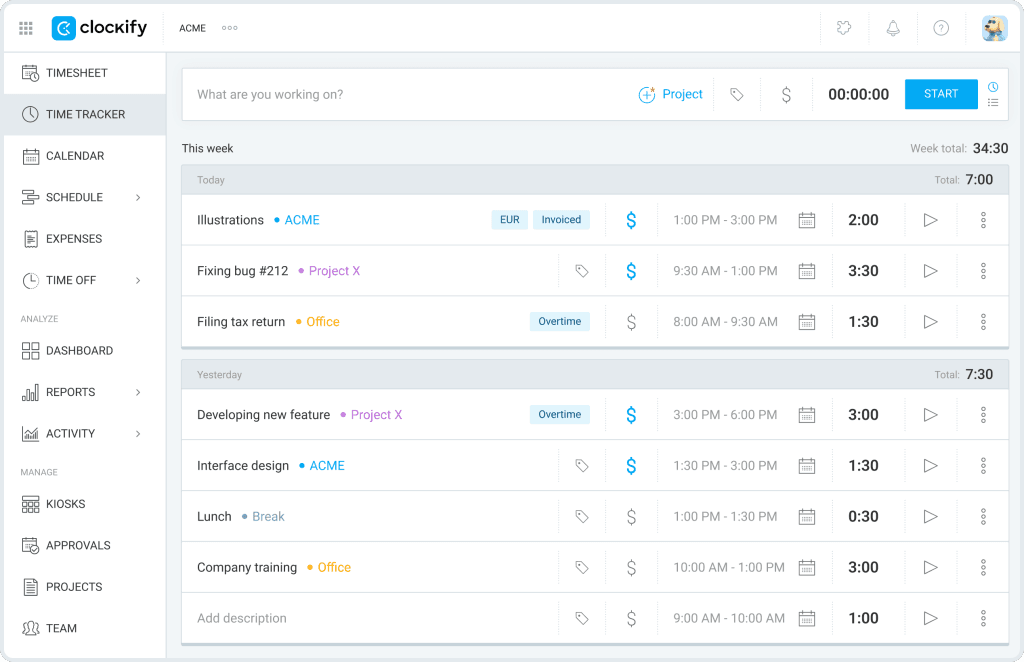
Best free option when budget is the biggest concern
Clockify gives you unlimited users and unlimited projects, completely free, forever. No other tool matches that. If your agency needs basic time tracking across a large team but you don’t have budget for another SaaS subscription, start here.
Pricing:
| Plan | Monthly | Annual (per seat/mo) |
|---|---|---|
| Free | $0 (unlimited users) | $0 |
| Basic | $4.99/seat | $3.99/seat |
| Standard | $6.99/seat | $5.49/seat |
| Pro | $9.99/seat | $7.99/seat |
| Enterprise | $14.99/seat | $11.99/seat |
There’s also a CAKE.com Bundle at $15.99/mo ($12.99 annual) that includes Clockify Enterprise plus Pumble (team messaging) and Plaky (project management). That gives you three tools for the price of one.
The free plan covers more ground than most paid competitors. You get timer and manual entry, project and task tracking, team features, basic reporting, and access on web, desktop, mobile, and browser extensions. As you move up to paid plans, you add invoicing (Standard+), GPS tracking and screenshots (Pro+), scheduling, time off management, expense tracking, and SSO/audit logs (Enterprise).
What to watch out for: No AI features at all, so everything is manual. The interface works fine but lacks the polish you get with Toggl Track. GPS tracking and screenshots require Pro at $7.99+/seat. And as Capterra’s notes, the entry-level paid plan starts at $5.49/seat/month (annual), which is well below the $20–40 industry average. But spreading essential features across five different tiers creates real confusion about which plan you actually need.
Ratings: G2 4.5/5 · Capterra 4.7/5
Start free. Prove the value of time tracking to your team. Then upgrade to paid tiers as specific needs come up.
Best for AI-Powered Automatic Tracking
4. Timely
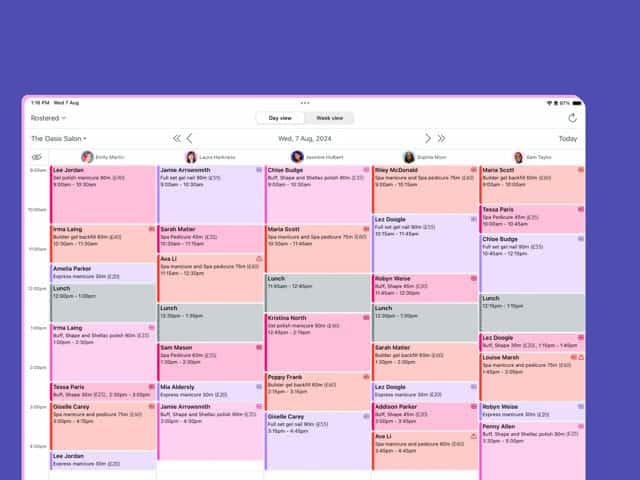
Best when your creative team won’t use manual timers
Timely is the best AI auto-tracking tool for agencies. Some creative teams will just never consistently hit start and stop on a timer. That’s a fair reaction. Manual timers interrupt flow and require a level of discipline that’s hard to maintain across a 40-hour week. Timely solves that by tracking time automatically in the background.
Pricing:
Timely’s plans scale by team size with up to 22% discount on annual billing. The core tiers include Starter, a mid-range option, and Unlimited at about $22/user/month. Teams of 30+ qualify for custom Unlimited+ pricing with dedicated onboarding. A 14-day free trial gives you full access to every feature.
How does the AI actually work? Timely has a desktop app called “Memory” that runs quietly in the background and records a timeline of your activity. Which documents you opened. Which websites you visited. Which meetings you attended. Which emails you sent. That activity log belongs to you and only you. Your manager never sees it.
Then, an AI “Timesheet Assistant” looks at your Memory data alongside your past patterns and puts together a draft timesheet. You review it, adjust anything that needs adjusting, and submit. The whole thing takes about a minute. Compare that to the 15–30 minutes most people spend on manual tracking.
As Timely’s website states directly: “Your memories are yours and no manager can ever see your tracked memories until you share them. This is a non-negotiable for us.”
Over 5,000 businesses in 160 countries use Timely right now. It was built for consultancies, agencies, and SaaS businesses. You get project budgeting with real-time spend tracking, profitability monitoring at every project stage, team capacity planning, cost rates for labor expense analysis, and QuickBooks Online integration.
What to watch out for: More expensive than manual-entry tools. The Memory app needs a desktop installation, and some IT departments push back on that. No free plan, just the 14-day trial. And it takes about 1–2 weeks for most people to learn to trust the AI-generated timesheets.
Ratings: G2 4.8/5 (the highest rating in this category) · Capterra 4.7/5
If your team has tried manual tracking before and it didn’t stick, Timely is worth the premium. It captures more billable hours than any manual approach because it doesn’t depend on human discipline.
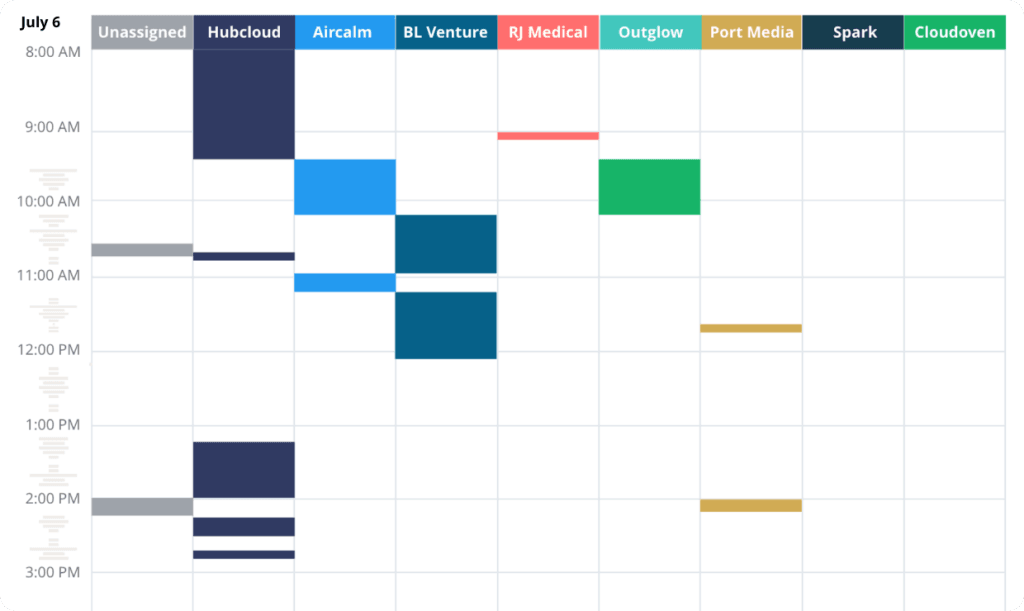
5. Clockk
Best for people who constantly switch between client projects
Clockk uses AI to learn which projects you’re working on based on your document and website patterns, then automatically sorts your time to the right client and project. No raw activity timeline. No manual timers. It adapts to how you actually work.
This is particularly useful if you’re the kind of agency professional who jumps between 5–10 client projects in a single day.
Ratings: G2 4.6/5 · Capterra 4.7/5
Take a close look at Clockk if you handle many clients at once and find traditional timers disruptive.
Best for Full Agency Operations
6. Scoro
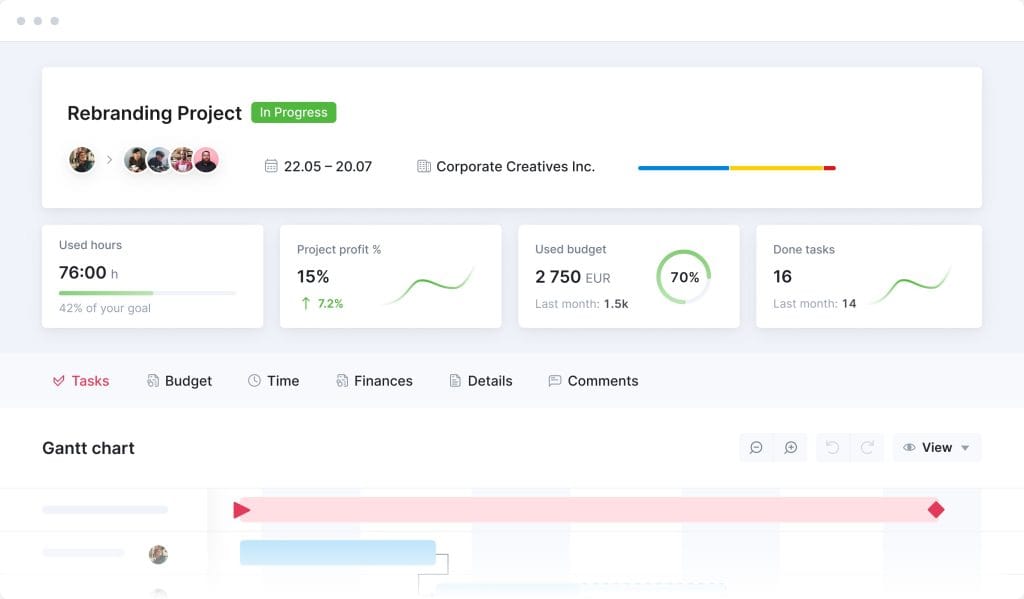
Best when you want time tracking, project management, and financials in one place
Scoro replaces five tools with one. It combines time tracking with project management, CRM, quoting, invoicing, and financial reporting in a single platform. If you’re tired of stitching together separate apps and trying to get them to talk to each other, Scoro gives you everything in one place.
It’s particularly strong for agencies that need full financial visibility, from the initial quote all the way through project delivery to the final invoice, with time tracking as the thread that connects every stage.
Pricing: Starts at $23.90/user/month (Core), then Growth at $38.90 and Performance at $59.90. Enterprise is custom. Minimum 5 users. That’s more expensive than standalone time trackers, but it replaces multiple tools you’re probably already paying for. Prices may vary by region.
Ratings: G2 4.6/5 · Capterra 4.7/5
Best for mid-size agencies (15–50 people) that want one platform and are ready to invest in a complete solution.
7. ClickUp
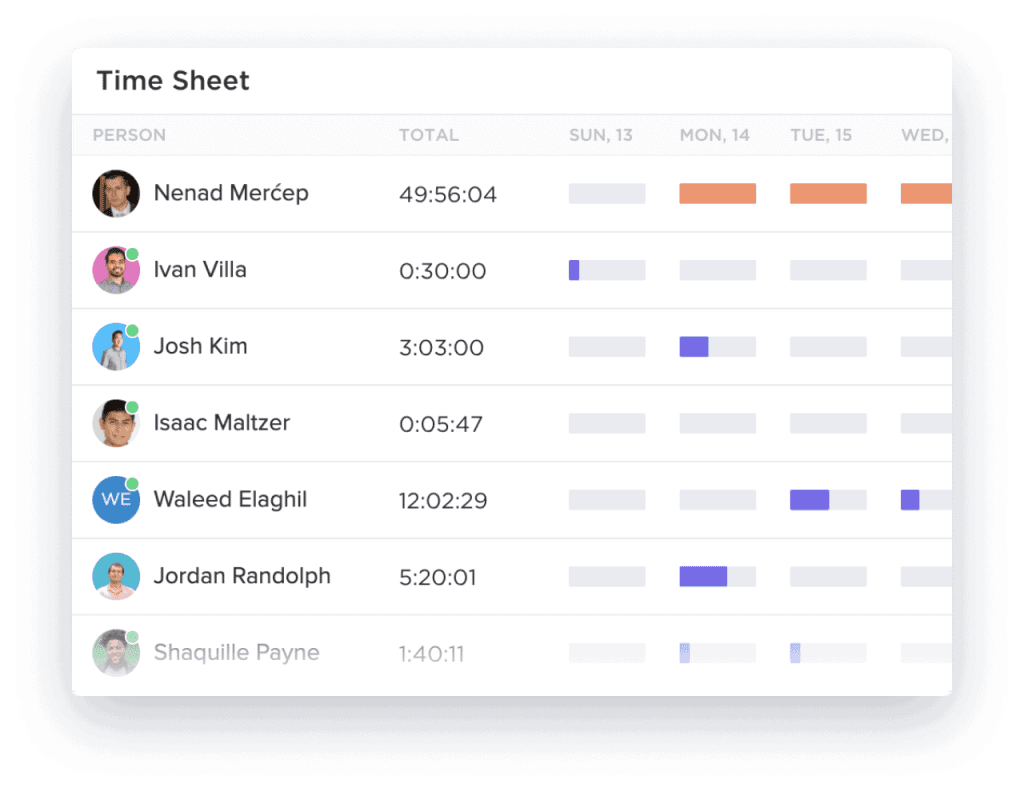
Best if your team already uses ClickUp for project management
Don’t pay for a separate time tracking tool if your agency already runs on ClickUp. Unlike Monday.com (which locks time tracking behind its $16/seat/month Pro plan) or Asana (which requires third-party integrations), ClickUp includes time tracking on all plans. That includes the free tier.
You get start/stop timers, manual entry, estimates vs. actuals, billable and non-billable labels, and ClickUp Brain for AI-powered workflow automation. ClickUp also acquired HourStack in 2025, which made its time tracking even stronger.
Ratings: G2 4.7/5 · Capterra 4.7/5
If ClickUp is already your project management hub, don’t pay for another tool. Just use what’s built in.
Best for Direct PM Tool Integration
8. Everhour
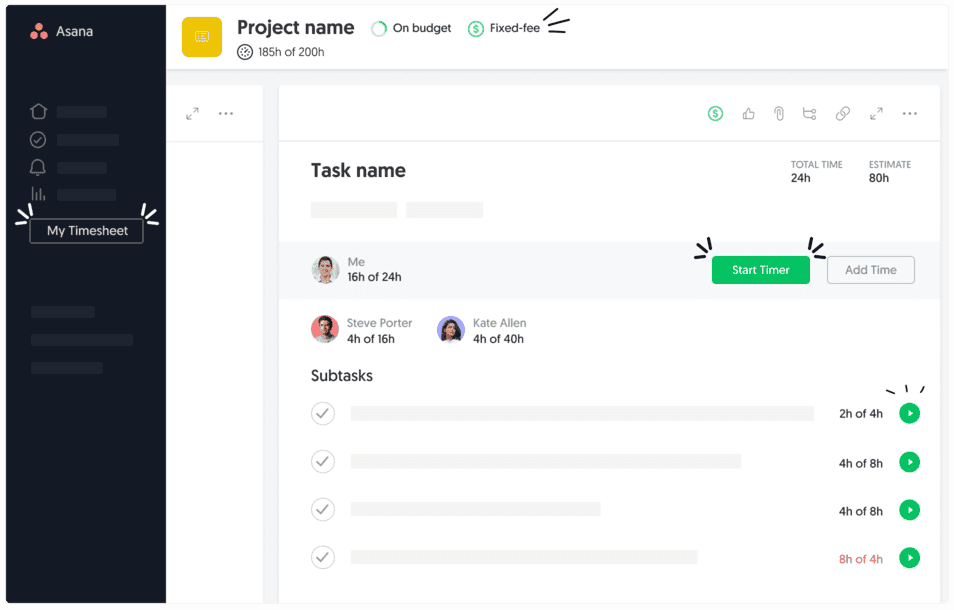
Best for teams that live in Asana, Trello, or Jira
Everhour embeds time tracking directly inside the PM tools your team already uses. Your designers and strategists see a timer button right next to each Asana task, Trello card, or Jira issue. No app switching. No separate login. That’s its entire advantage, and it works.
Pricing: Free for up to 5 users. Team plan at $8.50/user/month with a minimum of 5 seats ($42.50/month minimum). That includes project budgets, client billing, expense tracking, invoicing, and scheduling.
The project budget feature shows real-time progress against budget for each client project. Combined with the native PM tool integration, it’s the lowest-friction option for agencies that have already standardized on Asana, Jira, or Trello.
What to watch out for: Everhour is limited to integration-based tracking. If your team works outside the supported PM tools, Everhour has a simpler standalone tracker, but it loses its core advantage. The 5-seat minimum on paid plans also means very small teams end up paying more per person.
Ratings: G2 4.7/5 · Capterra 4.8/5
Best for Remote Team Accountability
9. Hubstaff
Best for distributed teams that need verified work hours
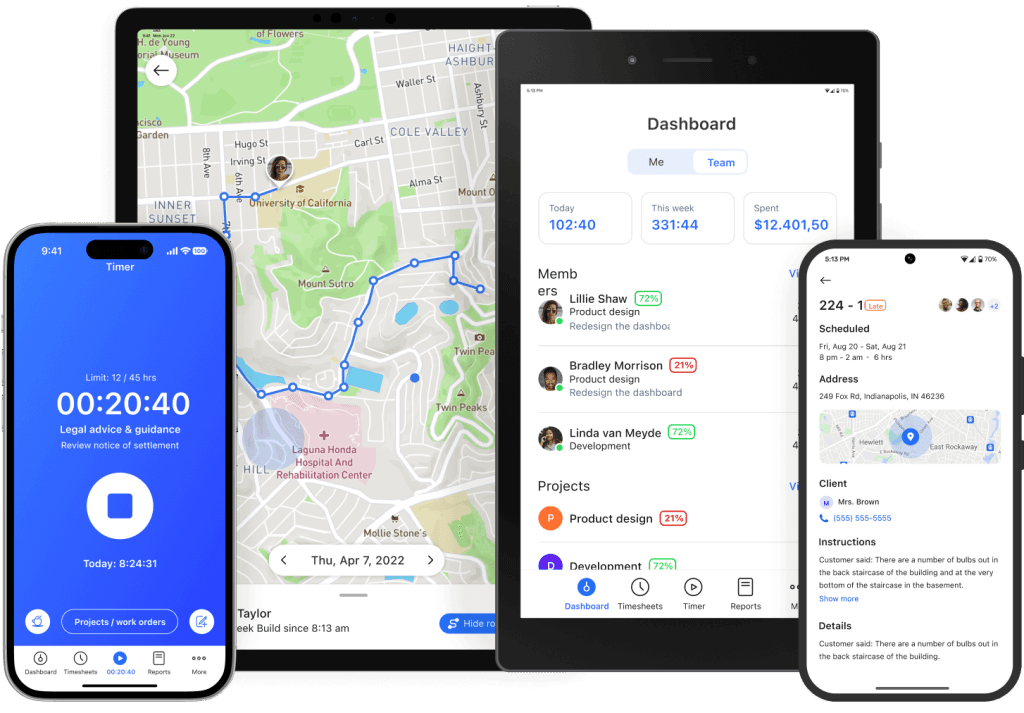
Hubstaff is the market leader for monitoring-forward time tracking. It offers screenshots, app/URL monitoring, activity level tracking, GPS, geofencing, and built-in payroll. If your agency has a distributed remote team and accountability is a genuine concern, not just a management preference, Hubstaff gives you the most comprehensive oversight toolkit available right now.
Pricing:
- Free: 1 user
- Starter: $4.99/seat/month (annual)
- Grow: $7.50/seat/month (annual)
- Team: $10/seat/month (annual)
- Enterprise: $25/seat/month
- Two-seat minimum on all paid plans
- 14-day free trial on all plans
But here’s something worth thinking about. As My Hours’ review pointedly notes, monitoring tools tend to hurt morale. An ExpressVPN survey found that 56% of employees feel stress and anxiety about workplace surveillance, and 54% would consider quitting if monitoring increased. Those numbers should give you pause.
Ratings: G2 4.6/5 · Capterra 4.6/5
Hubstaff is a strong tool if your agency has genuine accountability needs, like large distributed contractor teams or compliance requirements. But think carefully about the cultural trade-offs before you turn on screenshots and activity tracking for a creative team.
10. Time Doctor
The most advanced monitoring tool on the market
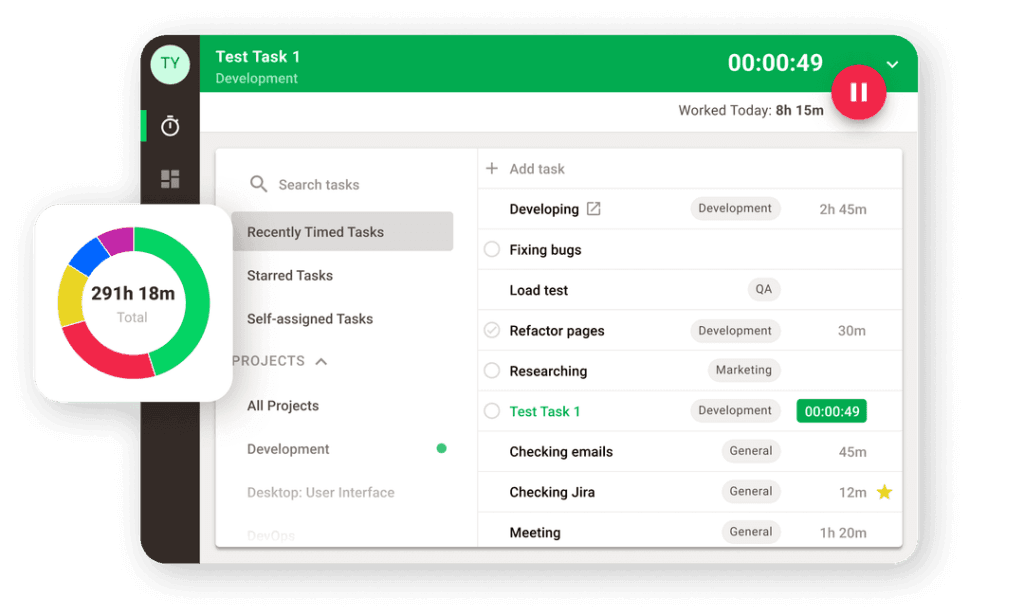
Time Doctor goes further than Hubstaff with AI-powered anomaly detection that can spot mouse jigglers and keyboard simulators, predictive fatigue warnings, and productivity benchmarks pulled from over 250,000 users.
Pricing: Basic at $6.67/user/month, Standard at $11.67, and Premium at $16.70 (all annual billing). Monthly rates run about 17% higher. No free plan. HIPAA, SOC 2, GDPR, and ISO 27001 compliant.
Ratings: G2 4.5/5 · Capterra 4.5/5
It has the most advanced monitoring capabilities on the market right now, but the surveillance approach makes it a poor fit for creative agency culture. It’s better suited for BPO, customer service, or other high-volume operational teams within a larger agency group.
Best Budget-Friendly AI Option
11. TMetric
Best value if you want AI features at a lower price
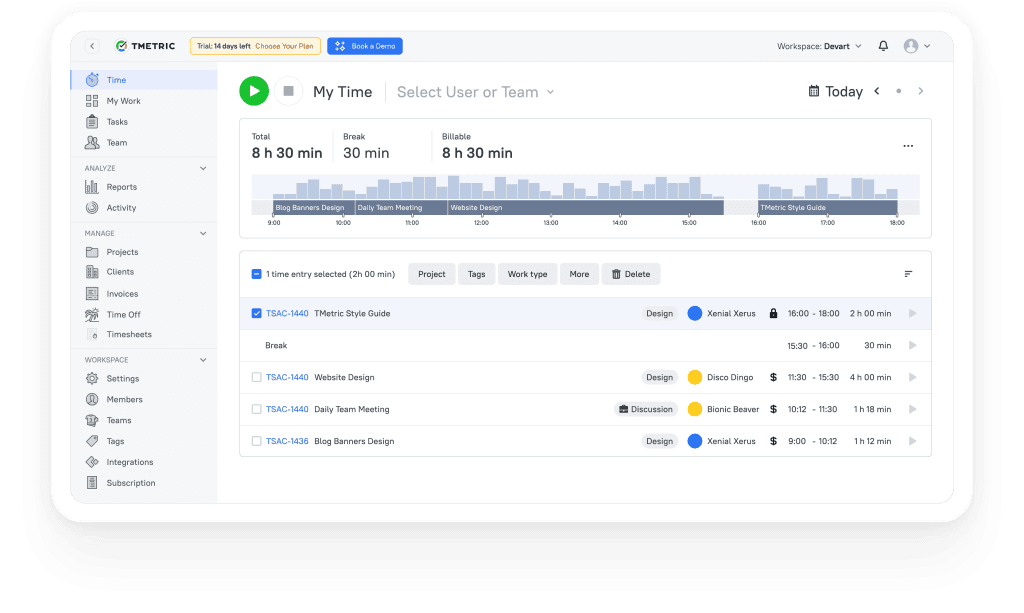
TMetric offers AI-driven automated timesheets, auto-rounding, and solid reporting at prices lower than most competitors’ mid-tier plans. That makes it the strongest value play in time tracking right now.
Pricing: Free for up to 5 users. Professional at $7/user/month. Business at $9/user/month. No minimum seat requirements.
Ratings: G2 4.7/5 · Capterra 4.7/5
If you want AI-assisted features but Timely’s pricing feels too high for where your agency is right now, TMetric delivers meaningful automation at roughly half the cost.
What You Need to Know About Privacy and Compliance Right Now
The DOL’s Wage and Hour Division collected nearly $150 million in back wages for FLSA violations alone in FY2024. Amazon France got hit with a €32 million fine for excessive employee surveillance. The regulatory side of time tracking is getting stricter, and your agency needs to pay attention.
United States
The Fair Labor Standards Act (FLSA) requires employers to keep accurate records of hours worked, including overtime. According to Flowace’s compliance guide, FLSA-related lawsuits have risen sharply over the past two decades. That’s a trend you don’t want to be on the wrong side of.
State laws add another layer. California requires 30-day advance notice before any employee monitoring. New York requires written notice. Illinois’ Biometric Information Privacy Act (BIPA) governs fingerprint and facial recognition time clocks with major penalty exposure.
European Union
Under GDPR, employee monitoring has to be proportionate. Keystroke logging and random screenshots are generally considered disproportionate by data protection authorities.
According to Yaware’s legal analysis, Germany is expected to mandate electronic time recording in 2026, following the Federal Labour Court’s ruling that requires documented tracking of all work hours.
The Right-to-Disconnect Movement
Eleven EU member states now have regulations on the right to disconnect, including France, Belgium, Italy, Spain, and Ireland. Australia extended its right to disconnect to all businesses from August 2025. For your agency, this means your time tracking system should clearly define when the workday ends and respect boundaries around after-hours communication.
What Should Your Agency Actually Do?
For most marketing agencies, the safest approach is straightforward:
- Use a trust-based time tracking tool (Toggl Track, Harvest, Timely, or Clockify)
- Write a clear policy about what you track and why
- Avoid surveillance features unless there’s a specific, documented business need
- Give employees access to their own data
The Time Tracking Market Right Now
The top 5 time tracking tools (including Toggl Track, Clockify, and Harvest) are well-positioned to stay independent. The broader market is actively consolidating, with only about 77 active companies left in a sector estimated at $6–8 billion and growing at roughly 13–17% annually, according to Mordor Intelligence and SkyQuest. Deltek acquired Replicon. Visma acquired TimeChimp. TimeTac acquired Timeular (EARLY). ClickUp acquired HourStack. And several smaller tools have been discontinued entirely.
According to Tracxn’s market analysis, the top players hold a significant share of total market revenue.
What does that mean for your agency? Smaller, niche players carry more risk of getting acquired or shut down. Toggl Track, Clockify, Harvest, Timely, and Hubstaff all have the market position and funding to stay around.
Best Time Tracking Software FAQ
Quick, direct answers to the most common questions about choosing and using time tracking tools
Toggl Track is the best time tracking software for most teams. It has the highest adoption rate across creative and knowledge-work teams, a clean interface that people actually use, AI-powered Smart Suggestions that draft your timesheets, 100+ integrations, and profitability reporting tied to client projects. It scores 4.6 on G2 and 4.7 on Capterra across thousands of reviews.
That said, the best tool depends on your specific situation. If your priority is going from tracked hours directly to an invoice, Harvest handles that workflow better than anything else. If you need free time tracking across a large team, Clockify offers unlimited users at no cost. And if your team refuses to use manual timers, Timely tracks time automatically in the background using AI.
Clockify is the best free time tracking tool. It’s the only one that offers unlimited users and unlimited projects completely free, forever. The free plan includes timer and manual entry, project and task tracking, team features, basic reporting, and apps for web, desktop, mobile, and browser extensions.
Other free options have tighter limits: Toggl Track caps its free plan at 5 users. Everhour’s free tier also supports up to 5 users. Harvest’s free plan is the most restrictive at just 1 seat and 2 projects. If your team already uses ClickUp for project management, its built-in time tracking is free on all plans too.
| Tool | Free Plan Limit | Standout Free Feature |
|---|---|---|
| Clockify | Unlimited users | Full timer, manual entry, reports |
| Toggl Track | Up to 5 users | Polished UI, browser extension |
| Everhour | Up to 5 users | PM tool integration |
| ClickUp | Unlimited (built-in) | Timers inside project tasks |
| Harvest | 1 seat, 2 projects | Full invoicing on free plan |
Toggl Track’s free plan is the best starting point for solo freelancers. It’s fast to set up, easy to use, and lets you track time across multiple clients and projects without paying anything. When you’re ready for invoicing and profitability reports, the paid plan adds those features.
If you need time tracking and invoicing in one place from day one, Harvest is the better choice — you can track hours, generate invoices, and collect payments via Stripe or PayPal without leaving the app. For freelancers who juggle many clients and hate manual timers, Clockk uses AI to learn which projects you’re working on and sorts your time to the right client automatically.
Toggl Track is the best fit for most marketing and creative agencies. It balances simplicity for junior team members with powerful profitability reporting for leadership. Privacy-first design (no screenshots or surveillance) makes it a good cultural fit for creative teams, and 100+ integrations mean it plugs into whatever tools your agency already uses.
For agencies that bill clients directly from tracked hours, Harvest has the strongest track-to-invoice-to-payment workflow. For mid-size agencies (15–50 people) that want time tracking, project management, CRM, and financials in one platform, Scoro replaces multiple tools. And if your agency runs on Asana, Trello, or Jira, Everhour embeds time tracking directly inside those PM tools so your team never switches apps.
Timely is the best AI-powered time tracking tool. It runs a background app that records which documents, websites, and meetings you use throughout the day, then an AI assistant drafts your timesheet. You review it, adjust anything, and submit — the whole process takes about a minute. It holds the highest G2 rating in the time tracking category at 4.8/5.
Timely’s privacy model is also strong: your raw activity data is visible only to you, never to your manager. The tradeoff is price — it’s more expensive than manual-entry tools. If you want AI features at a lower cost, TMetric ($7–9/user/month) offers AI-driven automated timesheets and auto-rounding at roughly half the price. Toggl Track also added AI Smart Suggestions that auto-fill project info and flag gaps in your timesheet.
No. Google does not offer a dedicated time tracking tool. You can use Google Sheets or Google Calendar as a basic manual workaround, but neither is designed for proper time tracking with features like timers, billable rates, or reporting.
The best approach is to use a time tracking tool that integrates with Google Workspace. Toggl Track, Clockify, Harvest, and TMetric all have Chrome extensions and Google Calendar integrations that let you track time from inside the Google apps you already use daily.
Time tracking software records how long you spend on tasks, projects, and clients. Most tools offer three methods: a start/stop timer you click when you begin and end a task, manual entry where you type in hours after the fact, and automatic tracking where a background app logs which programs and websites you use throughout the day.
Your tracked time gets organized by project and client, then feeds into reports, invoices, and profitability dashboards. The best tools also let you set billable rates per project or per team member, distinguish between billable and non-billable hours, and compare estimated vs. actual hours to improve future project scoping.
Manual tracking requires you to start a timer, stop it, or log hours by hand. It’s more precise when used consistently but depends on human discipline. Most people spend 15–30 minutes per week on manual tracking, and research shows 80% of manually filled timesheets need corrections.
Automatic tracking uses a background app to record your activity — which documents you opened, which meetings you attended, which websites you visited — then sorts that data into a draft timesheet you review and submit. Tools like Timely and Clockk use this approach. Automatic tracking captures more billable hours because it doesn’t rely on you remembering to hit “start,” but it does require a desktop app installation and a brief learning period to trust the AI-generated entries.
Yes. Non-billable hours — internal meetings, admin work, training, business development — are essential for understanding your team’s true capacity and profitability. Without tracking them, you can’t calculate your actual utilization rate or identify where non-billable work is eating into productive time.
The most profitable agencies track all hours, then use the billable vs. non-billable split to make informed decisions about staffing, pricing, and operational efficiency. The target utilization rate (billable hours as a percentage of total available hours) is 65–80%. You can only know where you stand if you’re tracking everything.
Yes. All major time tracking tools — Toggl Track, Clockify, Harvest, Timely, Hubstaff, and others — have mobile apps for both iOS and Android. You can start and stop timers, log manual entries, view reports, and in some cases approve timesheets from your phone.
Toggl Track’s mobile app is consistently rated the best in terms of design and usability. If your team works in the field or travels frequently, look for tools with offline mode so time entries sync automatically when you reconnect.
Most standalone time tracking tools cost between $4 and $22 per user per month on annual billing. Clockify starts at $3.99/seat/month. Toggl Track Premium is about $16.20/user/month. Timely, the leading AI auto-tracker, runs around $22/user/month. All-in-one platforms like Scoro start higher at $23.90/user/month but replace multiple tools.
| Tool | Free Plan | Paid Starting Price (Annual) |
|---|---|---|
| Clockify | Unlimited users | $3.99/seat/month |
| Hubstaff | 1 user | $4.99/seat/month |
| TMetric | Up to 5 users | $7/user/month |
| Everhour | Up to 5 users | $8.50/user/month |
| Harvest | 1 seat, 2 projects | $10.80/seat/month |
| Toggl Track | Up to 5 users | ~$16.20/user/month |
| Timely | 14-day trial only | ~$22/user/month |
| Scoro | None | $23.90/user/month |
Yes. Agencies and teams without solid time tracking lose an estimated 15–30% of their billable revenue to hours that get worked but never billed. A 15-person team that misses just 15 minutes of trackable time per person per day loses roughly $121,875 per year in unbilled work at a $125/hour blended rate.
Organizations typically see a 200–400% return on their time tracking software investment. Even at $18/user/month for a 15-person team ($3,240/year), you’re spending a fraction of the revenue you’d otherwise lose. The cost of not tracking time is almost always far greater than the cost of any tool on the market.
The sweet spot is 65–80%. This is where the most profitable agencies operate. It means 65–80% of your team’s available working hours are being spent on billable client work, with the remaining time going to internal meetings, admin, training, and business development.
Below 65% signals a profitability problem — your direct labor costs are outpacing billable output. Above 85% puts your team in burnout territory — creative quality drops, turnover rises, and client work suffers. Only about 35% of agencies consistently hit their key financial benchmarks, which makes tracking and managing this metric one of the highest-impact things you can do.
Divide your total revenue from a client or project by the total hours your team actually worked on it. That’s your Effective Hourly Rate (EHR). For example, if a $10,000 retainer client consumed 120 hours of work last quarter, your EHR is about $83/hour — regardless of what your stated rate is.
Calculate this quarterly for every retainer client. It’s the fastest way to spot scope creep before it eats your margins. If your EHR is consistently lower than your target rate on certain project types or clients, you have a pricing problem that no amount of operational efficiency will fix. Time tracking data makes this calculation possible.
Three things drive adoption: ease of use (logging time should take seconds, not minutes), integration with existing workflows (tracking inside your PM tool or Slack eliminates friction), and trust (no screenshots or surveillance). If the tool is hard to use or feels like micromanagement, your team won’t use it consistently — and inconsistent data is worse than no data.
Frame time tracking as a profitability and project planning tool that benefits everyone, not as oversight. Share the data openly. If your team has tried manual timers before and it didn’t stick, consider AI auto-tracking tools like Timely or Clockk that capture hours in the background without any manual input. The simplest tool that fits your actual workflow will always outperform a feature-rich tool that nobody uses.
Start with a tool that has a free plan or free trial so you can test it with your actual workflow before committing. Set up your clients, projects, and team members (most tools let you import this data from a CSV). Run the new tool alongside your spreadsheets for one billing cycle so you can compare outputs and build confidence in the data.
The biggest wins you’ll notice immediately: no more forgotten hours, no more manual formula errors, and real-time visibility into project budgets instead of discovering overruns after the fact. Once your team sees those benefits firsthand, the switch becomes permanent naturally. Most teams are fully transitioned within 2–4 weeks.
Most time tracking tools let you add freelancers as limited users with restricted permissions — they can see and track time only on the projects they’re assigned to, without accessing your other clients or internal data. Toggl Track, Harvest, Clockify, and Everhour all support this.
Check the pricing model carefully. Some tools charge per seat (so each freelancer adds cost), while others like Clockify’s free plan allow unlimited users. If you work with many freelancers, a tool with a generous free tier or flat-rate pricing saves you from per-seat costs adding up quickly. You can also set separate bill and pay rates for contractors so invoicing and payroll calculations stay accurate.
Match the tracker to your PM tool. If your team lives in Asana, Trello, or Jira, use Everhour — it embeds a timer button directly inside those tools so nobody switches apps. If you already use ClickUp, don’t pay for a separate tracker — ClickUp includes time tracking on all plans, including free. If Slack is your team’s hub, check that the tracker has a native Slack integration (Toggl Track does).
The integration matters more than the feature list. A simple tracker embedded in the tool your team already opens every day will get used. A more powerful standalone app that requires a separate login won’t.
Focus on five things in this priority order: (1) Ease of use — if it’s not fast and intuitive, adoption will fail. (2) Billable vs. non-billable tracking — essential for accurate invoicing and utilization analysis. (3) Reporting and profitability dashboards — so you can see which clients and project types actually make money. (4) Integrations — it should connect to your PM tool, accounting software, and invoicing platform. (5) Mobile app — for logging time on the go.
Nice-to-haves include AI auto-tracking, budget alerts for retainer clients, timesheet approval workflows, and team capacity planning. Avoid overbuying features — the simplest tool that covers your real workflow will always get better adoption than an enterprise suite you only use 20% of.
Yes. In the United States, the Fair Labor Standards Act (FLSA) actually requires employers to keep accurate records of hours worked for non-exempt employees, including overtime. Employers can use any tracking method — paper, spreadsheets, or software — as long as it’s accurate and complete.
However, monitoring goes beyond simple time tracking, and that’s where laws vary. California requires 30-day advance notice before any employee monitoring. New York requires written notice. Illinois’ Biometric Information Privacy Act (BIPA) governs fingerprint and facial recognition time clocks with major penalty exposure. In the EU, GDPR requires that employee monitoring be proportionate, and keystroke logging or random screenshots are generally considered disproportionate. Always check your local laws before enabling surveillance-style features.
Time tracking records how many hours someone works and what projects that time goes toward. It’s about measuring output and managing resources. Tools like Toggl Track, Harvest, and Clockify fall into this category — they track hours without watching how you spend every second.
Employee monitoring goes further by capturing screenshots, logging keystrokes, tracking app and website usage, measuring mouse movements, and detecting idle time. Tools like Hubstaff and Time Doctor offer these features. While monitoring can verify that logged time matches actual work, it tends to hurt morale — surveys show a majority of employees feel stress about workplace surveillance, and many would consider quitting if monitoring increased. For creative and knowledge-work teams, trust-based time tracking is almost always the better approach.
Reputable time tracking tools use encryption for data in transit and at rest, and most store data on secure cloud servers. The major platforms — Toggl Track, Harvest, Clockify, Timely, and others — all follow standard security practices. Some enterprise-tier tools like Time Doctor also hold SOC 2, GDPR, HIPAA, and ISO 27001 certifications for organizations with strict compliance requirements.
The bigger privacy concern isn’t security breaches — it’s what the tool collects in the first place. Monitoring tools that take screenshots or log keystrokes create a much larger data footprint (and liability) than simple hour-tracking tools. If data minimization is important to your organization, choose a trust-based tracker that only records time entries, project assignments, and the data you explicitly provide.
The right to disconnect gives employees the legal right to disengage from work communications outside of working hours without penalty. Eleven EU member states now have these regulations (including France, Belgium, Italy, and Spain), and Australia extended its right to disconnect to all businesses as of August of last year.
For time tracking, this means your system should clearly define when the workday ends. Avoid tools or policies that encourage after-hours tracking or send late-night reminders to log time. If your agency operates across multiple time zones or has a culture of flexible hours, make sure your tracking setup respects boundaries — both for legal compliance and to prevent burnout on your team.
See exactly which clients are profitable — and which ones are eating your margins.
Start Your Free Trial Today