
Looker Studio looks free until you scale. By the time a 30-client agency adds Supermetrics for Meta, LinkedIn, and TikTok data, hires someone to babysit broken connectors, and absorbs the staff time lost to manual rebuilds, the “free” tool typically costs $500–$1,000+/month plus 15–20 hours of weekly maintenance. That’s why most agencies eventually switch.
This article compares the 10 reporting platforms that actually replace Looker Studio for agency work — not generic BI tools, not free dashboard widgets. We’ve grouped them by the job they’re best at, so you can skip to the one that matches yours.
What Is the Best Looker Studio Alternative for Marketing Agencies?
The best Looker Studio alternative for most marketing agencies is Swydo, starting at $69/month for unlimited users and 10 data sources. Swydo scores 4.5/5 across 100+ Capterra reviews and 4.6/5 on G2 specifically for marketing-agency reporting workflows — and we’re putting it first on that basis, not because we built it. G2’s Swydo profile and the Capterra listing are open to anyone who wants to verify.
For agencies with different priorities, the best fit changes. The shortlist by job-to-be-done:
- Best overall for mid-market agencies — Swydo
- Best for budget-conscious multi-client agencies — AgencyAnalytics
- Best for AI-first reporting and real-time monitoring — Databox
- Best for cross-channel data blending — Whatagraph
- Best for solo marketers and small teams — DashThis
- Best for custom dashboard builders — Klipfolio
- Best for Microsoft-stack organizations — Power BI
- Best for enterprise data analysis — Tableau
- Best for hybrid agency / in-house teams — Zoho Analytics
- Best for large agencies and enterprises — Domo
Why Are Marketing Agencies Switching From Looker Studio?
Marketing agencies leave Looker Studio because of what we call the C.L.A.W. — four compounding pain points that get worse the more you scale: Connector tax, Limits on the canvas, Absent white-label, Workflow gaps.
Connector tax. Looker Studio’s native connectors only cover Google products (Google Ads, GA4, Search Console, Sheets). Connecting Meta, LinkedIn, TikTok, or Bing requires paid third-party connectors like Supermetrics. A 30-client agency typically pays $500–$1,000/month in connector fees alone — before any reporting work happens.
Limits on the canvas. Looker Studio caps data blends at 5 sources per chart, has a 6-minute query timeout, and a 50-chart-per-page limit. Multi-channel reports hit these ceilings constantly. There is no workaround that doesn’t add complexity.
Absent white-label. There is no native white-labeling. Custom domains, branded PDF exports, and email-from-your-domain delivery require workarounds, custom code, or simply giving up.
Workflow gaps. No built-in client management, no automated report scheduling, no goal tracking, no AI-generated executive summaries, and — perhaps most importantly — no proactive way to know when your data connections break. You find out when a client emails to ask why their report is empty.
Our opinionated take: Looker Studio is excellent for in-house teams reporting on Google-only data to internal stakeholders. It is the wrong tool for an agency that bills clients for cross-channel campaign reporting. Stop trying to make it work.
What Should Marketing Agencies Look for in a Looker Studio Alternative?
Marketing agencies should evaluate Looker Studio alternatives on seven specific features:
- Automated reporting and scheduling — branded reports delivered to clients without manual work.
- White-labeling — your logo, colors, and custom domain on every report and dashboard.
- Pre-built templates — for Google Ads, Meta, GA4, LinkedIn, TikTok, Search Console, Semrush, and HubSpot at minimum.
- Integration breadth — coverage of paid social, SEO tools, CRMs, call tracking, and email platforms.
- Interactive dashboards — client-facing dashboards with filtering and drill-down capability.
- AI features — automated summaries, anomaly detection, and natural-language queries.
- Predictable pricing — per-client or flat pricing rather than per-user fees that punish team growth.
If a tool fails on more than two of these, skip it.
Looker Studio Alternatives Compared (Pricing, Integrations, Features)
The table below compares the 10 best Looker Studio alternatives — a category often grouped under client reporting software for marketing agencies — on starting price, free plan availability, integration count, white-label support, AI features, and ideal use case.
| Tool | Starting Price | Free Plan | Integrations | White-Label | AI Features | Best For |
|---|---|---|---|---|---|---|
| Swydo | $69/mo | 14-day trial | 30+ | Yes | Yes | Mid-market marketing agencies |
| AgencyAnalytics | $59/mo | 14-day trial | 80+ | Yes | Yes (Smart Reports) | Budget-conscious multi-client agencies |
| Databox | $159/mo (Pro) | No (14-day trial since July 2025) | 130+ | Premium tier only | Yes (Genie + MCP) | AI-first reporting and real-time monitoring |
| Whatagraph | ~$229/mo | Yes | 55+ | Yes | Yes (Whatagraph IQ) | Cross-channel data blending |
| DashThis | $49/mo | 15-day trial | 40+ | Yes | Yes | Solo marketers and small teams |
| Klipfolio | $120/mo | Free PowerMetrics tier | 130+ | $299/mo add-on | Limited | Custom dashboard builders |
| Power BI | $14/user/mo | Yes (Fabric) | 200+ | Limited | Yes (Copilot) | Microsoft-stack organizations |
| Tableau | $15/user/mo (Viewer) | No | 100+ | Limited | Yes (Pulse, Agent) | Enterprise data analysis |
| Zoho Analytics | $30/mo | Yes | 500+ | Yes | Yes (Zia) | Hybrid agency/in-house teams |
| Domo | Custom quote | Free tier | 1,000+ | Yes | Yes | Large agencies and enterprises |
Pricing reflects monthly billing on entry-level paid plans. Annual commitments typically discount 15–25%.
1. Swydo — Best for Mid-Market Marketing Agencies
The reporting platform that lets a 2-person agency operate like a 15-person agency.
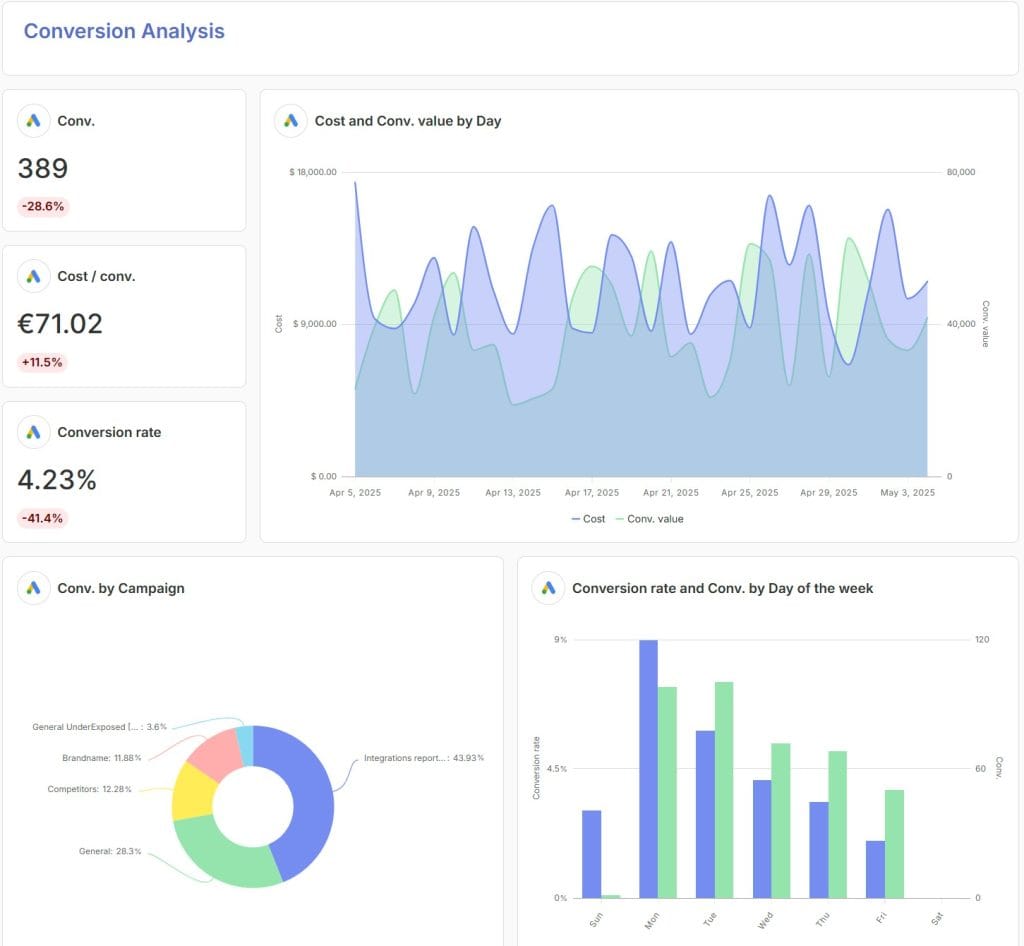
Swydo is a marketing-agency reporting platform starting at $69/month with unlimited users and 10 data sources. It is the closest like-for-like replacement for agencies leaving Looker Studio because of manual workflows and connector costs. Falcon Digital Marketing’s co-founder Chris Cabaniss puts the time savings concretely: “An Excel report could easily take five or six hours. With Swydo, it takes 10 minutes, maybe 20.”
Pricing: $69/month for unlimited users and 10 data sources. Additional sources are $4.50 each (sources 11–100), $3.00 each (101–500), $2.00 each (501+). No per-seat fees. A 14-day free trial is available with no credit card required.
Integrations: 30+ native integrations including Google Ads, Google Analytics 4, Search Console, Meta Ads, LinkedIn Ads, Microsoft Ads, TikTok Ads, Reddit Ads, Mailchimp, HubSpot, Klaviyo, Semrush, and ActiveCampaign. Google Sheets connections (with Zapier or Make) extend coverage to virtually any third-party data source.
My favorite feature: Report Templates.
Build a master report once, link it to every client that uses the same channel mix, and one edit propagates to all of them. The use case that justifies the entire platform: it’s the last Friday of the quarter and a client adds a new conversion goal. In Looker Studio, you’d open 12 client dashboards and update them one by one. In Swydo, you edit the master template once. Done.
Other features worth knowing:
- Native white-labeling on a custom domain (e.g.,
reports.youragency.com) puts your logo on every report cover, PDF export, and online dashboard. Brand templates support 1,000+ Google Fonts and customizable comparison/target colors so the report looks like yours, not the platform’s. The full set of Swydo features is documented in our features overview. - The Monitoring suite — Boards, Goals (with On Track / Off Track / Achieved pacing states), and Alerts (daily metric monitoring with custom trigger conditions) — gives clients a visual answer to “are we hitting targets?” without a strategist writing it out, and notifies your team when numbers move outside expected ranges. Most reporting tools only do reports. Swydo does reporting + monitoring.
- Combined Data Sources merges metrics from up to 5 ad platforms (including Meta, Google, LinkedIn, TikTok, Reddit) into a single widget — solving the same multi-channel problem Looker Studio’s 5-source blend cap creates, but without the chart breaking. Combined sources work in reports, dashboards, Boards, Goals, and Alerts.
- Swydo AI generates plain-English performance summaries in five languages (English, Dutch, French, German, Spanish), automating the executive-summary writing that typically lands on senior strategists. It also drops into scheduled report emails as an AI Summary content block — set it up once and every future send arrives with a contextual summary already in the inbox.
- Data Health Check Alerts proactively monitor every connection for expired tokens or permission issues and notify you before the report breaks. This is the feature Looker Studio agencies wish they had — surprise broken reports become a category that mostly stops happening.
- Different-length date comparisons let you compare Q4 (3 months) against YTD (9 months) or this fiscal year against last fiscal year regardless of length. Most reporting tools lock you into same-length compares.
Sidenote — honest limitations: The 10-source base plan is tight for agencies running many clients with diverse channels. If a typical client has Google Ads + GA4 + Meta + LinkedIn (4 sources), you’ll exceed 10 sources at 3 clients. Per-source overage at $4.50 is reasonable, but this is the single most common surprise in the first month. Budget accordingly. The interface is also built for report generation rather than data exploration — analysts who want to write complex DAX-style custom calculations should look at Power BI or Tableau. And there is no public REST API; custom data ingestion goes through Google Sheets + Zapier/Make.
Pricing: From $69/month • Swydo pricing page
Further reading: Swydo vs Looker Studio: complete comparison
2. AgencyAnalytics — Best for Budget-Conscious Multi-Client Agencies
The volume play: lots of integrations, lots of clients, lower entry price — if you can live with the client caps.
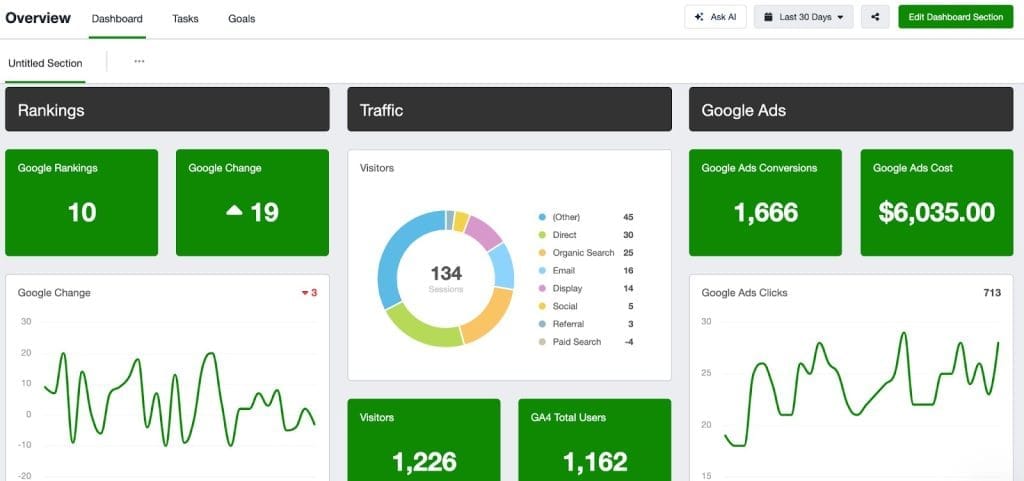
AgencyAnalytics is a marketing-agency reporting platform starting at $59/month for 5 client campaigns. It competes directly with Swydo on workflow and white-labeling, with the broadest SEO tool coverage in the category and a pricing model that scales by client count rather than per user. Agencies weighing it against other agency-focused tools should also see our deeper AgencyAnalytics alternatives breakdown.
Pricing: Freelancer at $59/month covers 5 client campaigns. Agency tier is $179/month for 10 campaigns. Pro at $359/month covers 25. Beyond plan caps, per-client add-ons apply. A 14-day free trial is available.
Integrations: 80+ integrations covering all major ad platforms (Google, Meta, LinkedIn, TikTok, Microsoft, Pinterest, Snapchat), the full SEO stack (Ahrefs, Semrush, Moz, Majestic, Google Search Console), call tracking (CallRail, CallTrackingMetrics), email marketing (Mailchimp, Klaviyo, ActiveCampaign), and CRMs (HubSpot, Salesforce, Pipedrive).
My favorite feature: SEO-stack integration depth. AgencyAnalytics pulls data from Ahrefs, Semrush, Moz, Majestic, and Google Search Console into a single client dashboard — useful for SEO-heavy agencies that want one unified view rather than separate logins per tool. The platform also includes native rank tracking (keyword position monitoring across major search engines), which most other reporting tools surface only via third-party connectors.
Other features worth knowing:
- Smart Reports auto-generates written executive summaries with AI — competitive with Swydo AI and Whatagraph IQ for basic narrative summaries.
- White-label dashboards on a custom domain with branded login pages — a step beyond what most competitors offer at the entry tier.
- Goal tracking and automated reports are included on all plans, not gated to higher tiers.
Sidenote — honest limitations: AgencyAnalytics’ Site Auditor add-on is only available to accounts created before November 2023, so newer agencies signing up today cannot access it — a meaningful gap if “site audits inside the reporting tool” was part of why you were considering the platform. The Freelancer plan also caps at 5 clients, and per-client add-ons jumped from $10 to $20 in October 2025. By 30 clients on the Agency plan with annual billing, you’re looking at $179 base + $400 in add-ons = $579/month — close to triple the headline price. Template propagation across linked client reports also isn’t as mature as Swydo’s master-template system.
Pricing: From $59/month
3. Databox — B Best for AI-First Reporting and Real-Time Monitoring
The most complete AI stack on this list — and the strongest mobile experience — with pricing that lands below Whatagraph.
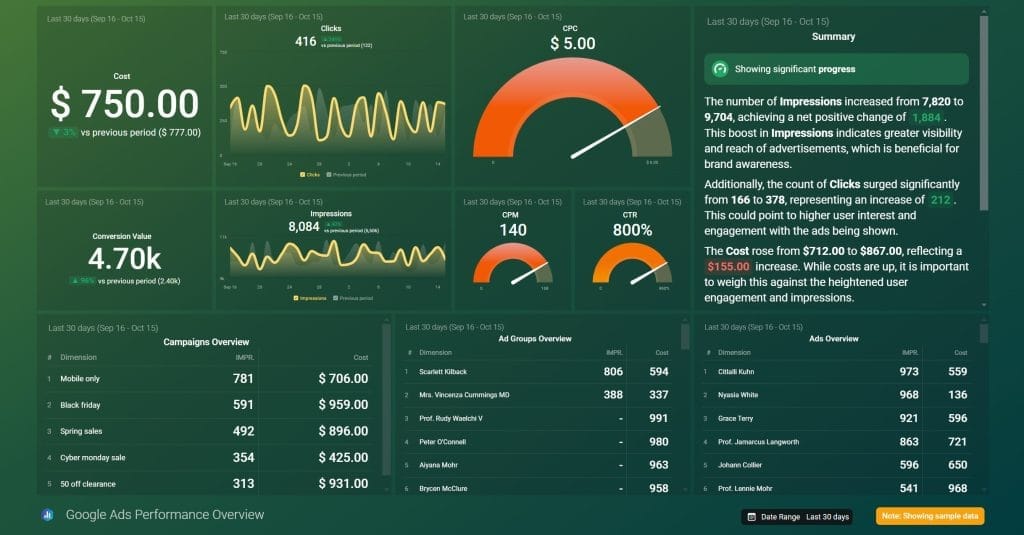
Databox is a performance analytics platform starting at $159/month (Pro plan, billed annually). It’s the strongest AI-native reporting tool on this list — combining a conversational AI assistant (Genie), a free Model Context Protocol server that lets Claude or ChatGPT query your data directly, anomaly detection, forecasting, and benchmarking. For agencies whose differentiator is “we use AI to surface insights faster,” Databox delivers more substance than Whatagraph at meaningfully lower entry pricing.
Pricing: Databox eliminated its free plan on July 1, 2025 — new accounts get a 14-day trial followed by paid tiers. Pro is $159/month annually, Growth is $399/month, Premium is $799/month. Full white-labeling unlocks at the Premium tier. Annual billing typically discounts 20% off monthly rates. Pricing scales by data sources, not users.
Integrations: 130+ marketing, sales, and product tools, including HubSpot, Salesforce, Stripe, Shopify, Mailchimp, Klaviyo, and every major ad platform. The integration count is one of the strongest in the category — wider than Swydo, AgencyAnalytics, and DashThis combined for B2B SaaS data sources.
My favorite feature: Databox MCP. Databox’s Model Context Protocol server is the feature that genuinely sets the platform apart in 2026. It lets Claude, ChatGPT, or any MCP-compatible AI tool query your Databox data directly using natural language — your AI assistant gets access to your real metrics, definitions, and historical context rather than guessing from a CSV upload. Ask Claude “why did this client’s Meta ROAS drop last week” from your normal AI workflow, and it pulls live answers from Databox. MCP is included for all Databox users at no additional cost. No other reporting tool on this list ships an MCP server in production today.
Other features worth knowing:
- Genie is the in-product AI assistant — conversational analysis, anomaly detection, automated insights, and forecasting based on historical performance. Lives inside the Databox UI for teams who want answers without leaving the platform.
- Performance Summaries auto-generate written overviews of key metrics — comparable to Swydo AI and AgencyAnalytics Smart Reports.
- Benchmarks compares your clients’ metrics against anonymized peer data — useful context when a client asks “is a 2.3% CTR good?”
- Mobile and Apple Watch apps treat mobile as a primary surface rather than an afterthought. Push notifications when a KPI crosses a threshold; single-metric Apple Watch faces for at-a-glance monitoring.
Sidenote — honest limitations: Full white-labeling sits behind the $799/month Premium tier — a steep gate for a feature most competitors include at $69–$159/month. The product is also more “dashboard” than “report,” so agencies that deliver static PDF reports to clients on a monthly cycle will find Databox overbuilt for that workflow. The removal of the free tier in July 2025 also tightened the entry cost; what used to be a “try it free indefinitely” tool is now strictly paid after the trial. And setting up the metric definitions and benchmarks takes meaningfully longer than the template-based approach Swydo or DashThis use.
Pricing: From $159/month
4. Whatagraph — Best for Cross-Channel Data Blending
Strong cross-channel blending and a polished conversational AI layer — at a price that’s hard to justify until you’ve outgrown the cheaper options.
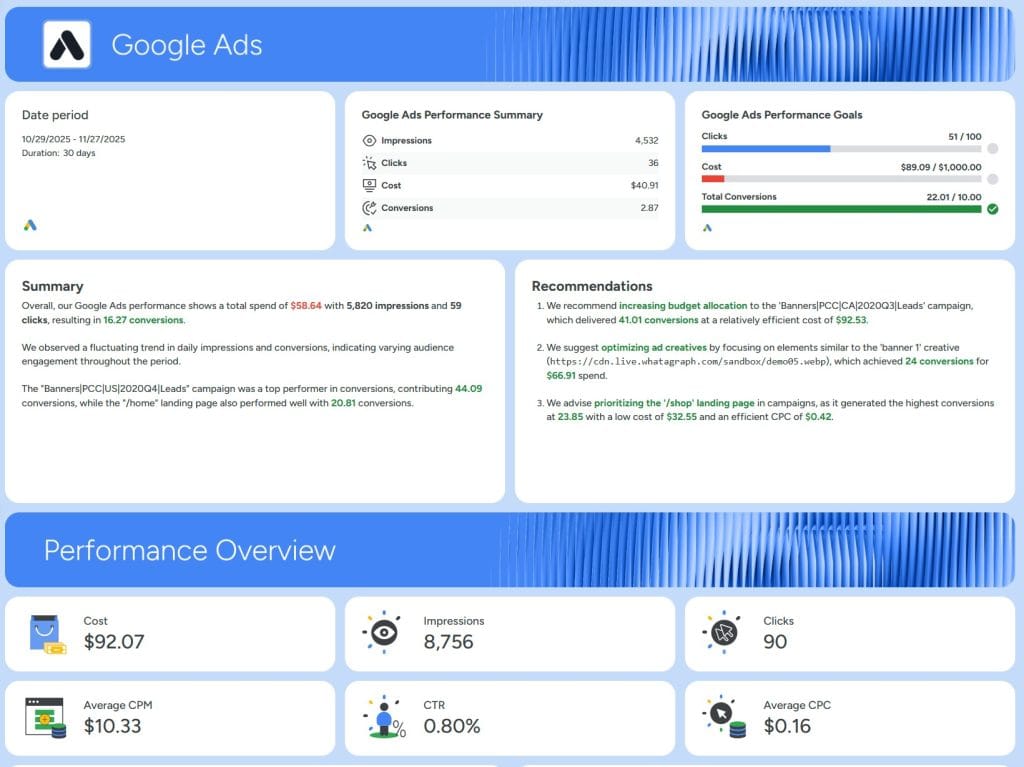
Whatagraph is a marketing reporting platform starting at ~$229/month, with cross-channel data blending and a conversational AI feature called Whatagraph IQ. It’s a capable tool — but at roughly $70/month more than Databox at the entry tier, and without Databox’s MCP integration, it has to win on workflow fit rather than AI sophistication.
Pricing: Start plan is approximately $229/month annually for 5 sources and 25 reports. Boost is around $624/month for more sources and unlimited reports. Max is custom-quoted. A free plan exists for basic dashboard viewing but doesn’t include reporting or AI.
Integrations: 55+ native integrations with coverage of paid social, search, programmatic, CRM, and email tools. Coverage is narrower than Databox (130+) and AgencyAnalytics (80+), so verify your stack is supported before committing.
My favorite feature: Cross-channel data blending. Whatagraph’s blending engine combines metrics from multiple ad platforms into single widgets without the awkwardness of Looker Studio’s 5-source blend cap. For agencies that genuinely need unified cross-channel views — paid social + search + display in one chart with shared dimensions — it handles the work better than most templated tools.
Other features worth knowing:
- Whatagraph IQ is the conversational AI layer — natural-language queries that return formatted charts and narrative summaries.
- Native white-labeling with custom domains, branded reports, and email-from-your-domain delivery — included on paid plans.
- Automated scheduled reports with multi-format delivery (PDF, link, email).
Sidenote — honest limitations: The Start plan at $229/month is hard to justify when Databox covers similar AI capabilities at $159/month with more integrations, or Swydo and AgencyAnalytics cover white-labeled reporting at $59–$69/month. The per-source pricing on Start (5 sources included) means a 10-client agency will likely need Boost at ~$624/month. The platform is also opinionated — dashboard layouts are templatized and harder to customize than Klipfolio — and there’s no equivalent to Swydo’s master-template system for propagating edits across many clients at once.
Pricing: From ~$229/month
5. DashThis — Best for Solo Marketers and Small Teams
The cheapest purpose-built option on this list — fast to learn, designed for one-person teams and very small agencies.
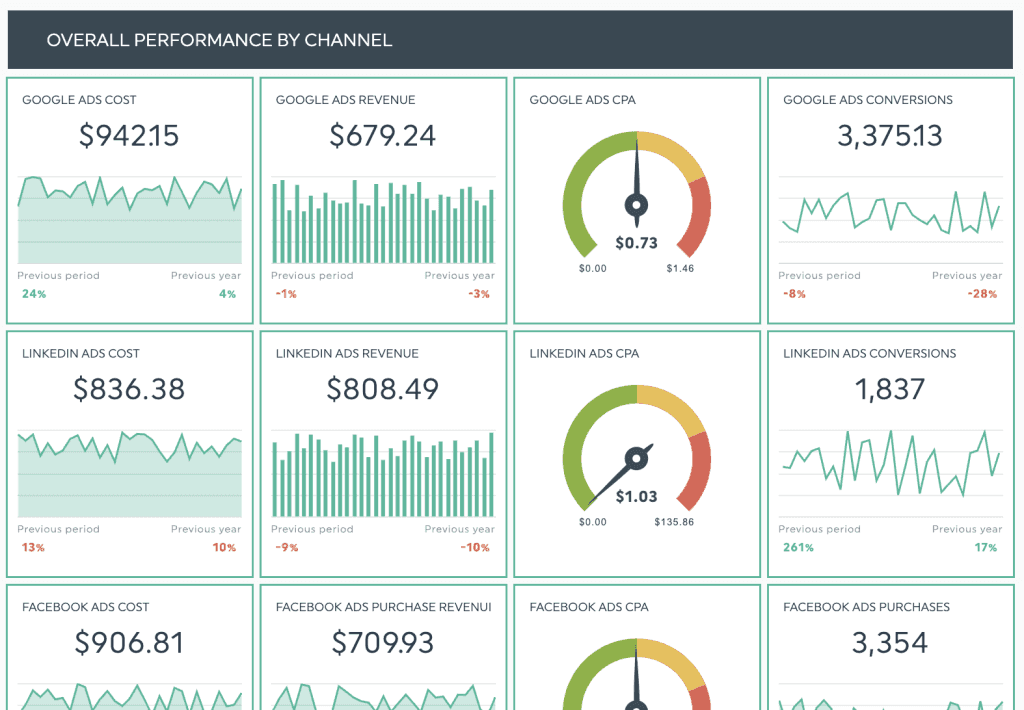
DashThis is a reporting platform starting at $49/month, making it the lowest entry price among purpose-built agency reporting tools. For solo consultants, freelance marketers, and 2-3 person agencies, it’s the most economical way to deliver client-ready reports without falling back to Looker Studio. For a deeper look at how it compares to other tools in the same tier, see our DashThis alternatives review.
Pricing: Individual plan starts at $49/month. Business is $145/month. Standard is $279/month. Enterprise is $739/month. Pricing recently shifted to a source-based model — your tier is determined by how many data sources you connect, not by user count or report volume.
Integrations: 40+ native integrations across paid media (Google, Meta, LinkedIn, Microsoft, TikTok), SEO (Search Console, Semrush, Moz, Ahrefs), social, email marketing, and analytics. Coverage is narrower than Swydo or AgencyAnalytics but hits the platforms a small agency actually uses.
My favorite feature: Pre-built templates. DashThis ships with 50+ preset templates covering the major channels and report types — and unlike some competitors, they look polished out of the box rather than feeling like wireframes. For a freelancer landing a new client on Monday and needing a report ready by Friday, the templates compress that work into under an hour. The drag-and-drop editor is also genuinely beginner-friendly — DashThis is the easiest tool on this list to be productive in on day one.
Other features worth knowing:
- Automated email delivery with white-labeled reports — included on all paid plans.
- AI summaries are now part of the platform, auto-generating written commentary on report performance.
- Multi-account dashboards combine data from multiple ad accounts into single views — useful for clients running parallel campaigns across regions or brands.
Sidenote — honest limitations: The visualization library is less flexible than Swydo, Klipfolio, or Whatagraph — you’ll hit layout constraints if you want to build something genuinely custom. Complex multi-channel reports with conditional formatting or unusual chart types feel constrained. The new source-based pricing model has also pushed some longtime users to higher tiers than expected — a 3-channel client at 4 sources each can move you off the Individual plan faster than you’d think. And there’s no equivalent to Swydo’s monitoring suite for live KPI alerts.
Pricing: From $49/month
6. Klipfolio — Best for Custom Dashboard Builders
For agencies that need genuinely custom builds with formula-driven metrics — not templated reports.
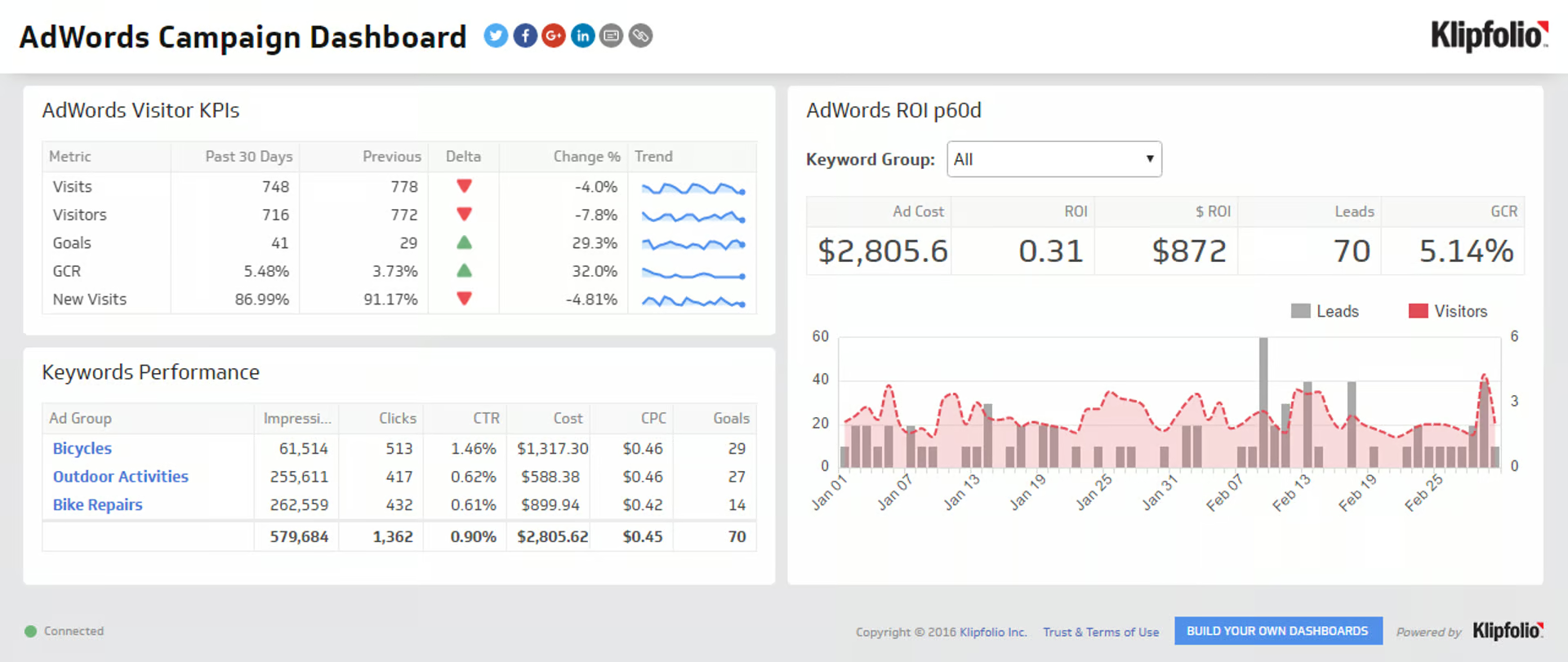
Klipfolio splits into two products: Klips for traditional custom-built dashboards starting at $120/month, and PowerMetrics for metric-centric self-service analytics starting at $125/month with a free tier. Both serve agencies that have outgrown templated tools and need to build something genuinely bespoke for clients with non-standard data.
Pricing: Klips Base starts at $120/month annually. Team+ is $600/month. PowerMetrics has a free tier covering basic metric tracking; the Go plan starts at $125/month and Business at $800/month. White-label is a $299/month add-on on top of base pricing on both products.
Integrations: 130+ data sources covering all major marketing platforms, plus direct database connections (MySQL, PostgreSQL, BigQuery, Snowflake) — the broadest data-warehouse support on this list outside of enterprise BI tools. Agencies handling client-side data warehouses or pulling data from custom internal systems will find Klipfolio the easiest way to surface that data in client-facing dashboards.
My favorite feature: The Klip formula language. This is what justifies Klipfolio’s existence. If you need to calculate something the template tools can’t — weighted attribution models that blend paid and organic touchpoints, complex blended metrics across platforms with different conversion definitions, custom pacing calculations against shifting goals — Klipfolio’s formula engine handles it. Spreadsheet-style syntax, but operating on live data feeds. For agencies whose clients ask “can you build us a custom view of X?” and X is genuinely custom, this is where you go.
Other features worth knowing:
- The Klipfolio Partner Program offers revenue share for agencies that bring multiple clients onto the platform.
- PowerMetrics is metric-centric rather than dashboard-centric, which suits SaaS agencies whose clients want to track a small set of KPIs deeply rather than a wide dashboard.
- Embedded analytics lets you put live dashboards inside your own agency portal or client-facing apps.
Sidenote — honest limitations: Steeper learning curve than Swydo, AgencyAnalytics, or DashThis — expect a multi-week ramp before your team is productive. AI features lag the leaders meaningfully; Klipfolio is a “build it yourself” tool, not an “AI does it for you” tool. The $299/month white-label add-on also stacks on top of base pricing, so the all-in cost of a white-labeled Klips Team+ setup is $899/month — rivaling Whatagraph without the AI features. Worth it only if the formula engine is genuinely what you need.
Pricing: From $120/month (white-label add-on extra)
7. Power BI — Best for Microsoft-Stack Organizations
The cheapest enterprise BI option per seat — and the obvious choice if your clients live inside Microsoft 365.
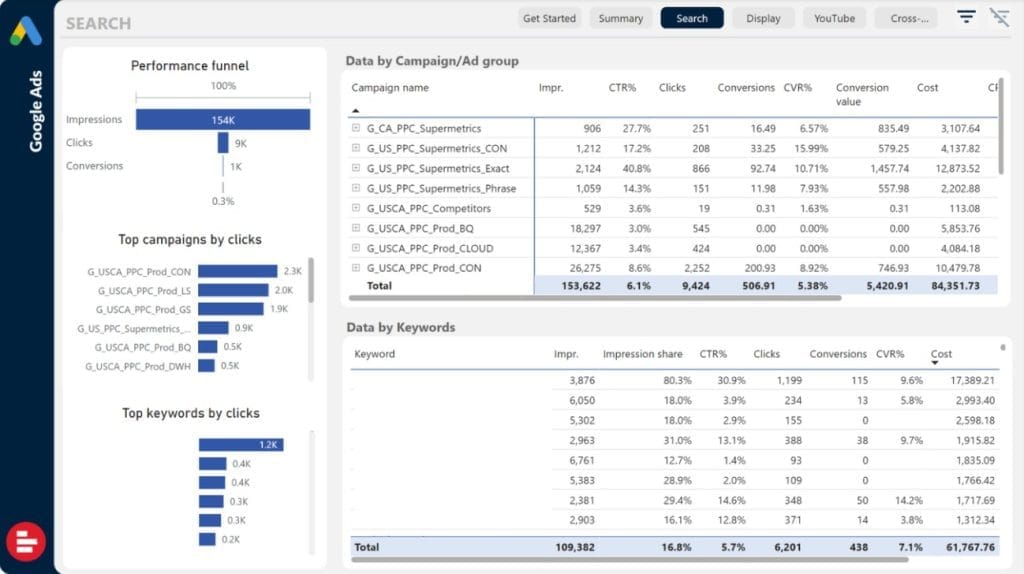
Power BI is Microsoft’s business intelligence platform starting at $14/user/month for the Pro tier. It’s not a marketing-agency tool in the way Swydo or AgencyAnalytics are — it’s a general-purpose BI platform that happens to be very capable for marketing analysis. Agencies with clients running Microsoft Dynamics 365, SharePoint, or Teams will find the workflow integration genuinely valuable. Agencies whose clients live in Google Workspace will find it overkill.
Pricing: Power BI Pro is $14/user/month. Premium Per User (PPU) is $24/user/month with longer refresh intervals and larger model sizes. Microsoft Fabric capacity starts around $262/month for shared capacity. A free tier exists within Microsoft Fabric for individual personal use but isn’t shareable.
Integrations: 200+ data sources via Power Query, including the entire Microsoft stack (Excel, Dynamics, SharePoint, Azure), every major database (SQL Server, Oracle, PostgreSQL, MySQL, MongoDB), and most marketing platforms — though Meta, LinkedIn, and TikTok typically require third-party connectors like Supermetrics or Funnel.io, which adds back the cost problem Looker Studio agencies are trying to escape.
My favorite feature: DAX and Power Query. For agencies that genuinely need data modeling — not just reporting — Power BI is the best value on this list at $14/user/month. DAX (Data Analysis Expressions) lets you build sophisticated calculated columns, measures, and KPIs that no template-based tool can match. Power Query handles transformation and cleaning before the data hits the visualization layer. For agencies working with messy or non-standard client data, this combination is what graduates you from “I can display this number” to “I can model the business this number represents.”
Other features worth knowing:
- Copilot for Power BI is Microsoft’s AI layer — natural-language report creation, automated insights, and DAX-formula generation from plain English prompts.
- Embedded analytics lets you put Power BI dashboards inside your own agency client portal — useful for agencies positioning themselves as a tech-enabled service.
- Teams and SharePoint integration means reports surface natively in the same tools your client is already in, rather than as separate links.
Sidenote — honest limitations: No native macOS desktop app — Mac users work in the browser-based Power BI Service or run Windows in a virtual machine. Microsoft has stated they have no plans to ship one. Per-user pricing also scales painfully — a 12-person agency pays $168/month before any usage, and PPU pricing for the same team hits $288/month. White-labeling for client deliverables also requires embedding work or a Power BI Premium capacity license, both of which add cost beyond the headline $14/user/month. And the learning curve is real — expect weeks of ramp, not days.
Pricing: From $14/user/month
8. Tableau — Best for Enterprise Data Analysis
The most powerful pure-visualization tool here — the right pick when an agency’s clients are large enterprises asking for sophisticated analysis, not weekly dashboards.
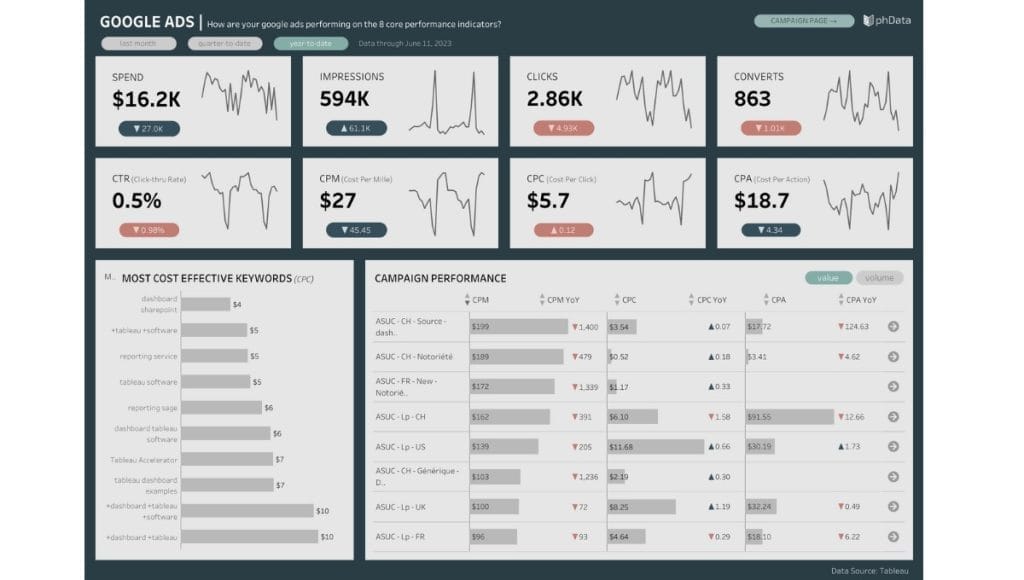
Tableau is a business intelligence platform from Salesforce, starting at $15/user/month for Viewer (Standard). Like Power BI, it’s general-purpose BI rather than marketing-specific — but it’s the gold standard for visualization sophistication. Agencies whose clients are Fortune 500 companies, financial services firms, or anyone with mature internal BI teams will find Tableau is what those clients already use.
Pricing: Viewer is $15/user/month (Standard) or $35 (Enterprise) — read-only access for dashboard consumers. Explorer is $42 or $70 — interactive analysis without authoring. Creator is $75 (Standard) or $115 (Enterprise) — full authoring rights. Tableau Next, the new agentic AI tier introduced in 2025, is $40/user/month. Most agencies need at least one Creator seat per analyst.
Integrations: 100+ native connectors with industry-leading database and data-warehouse support (Snowflake, BigQuery, Redshift, Databricks, every major SQL flavor). Marketing platform coverage is weaker than agency-specific tools — Meta, LinkedIn, and TikTok typically come in via third-party connectors or middleware like Funnel.io. Tableau is built for clients whose data already lives in a warehouse, not for pulling raw ad-platform APIs.
My favorite feature: Story Points. Most reporting tools show data. Story Points lets you walk a client through a narrative — combining visualizations with text and images in a defined sequence, like a presentation deck where each “slide” is a fully interactive dashboard. Useful when the report itself needs to make an argument rather than just display numbers. For agencies presenting quarterly business reviews to enterprise clients, this is the closest any BI tool gets to “PowerPoint with live data.”
Other features worth knowing:
- Tableau Pulse is the AI-driven insights layer — anomaly detection, automated commentary, and trend surfacing across metrics.
- Tableau Agent (part of Tableau Next) is the agentic AI tier — answering questions, building visualizations, and creating dashboards from natural-language prompts.
- Data prep tools (Tableau Prep) handle the cleaning and reshaping work before data hits the visualization layer — competitive with Power Query for transformation depth.
Sidenote — honest limitations: Steepest learning curve of any tool on this list — expect weeks for a non-analyst team member to be productive, months for fluency. Per-Creator pricing makes Tableau expensive for agencies that need multiple builders: a 3-analyst team is $225/month minimum, and that’s before Viewer seats for clients. Performance can also degrade with very large datasets without careful data-source design — this isn’t a “point at your ad accounts and go” tool. For standard monthly client reporting, Tableau is overkill in a way that costs you time as much as money.
Pricing: From $15/user/month (Viewer); $75/user/month (Creator)
9. Zoho Analytics — Best for Hybrid Agency / In-House Teams
The dark horse on this list — broader BI features than agency-only tools, at a price closer to Swydo than Tableau.
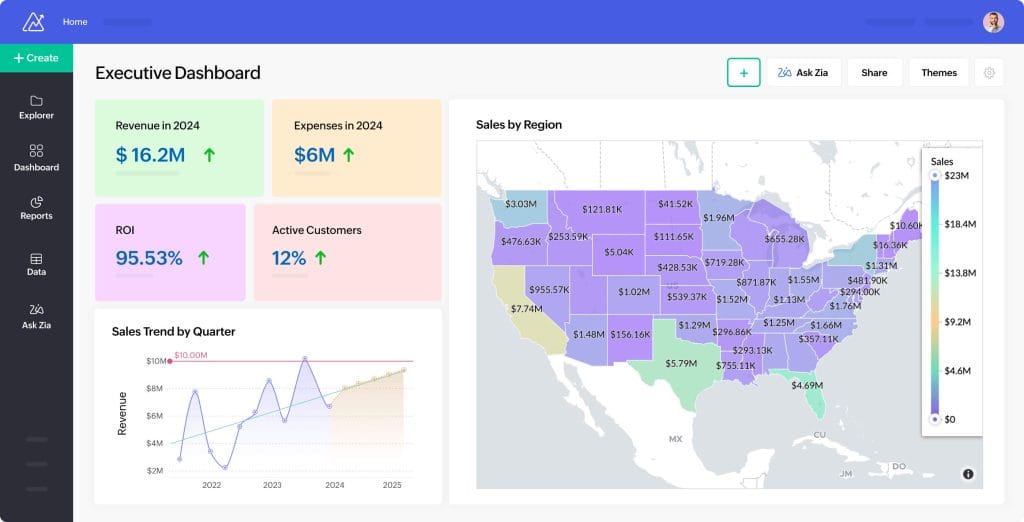
Zoho Analytics is a self-service business intelligence platform starting at $30/month, sitting in an unusual middle ground between marketing-specific tools (Swydo, AgencyAnalytics) and enterprise BI tools (Tableau, Power BI). It’s the strongest fit for agencies that also serve in-house marketing teams, or for agencies that want one tool covering both client reporting and internal business intelligence.
Pricing: Basic at $30/month covers 2 users and 500K rows. Standard at $60/month covers 5 users and 1M rows. Premium at $145/month and Enterprise at $575/month scale further. A free tier is available with limits on users and storage. Pricing is per-organization, not per-client, which works well for in-house teams but less well for multi-client agencies.
Integrations: 500+ data sources — the broadest coverage of any tool on this list outside Domo. Every major marketing platform, every major CRM (including all Zoho products), every major database, file uploads, and custom API connections. For agencies whose clients ask “can you also pull data from [obscure SaaS tool]?” the answer is usually yes.
My favorite feature: Zia AI. Zoho’s AI assistant offers natural-language querying (“show me revenue by channel last quarter”), forecasting based on historical data, anomaly detection, and auto-generated written insights. At $30/month, getting this depth of AI capability is the strongest price-to-feature ratio of any tool on this list. Comparable AI features in Whatagraph cost $229/month and in Tableau cost $40/user/month on top of base licensing.
Other features worth knowing:
- White-labeling and embedding are built in from the Standard tier — no $299/month add-on like Klipfolio.
- Collaboration features (shared workspaces, comments, version history) are stronger than most marketing-specific tools, reflecting Zoho’s broader business productivity focus.
- Custom calculated columns and SQL access give analyst-level control without the Power BI / Tableau learning curve.
Sidenote — honest limitations: Less marketing-agency-specific than Swydo, AgencyAnalytics, or Whatagraph. There are no opinionated out-of-the-box “PPC report” or “SEO report” templates — you’ll spend more time building. The interface is broader BI rather than focused agency reporting, which means a steeper ramp for marketers who aren’t BI-fluent. And the per-organization pricing model means a multi-client agency may need to provision separate Zoho Analytics instances per client to keep data isolated, which complicates billing and access management.
Pricing: From $30/month
10. Domo — Best for Large Agencies and Enterprises
Where agencies graduate when they outgrow Databox or Whatagraph — and where mid-market agencies should not start.
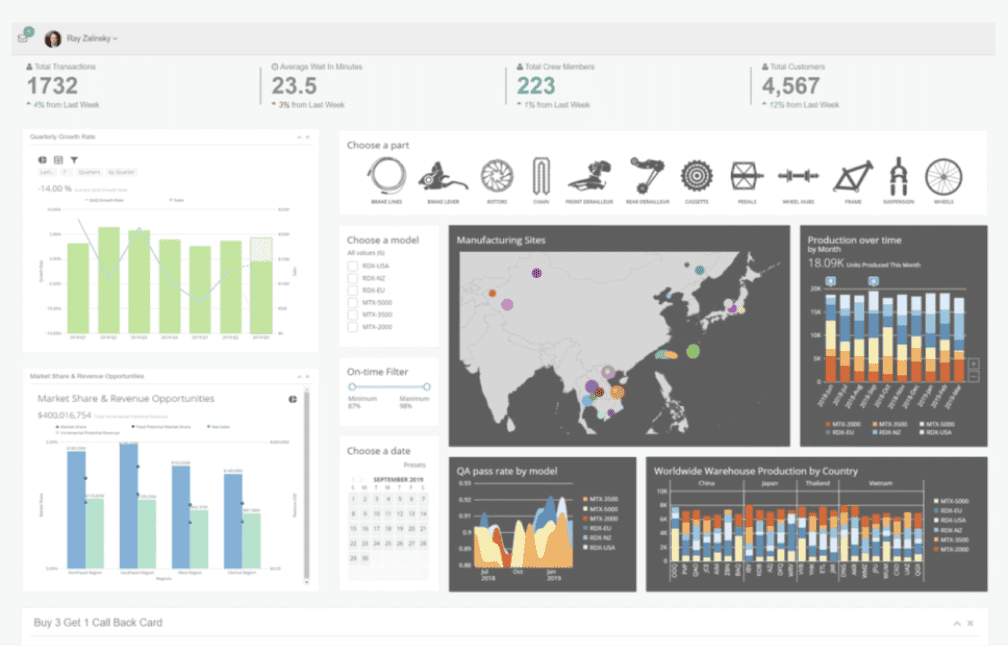
Domo is an enterprise data platform with custom (quote-only) pricing, designed for organizations needing a single source of truth across hundreds of data sources, many simultaneous users, and complex data governance. It’s the most expensive tool on this list by an order of magnitude — and the most powerful for agencies whose problems have outgrown what mid-market tools can handle.
Pricing: Custom quote-based with a credit-based consumption model introduced in 2023. Real-world contracts typically run $50,000+/year per third-party aggregators like Vendr, with median deal size around $134,000/year. A free tier exists for individual exploration but doesn’t scale to client work. Pricing is opaque enough that two agencies of similar size can pay very different amounts depending on negotiation.
Integrations: 1,000+ connectors — the largest library on this list by a wide margin. Coverage includes every major marketing platform, every major database and data warehouse, hundreds of SaaS tools, and Domo’s own Magic ETL for custom data pipelines. For agencies whose clients have genuinely sprawling data infrastructure — multiple ERP systems, legacy databases, custom internal APIs — Domo is one of the few tools that handles the integration breadth.
My favorite feature: Workspace separation with full data isolation. Each client gets their own Domo workspace with isolated data, permissions, and governance — meaningful for agencies serving regulated industries (healthcare, financial services, government) where data segregation is a compliance requirement rather than a nice-to-have. Most reporting tools handle multi-client setups via folder structures or tagging; Domo handles it via genuinely isolated environments with audit logs.
Other features worth knowing:
- Domo AI is the AI layer — natural-language queries, automated insights, and predictive forecasting across blended data.
- Domo Apps (low-code app building) lets agencies build custom client-facing applications on top of dashboards — beyond reporting into actual workflow automation.
- Mobile-first design with native iOS and Android apps that rival Databox’s for usability.
Sidenote — honest limitations: Pricing is opaque and renewals can spike sharply — agencies report 30-50% renewal increases without warning. The credit-based consumption model creates ongoing uncertainty about real cost; usage that seemed fine in month one can blow the budget by month four. Implementation typically requires a dedicated analyst or a consulting engagement — this isn’t a “sign up and start building reports” tool. And for agencies under 50 people, Domo is genuinely overbuilt: you’re paying for governance, scale, and enterprise features that don’t pay back at smaller volumes.
Pricing: Custom (third-party estimates put real-world contracts at $50,000+/year)
Free vs. Paid: What You Actually Get for $69/month
Let’s compare the same input across two platforms — Looker Studio (free) and Swydo (paid) — running a single 10-client agency portfolio. This isn’t a feature checklist. It’s the actual time and money difference.
| Workflow | Looker Studio (Free) | Swydo ($69/mo) |
|---|---|---|
| Connect Google Ads, GA4, Search Console | Native, free | Native, included |
| Connect Meta, LinkedIn, TikTok, Reddit | Requires Supermetrics ($199–$399/mo) or similar | Native, included in 10 sources |
| Branded PDF export with custom domain | Manual workaround required | Native, one click |
| Update one metric across 10 client reports | Open 10 dashboards, edit each | Edit one master template, propagates to all |
| Schedule monthly reports to clients | No native scheduling — need email automation | Native, set per client; bulk-edit across all |
| Generate executive summary | Manually written by strategist | Auto-generated and inserted into every scheduled email |
| Live chat with client inside the dashboard | Not possible | Native (Crisp integration) |
| Password-protect a shared dashboard | Not possible | Native toggle |
| Track which clients actually open dashboards | Not possible | Paste your GA tag, track engagement |
| Get notified when a connection breaks | You find out when reports go empty | Email + Slack notification before the next report runs |
| Realistic monthly cost (10 clients) | $0 platform + $199–$1,000 connectors + 15–20 hrs/mo staff time | $69 base (likely $119–$169 at 10 clients with overage) + ~3 hrs/mo staff time |
At a $60/hour blended agency rate, those 12–17 hours of saved staff time alone is worth $720–$1,020/month. That math is why Looker Studio agencies eventually switch — the “free” tool is the most expensive one on this list once you count labor.tually switch — the “free” tool is the most expensive one on this list once you count labor.
How Should an Agency Choose a Looker Studio Alternative? The C.L.A.W. Five
Choose a Looker Studio alternative based on client count, white-label needs, and primary use case. Use the C.L.A.W. Five — five questions that map directly to the four pain points you’re escaping plus your specialization:
- Client count. 1–10 clients: Swydo, DashThis, or AgencyAnalytics. 10–50 clients: Swydo or AgencyAnalytics. 50+ clients: Swydo, AgencyAnalytics, or Domo.
- Label control. Native white-label: Swydo, AgencyAnalytics, Whatagraph, DashThis, Zoho Analytics. Conditional/paid add-on: Databox (Premium tier), Klipfolio ($299 add-on), Power BI/Tableau (embedding only).
- Audience type. Static reports for SMBs: Swydo, AgencyAnalytics, DashThis. Real-time dashboards for data-savvy clients: Databox, Klipfolio, Domo. Enterprise clients: Tableau or Power BI.
- Workflow specialization. PPC-heavy: see our PPC reporting tools breakdown. SEO-heavy: see our SEO reporting software review. Social-first: see our social media reporting tools comparison.
- AI requirements. AI tool integration via MCP: Databox is the only option. In-product conversational AI: Databox, Whatagraph, or Zoho. Auto-summaries: Databox, Swydo, or AgencyAnalytics. None of the above: don’t pay for AI you won’t use.
If your answers point to two or three different tools, default to whichever scores highest on questions 1 and 2 — those are the ones that actually compound at scale.
Looker Studio Alternatives FAQ
Direct answers to the questions agencies search before switching
The best Looker Studio alternative for most marketing agencies is Swydo, starting at $69/month for unlimited users and 10 data sources. It scores 4.5/5 on Capterra and 4.6/5 on G2 specifically for marketing-agency reporting workflows.
For different priorities, the best fit changes: AgencyAnalytics for budget-conscious multi-client agencies, Databox for AI-first reporting and real-time monitoring, Whatagraph for cross-channel data blending, DashThis for solo marketers, Power BI for Microsoft-stack organizations, and Tableau for enterprise data analysis.
No, Looker Studio is not being discontinued. Google continues investing in the product, including Gemini AI features.
Looker Studio remains active with both a free version and Looker Studio Pro at $9/user/month per Google Cloud project. The decision to switch should be based on workflow fit — connector costs, white-labeling, scheduling, and client management — not on platform longevity.
Looker and Looker Studio are separate products that share a brand name but target different buyers.
Looker is Google Cloud’s enterprise BI platform with semantic modeling, starting around $60,000+/year. Looker Studio is the free dashboard tool formerly known as Google Data Studio, with a paid Pro tier at $9/user/month. If you are comparing alternatives in this article, you are comparing to Looker Studio, not Looker.
Microsoft’s equivalent of Looker Studio is Power BI, starting at $14/user/month for Pro.
Power BI is significantly more powerful than Looker Studio for data modeling, calculations, and enterprise data sources. The trade-off is per-user pricing that scales with team size and a steeper learning curve. For agencies whose clients already live in Microsoft 365, Dynamics, or SharePoint, Power BI integrates more naturally than any other alternative.
Marketing agencies switch from Looker Studio because of four compounding pain points known as the C.L.A.W.: Connector tax, canvas Limits, Absent white-label, and Workflow gaps.
Connector tax — native connectors only cover Google products, so Meta, LinkedIn, and TikTok require paid third-party tools like Supermetrics. Canvas limits — 5 sources per blended chart, 6-minute query timeout, and 50 charts per page. Absent white-label — no native custom domains or branded PDF exports. Workflow gaps — no scheduling, no goal tracking, no client management, and no proactive alerts when connections break.
Yes — Looker Studio is excellent for in-house teams reporting on Google-only data to internal stakeholders.
It is the wrong tool for an agency that bills clients for cross-channel campaign reporting. The mismatch is not that Looker Studio is bad software; it is that it was built for a different job. If all your data lives in Google Ads, GA4, Search Console, and Sheets, and your audience is your own team, Looker Studio is still the right answer.
The cheapest purpose-built Looker Studio alternative for agencies is DashThis at $49/month, followed by AgencyAnalytics at $59/month and Swydo at $69/month.
Power BI is cheaper per seat at $14/user/month, but it scales by user count rather than client count — a 12-person agency pays $168/month before any client work happens. For most agency use cases, the purpose-built tools win on total cost because they include white-labeling, scheduling, and native paid social connectors without add-ons.
Looker Studio itself remains the most capable fully-free reporting tool. Most “free” alternatives are limited free tiers of paid products.
Zoho Analytics and Power BI offer the most usable free tiers for individuals. Whatagraph has a free dashboard-viewing plan. Databox eliminated its free plan in July 2025 — new accounts now get a 14-day trial only. For agency client work, no free tool meaningfully replaces Looker Studio — the question is which paid tool to step up to.
Looker Studio is free at the platform level, but a typical 30-client agency spends $500–$1,000 per month on third-party connectors plus 15–20 hours per week of staff time on manual maintenance.
Native connectors only cover Google products. Connecting Meta, LinkedIn, TikTok, or Bing requires paid third-party tools like Supermetrics ($199–$399/month for agency tiers). At a $60/hour blended agency rate, 15–20 hours of weekly maintenance adds another $3,600–$4,800/month in labor. The “free” tool is typically the most expensive option once you count connectors and staff time.
Per-client pricing is offered by Swydo, AgencyAnalytics, and DashThis. Per-user pricing is used by Power BI, Tableau, and Zoho Analytics.
Swydo charges $69/month for unlimited users and 10 data sources, with per-source overages rather than per-user fees. AgencyAnalytics scales by client campaign count ($59 for 5 clients, $179 for 10, $359 for 25). DashThis uses a source-based model. For agencies actively growing their team, per-client pricing is significantly more predictable than per-user pricing.
Looker Studio Pro costs $9/user/month per Google Cloud project.
Pro adds enterprise-grade support, team-level content management, and asset workspaces — but does not solve the core agency problems of paid social connectors, native white-labeling, or scheduled report delivery. For most agencies, upgrading to Pro does not justify the cost relative to switching to a purpose-built agency tool at a similar or lower price point.
Yes — most purpose-built agency tools offer 14-day free trials with no credit card required.
Swydo and AgencyAnalytics both offer 14-day trials. DashThis offers a 15-day trial. Databox offers a 14-day trial only (no free tier as of July 2025). Whatagraph, Zoho Analytics, and Power BI offer free tiers with usage caps that limit them to evaluation or single-user work. Tableau requires a paid Creator seat to build dashboards but offers a 14-day trial of that license.
The Looker Studio alternative with the best AI features is Databox. It is the only tool on this list with a production MCP (Model Context Protocol) server, plus in-product conversational AI (Genie), anomaly detection, forecasting, and auto-generated written summaries — all included at the $159/month Pro tier.
For specific AI capabilities: Databox MCP leads on AI tool integration (lets Claude and ChatGPT query your data directly), Databox Genie and Whatagraph IQ lead on in-product conversational analytics, Swydo AI and AgencyAnalytics Smart Reports lead on auto-generated executive summaries, and Databox, Tableau Pulse, and Domo lead on anomaly detection and forecasting.
MCP (Model Context Protocol) is an open standard that lets AI tools like Claude and ChatGPT query your data directly. Databox is the only reporting tool on this list with a production MCP server, included free for all paying users.
With MCP, you can ask Claude or ChatGPT “why did this client’s Meta ROAS drop last week” from your normal AI workflow, and it pulls live answers from your Databox account — your AI assistant gets access to real metrics, definitions, and historical context rather than guessing from a CSV. For agency teams already running Claude or ChatGPT alongside their reporting tool, MCP closes the loop in a way in-product chat features cannot.
The best native white-label features at the entry tier are offered by Swydo, AgencyAnalytics, Whatagraph, DashThis, and Zoho Analytics.
All five include custom domains, branded PDF exports, and email-from-your-domain delivery on their starting paid plans. Tools where white-label is gated: Databox unlocks full white-labeling only on the $799/month Premium tier, Klipfolio charges a $299/month add-on, and Power BI and Tableau require embedding work or premium licensing. If white-label is critical and budget is tight, stick with the agency-specific tools.
Domo leads with 1,000+ connectors, followed by Zoho Analytics with 500+, Power BI with 200+ via Power Query, and Databox and Klipfolio with 130+ each.
Among purpose-built agency tools, AgencyAnalytics offers 80+ integrations (including the broadest SEO tool coverage), Whatagraph offers 55+, DashThis offers 40+, and Swydo offers 30+ native integrations plus Google Sheets via Zapier or Make for virtually unlimited extension. Match coverage to your client mix — a 30-integration tool that natively covers your platforms beats a 500-integration tool that requires a BI learning curve.
Looker Studio’s main feature limitations are a 5-source cap per blended chart, a 6-minute query timeout, a 50-chart-per-page limit, and no native scheduling, goal tracking, or client management.
Multi-channel reports hit these ceilings constantly, especially the 5-source blend cap when combining Google Ads, GA4, Meta, LinkedIn, and TikTok in a single widget. There are workarounds for each limit individually, but combining them at agency scale is what drives most teams to switch.
Yes — most Looker Studio alternatives can combine data from multiple ad platforms in a single widget without Looker Studio’s 5-source blend cap.
Whatagraph specializes in cross-channel data blending and is the strongest option when unified multi-platform views are the core requirement. Swydo’s Combined Data Sources merges metrics from up to 5 ad platforms (Meta, Google, LinkedIn, TikTok, Reddit) into a single widget and works inside reports, dashboards, Boards, Goals, and Alerts. AgencyAnalytics and DashThis also support multi-source widgets natively.
Yes — every purpose-built agency reporting tool supports scheduled automated report delivery. Looker Studio does not have native scheduling without third-party email automation.
Swydo, AgencyAnalytics, DashThis, Whatagraph, and Databox all let you schedule branded PDF reports to be delivered to clients on a weekly, monthly, or custom cadence. Swydo also auto-inserts AI-generated executive summaries into every scheduled email and supports bulk schedule edits across all clients at once.
Swydo’s Data Health Check Alerts proactively monitor every connection for expired tokens or permission issues and notify your team before reports break. Databox Genie also surfaces anomalies including data gaps.
This is the feature most Looker Studio agencies wish they had — surprise broken reports stop being a category that happens. In Looker Studio, you typically find out a connection broke when a client emails to ask why their dashboard is empty.
Switch from Looker Studio in three phases — known as the A.P.T. Migration: Audit, Pilot, Tranches. The full migration typically takes 2-4 weeks for a 10-client agency portfolio.
Phase 1 — Audit (Week 1): document active reports, data sources, and metrics. Most agencies discover they have 30 reports but actively send 8. Phase 2 — Pilot (Week 2): rebuild one representative client in the new tool and run both platforms in parallel for one full reporting cycle to catch data discrepancies. Phase 3 — Tranches (Weeks 3-4): migrate clients in waves, smallest and most flexible first, biggest accounts last, decommissioning old reports as you go.
No — you cannot keep pixel-perfect report designs when switching from Looker Studio because each tool has its own visualization style and layout system.
What you can preserve is the structure, the metrics, the date ranges, and the overall flow. Migration is often a good opportunity to redesign reports based on what clients actually engage with — most agencies discover that 60-70% of their Looker Studio widgets are widgets clients never look at.
Migration from Looker Studio to an agency-focused tool typically takes 2-4 weeks for a 10-client portfolio. Migration to an enterprise BI tool takes 2-3 months minimum.
For Swydo, AgencyAnalytics, or DashThis, week one audits existing reports, week two pilots one client in parallel, and weeks three through four migrate the remaining portfolio in tranches. Larger agencies or those with unusually complex clients should plan for 4-8 weeks. For Power BI, Tableau, or Domo, expect data modeling setup, DAX or calculation rebuilds, and weeks of team training before non-analysts are productive.
Agencies typically save 12-17 hours per month of staff time after switching from Looker Studio, worth $720-$1,020 per month at a $60/hour blended agency rate.
The savings come from master template propagation (one edit updates all client reports), native paid social connectors (no manual Supermetrics maintenance), automated scheduled delivery with AI summaries, and proactive connection-health alerts. Falcon Digital Marketing’s co-founder Chris Cabaniss reports that what used to take five or six hours in Excel takes 10-20 minutes in Swydo.
If you use a tool with native white-labeling (Swydo, AgencyAnalytics, Whatagraph, DashThis, Zoho Analytics), clients should not notice a platform switch.
Reports arrive from your domain, display your logo and brand colors, and follow whatever delivery cadence you set up. The visible change is usually positive — clients receive more polished PDFs, executive summaries written in plain English, and dashboards that no longer break silently. The switch becomes invisible infrastructure rather than a client-facing event.
Yes — but only for one full reporting cycle, not for months. Parallel running during the Pilot phase catches data discrepancies before they reach clients. Running duplicate reporting in two systems long-term is how data inconsistencies sneak into client conversations.
The right pattern is to pilot one representative client in both tools, compare the numbers side-by-side for one reporting cycle, fix any definitional gaps, then commit to the new tool and decommission the old reports as you migrate the rest of the portfolio in tranches.
Yes — but the data inside Looker Studio is just live API connections to your ad platforms, not stored data. There is nothing to migrate at the data layer; you reconnect the same accounts in the new tool.
What you can export is the report designs themselves (as PDFs for reference) and any custom calculated fields or filters (which need to be rebuilt in the new tool’s syntax). Plan a couple of hours per template to document custom logic before you decommission the original.
The easiest Looker Studio alternatives to learn are Swydo, DashThis, and AgencyAnalytics. All three are designed for marketers rather than data analysts and can be productive within a few hours.
DashThis is the fastest to be productive in on day one thanks to 50+ pre-built templates that look polished out of the box. Tableau, Power BI, and Klipfolio have the steepest learning curves — expect weeks to months before non-analyst team members are fluent. Match the tool to the team you have, not the team you wish you had.
For 1-10 clients, the best fits are Swydo ($69/month), DashThis ($49/month), or AgencyAnalytics ($59/month).
DashThis is the cheapest entry point and best for solo consultants. AgencyAnalytics has the broadest SEO tool coverage (Ahrefs, Semrush, Moz, Majestic). Swydo is the strongest fit for agencies that expect to grow past 10 clients within 12-18 months because its unlimited-user pricing, master report templates, and monitoring suite scale better than per-client add-on pricing.
For 50+ clients, the best fits are Swydo, AgencyAnalytics, or Domo.
Swydo and AgencyAnalytics are the most cost-effective at scale because of master template systems that propagate edits across the entire client portfolio with a single change. Domo is the right answer when clients are enterprises with complex data infrastructure, regulated industries requiring full data isolation per workspace, or governance requirements that go beyond what mid-market tools provide. Domo contracts typically start around $50,000/year.
The best Looker Studio alternatives for PPC agencies are Swydo, AgencyAnalytics, and Whatagraph.
All three include native connectors for Google Ads, Microsoft Ads, Meta Ads, LinkedIn Ads, TikTok Ads, and Reddit Ads — no Supermetrics required. Swydo’s Combined Data Sources merges metrics across up to 5 ad platforms in a single widget, which is particularly useful for cross-channel ROAS and conversion attribution reporting.
The best Looker Studio alternative for SEO agencies is AgencyAnalytics, with Swydo as the strong runner-up.
AgencyAnalytics integrates with Ahrefs, Semrush, Moz, Majestic, and Google Search Console, and includes native rank tracking (keyword position monitoring across major search engines). Note that the Site Auditor add-on is only available to accounts created before November 2023 — newer agencies cannot access it. Swydo integrates with Search Console and Semrush natively and works well for agencies that already pay for standalone SEO tools.
The best Looker Studio alternative for cross-channel data blending is Whatagraph, with Swydo as a strong runner-up at significantly lower pricing.
Whatagraph’s blending engine combines metrics from multiple ad platforms into single widgets with shared dimensions — particularly useful for agencies that need genuinely unified cross-channel views (paid social + search + display in one chart). Swydo’s Combined Data Sources solves a similar problem at $69/month vs Whatagraph’s ~$229/month entry tier, though Whatagraph’s blending is more sophisticated for complex multi-platform attribution work.
The best Looker Studio alternative for real-time dashboards and AI-first reporting is Databox, starting at $159/month for the Pro plan.
Databox combines a live KPI dashboard, the only production MCP server on this list (lets Claude and ChatGPT query your data directly), in-product conversational AI (Genie), anomaly detection, forecasting, benchmarks, and the strongest mobile and Apple Watch experience in the category. Full white-labeling sits behind the $799/month Premium tier, which is the main trade-off for agencies whose primary use case is branded PDF reports rather than live dashboards.
Choose an enterprise BI tool (Power BI, Tableau, Domo) when your clients are large enterprises with mature internal BI teams, when client data lives in warehouses like Snowflake or BigQuery rather than raw ad-platform APIs, or when you need genuine data modeling rather than reporting.
Stick with agency-specific tools (Swydo, AgencyAnalytics, Databox) when your work is monthly client reporting on cross-channel campaign performance, when white-labeling is a daily requirement, and when speed-to-productivity matters more than analytical depth. The C.L.A.W. test is the clearest filter — if your problems are Connector tax, canvas Limits, Absent white-label, and Workflow gaps, agency-specific tools solve them directly while enterprise BI tools usually do not.
Use one tool for all clients. The operational overhead of running multiple reporting platforms — separate logins, separate templates, separate billing, separate connector maintenance — consistently outweighs the per-client fit advantage.
The exception is when a single enterprise client requires their own BI stack (typically Tableau or Power BI) for compliance or integration reasons. In that case, run that client on their required tool and keep the rest of your portfolio on one agency-specific platform. Avoid spreading the agency’s standard reporting work across two tools.
Final Thoughts
For most marketing agencies, the choice is Swydo, AgencyAnalytics, or Databox. Swydo wins on predictable single-plan pricing with unlimited users. AgencyAnalytics wins on integration depth at the entry tier. Databox wins on AI features — including the only production MCP server on this list — and on real-time monitoring. Power BI and Tableau are the answer when clients are enterprises rather than mid-market businesses.
Whichever tool you choose, the real differentiator with clients isn’t the platform — it’s data storytelling. The tool is just the delivery mechanism for the story.
Replace Looker Studio with reporting built for agencies — and save 12+ hours a month.
Start Your Free Trial Today