
The choice between Swydo and AgencyAnalytics comes down to how you pay and what you need the tool to do after it builds the report. AgencyAnalytics charges per client. Swydo charges a flat base plus a fee per data source. That one difference decides the cost question for most agencies, and the rest of the decision is about monitoring, AI, and how many niche platforms you actually report on.
This is a decision guide, not a sales pitch. I work at Swydo, so you know where my bias sits. I’ll still tell you exactly when AgencyAnalytics is the better buy, because sending you into a tool that doesn’t fit your agency helps nobody. You’ll churn, and I’d rather you didn’t.
The Short Version, by Agency Type
Your agency size and client complexity decide this more than any feature checklist. Here’s where most agencies land before we get into the why.
- Solo or 1–5 simple clients. It’s close. AgencyAnalytics’ per-client price is clean and predictable; Swydo’s flat base plus unlimited seats wins if you want a partner or VA logging in. Either works.
- 5–20 clients, standard channels. Swydo is usually cheaper, often by a wide margin, because per-source pricing beats per-client pricing when each client runs three or four platforms.
- 20+ clients, 5+ platforms each. This is the real crossover. Per-client pricing can pull ahead of per-source pricing here. Run both numbers.
- SEO-led agency that bills on rankings and backlinks. AgencyAnalytics bundles rank tracking and backlinks more tightly. If you don’t already pay for Semrush or Ahrefs, that’s a point in its favor.
- Any agency that wants alerts when a campaign breaks mid-month. Swydo. Its marketing monitoring layer does active oversight; AgencyAnalytics is built around the report.
That’s the whole decision in five lines. The rest of this guide shows the math and the trade-offs behind it.
Which tool fits your agency?
Find the row that sounds like you. The color is the likely pick.
How the Two Tools Are Built Differently
Swydo is a reporting tool with a full monitoring layer on top; AgencyAnalytics is a reporting tool with a deeper bundled-SEO toolkit. Both build branded, automated client reports well. What you’re really choosing between is what each one adds around the report.
Swydo connects your data, builds the report, schedules it, and then keeps watching. You set goals, get daily alerts when a metric crosses a line you drew, and see every client’s KPIs on one screen. It’s reporting plus a watchtower.
AgencyAnalytics builds the report and adds an SEO suite around it: a rank tracker, a backlink monitor, and a broad catalog of integrations. In 2026 it also shipped an MCP connector, so AI clients like ChatGPT and Claude can pull your client data directly. More on that below, because it’s genuinely useful and worth understanding.
So the question isn’t “which makes a nicer report.” Both are fine there. It’s “what do you need the tool to do at 9am on a Tuesday when a client’s ROAS just tanked,” and “what will this cost when you’ve got 30 clients instead of 8.”
What You’ll Actually Pay
The pricing models are different enough that sticker prices barely matter. What matters is your client count and how many data sources each client runs. A data source in Swydo is one connected account: one client on Google Ads plus Meta plus GA4 is three sources.
Swydo’s base is $69/month, or $62/month billed annually, and that includes 10 data sources, unlimited clients, and unlimited users. Past 10, sources are $4.50 each up to 100, then the rate drops to $3.00, then $2.00 as you scale. Reporting frequency doesn’t change the price. Daily or monthly costs the same.
AgencyAnalytics runs on its Core plan at $25 per client per month, dropping to $20 per client when billed annually, with unlimited data sources per client. Above 25 clients there’s a custom-priced Enterprise plan. Existing customers may still be on older Freelancer or Agency tiers, but Core is what you’ll sign up on today.
Here’s how that plays out. The pattern is simple: Swydo wins when clients are simple, and the gap closes as each client adds more platforms.
| Your setup | Swydo (annual) | AgencyAnalytics (annual) | Cheaper |
|---|---|---|---|
| Simple clients (3 sources each) | |||
| 5 clients | $84.50/mo | $100/mo | Swydo by $16 |
| 15 clients | $219.50/mo | $300/mo | Swydo by $80 |
| 30 clients | $422/mo | $600/mo | Swydo by $178 |
| 50 clients | $617/mo | $1,000/mo | Swydo by $383 |
| Complex clients (5 sources each) | |||
| 5 clients | $129.50/mo | $100/mo | AgencyAnalytics by $30 |
| 15 clients | $354.50/mo | $300/mo | AgencyAnalytics by $54 |
| 30 clients | $617/mo | $600/mo | AgencyAnalytics by $17 |
| 34 clients (crossover) | $677/mo | $680/mo | Swydo by $3 |
| 50 clients | $917/mo | $1,000/mo | Swydo by $83 |
The takeaway isn’t “Swydo is always cheaper.” It’s that you need to price your actual setup. Count your clients, count the average data sources each one runs, and run both numbers.
If your clients are simple, Swydo usually wins on cost. If your clients each run 5+ platforms, AgencyAnalytics is cheaper at small-to-mid book sizes (up to ~30 clients), and Swydo pulls ahead once you’re managing 35+ clients of that complexity.
Want to plug in your own numbers? The Swydo pricing page has a live calculator, and our guide to selecting a marketing report automation tool walks through the per-source-vs-per-client math in more depth.
What you pay as you grow (3 data sources per client)
Annual billing. Swydo’s per-source curve stays under AgencyAnalytics’ per-client line for simple clients.
Solid line = Swydo. Dashed line = AgencyAnalytics. Assumes 3 data sources per client, annual billing. Add more platforms per client and the lines converge.
The Cost-Per-Client Ceiling. Per-client pricing has a built-in ceiling problem: every client you add costs the same flat amount, forever, no matter how light their reporting is. Per-source pricing flexes.
A simple client costs less than a complex one. If most of your clients are light, per-source keeps your cost-per-client low as you grow. If they’re all heavy, the ceiling and the floor meet, and the models converge. Knowing which describes your book is the whole pricing decision.
The Features That Actually Decide It
Five things separate these tools in practice: monitoring, AI, how your clients get to the data, SEO depth, and integration breadth. Both handle white-label, scheduling, and custom domains well, and both include them on their base plans. Don’t let a feature grid full of green checkmarks distract you from the five that matter.
Does It Watch Your Campaigns, or Just Report on Them?
This is Swydo’s clearest edge. Most reporting tools hand you a report and stop; Swydo keeps a daily watch and pings you the moment something breaks. Open Monitoring → Alerts → +New Alert, pick the client, pick the metric, set the trigger window of 1, 7, 30, or 90 days. Now you’ll know a client’s cost-per-lead doubled before they email you about it.
Report-and-done vs. report-and-watch
Step 1
Connect dataStep 2
Build reportStep 3
Schedule & sendSwydo adds
Watch & alert dailyBoth tools do steps 1–3 well. The fourth step is the difference — Swydo’s monitoring layer runs daily checks and alerts you by email or Slack the moment a metric crosses a line you set, so you catch problems while you can still fix them.
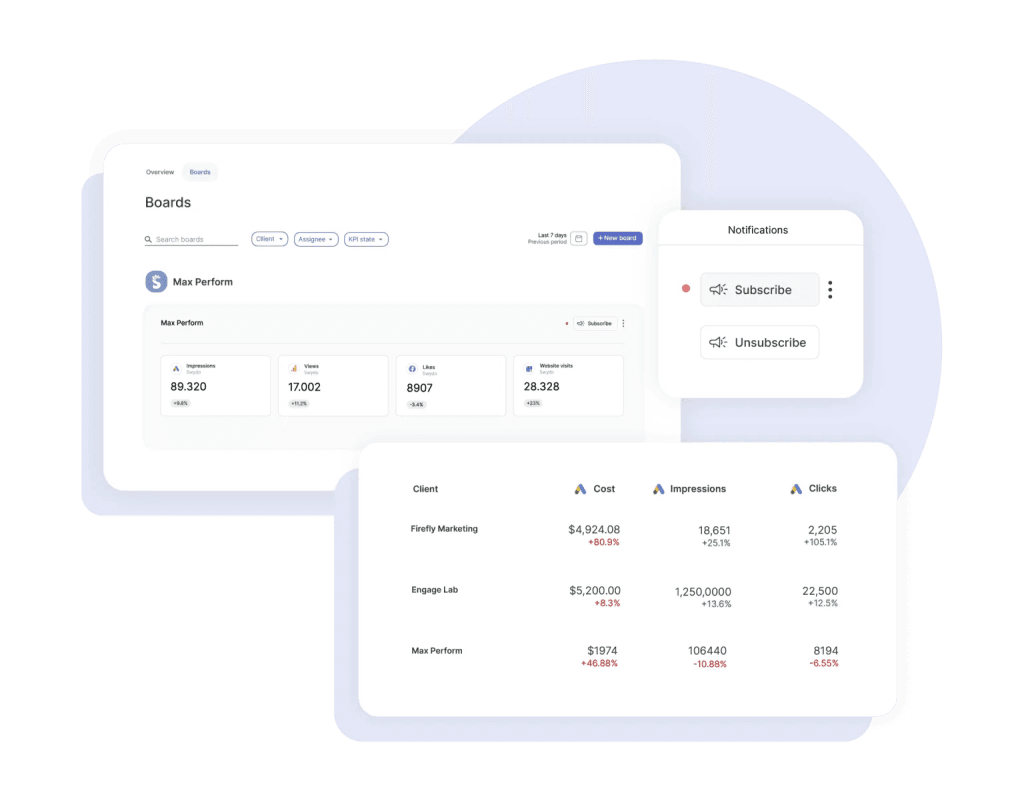
Pair Alerts with Goals and you’ve got pacing too: On Track, Off Track, or Achieved, with a notification at the end of each period telling you and the client where things landed.
AgencyAnalytics has its own goals and anomaly detection on Core, so it’s not that one side has monitoring and the other has nothing. The difference is depth and how the alerting fits an agency’s daily workflow. If catching problems mid-month is core to how you keep clients, Swydo is built around that job.
And if your team lives in Slack, alerts land there directly — set it up under Settings → Team → Slack, and triggered alerts post to your channel alongside the email. No extra context-switch to find out a campaign went sideways.
Whose AI Does What
Both tools ship real AI now, and they’re close to even on everyday commentary: summaries, written analysis, a quick “what happened this month.” Where they split is what the AI is allowed to touch. Swydo’s builds the report. AgencyAnalytics’ hands your data to AI clients outside the platform.
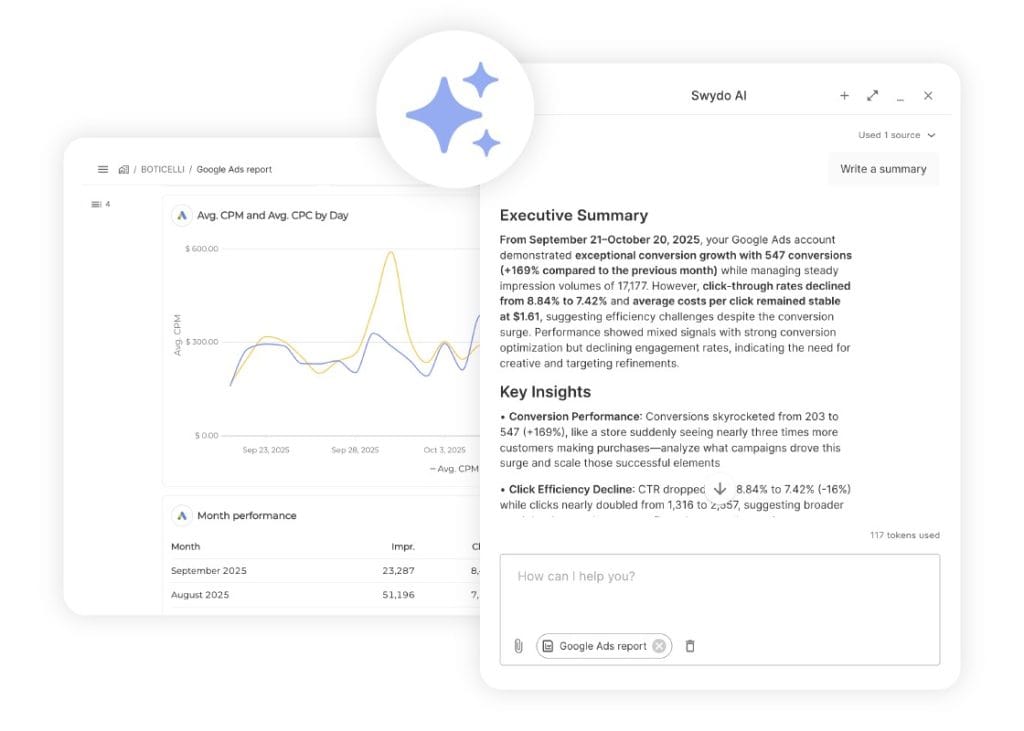
Swydo AI writes summaries, wins, issues, and recommendations in five core languages, runs client-facing chat inside dashboards, and drops a fresh AI summary into every scheduled report email automatically.
That last one is the quiet winner: open the email editor, click +, add the AI summary block once, and every future send carries a current summary in the body before the client even opens the report. Every plan includes 4,000 AI credits a month, which covers roughly 40 summaries. If you’ll run more, set a monthly spend cap and keep going.
Swydo AI also builds the report, not just the commentary on it. Agentic Reporting takes a plain-language prompt and generates the whole structure: sections, KPIs, tables, charts. Ask it to swap a column chart for a line, change a date range, resort a table, rename a section, and it handles that too. Open any report and start a conversation with it.
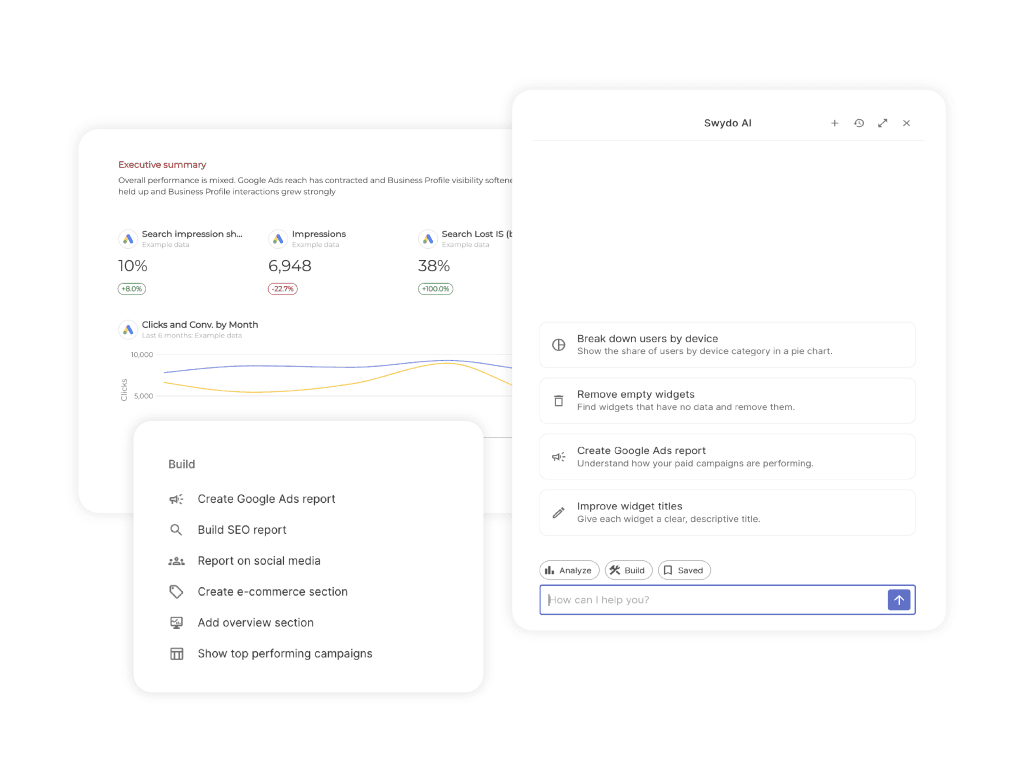
The part that pays off at scale is Saved Prompts. Your best build prompt gets stored and reused, so your twelfth client report starts from the same tested instruction as your first instead of a blank canvas. That’s the difference between AI that comments on your work and AI that does some of it.
AgencyAnalytics’ big 2026 move is its MCP connector. It lets ChatGPT, Claude, and similar AI clients query your client data directly, so you can ask Claude “how did the paid social accounts do last week” and get an answer pulled live from the platform. If your agency is building AI workflows that live outside your reporting tool, that’s a real, useful capability, and it’s the kind of thing worth seeing in a demo.
Swydo’s AI sits inside the app instead. It lives in the report builder, the dashboards, and the emails, rather than being exposed to outside AI clients. Different bet. One puts your data where your AI tools already live; the other puts the AI where your reporting already happens.
How Your Clients Actually Get to the Data
Both tools let clients see their own numbers without emailing you first. The difference is how much control you keep over that access after you hand it out.
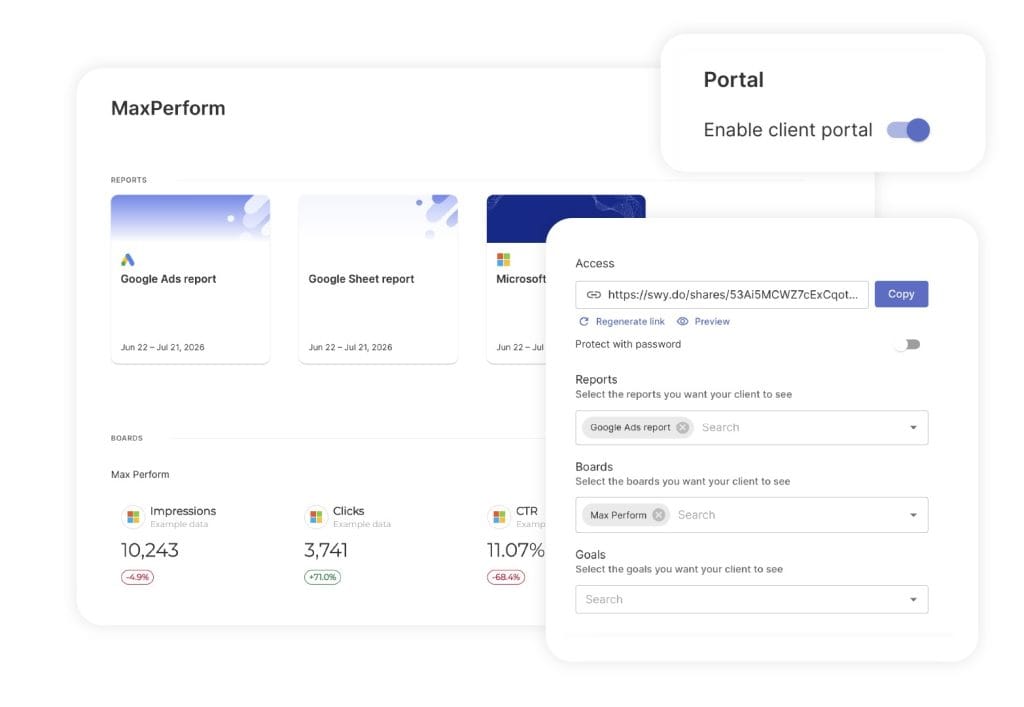
AgencyAnalytics gives each client a login to live dashboards. Clean, familiar, and it works. Swydo’s Client Portal takes a different shape. One secure link per client holds their Reports, Boards, and Goals together instead of three separate URLs floating around someone’s inbox.
You decide what goes in it. Open the client’s account, go to the Portal tab, switch it on, and pick which reports, which boards, and which goals that client sees. Preview it before you send, so you know exactly what’s on the other side.
The access controls are where it earns its keep. Add a password when the data is sensitive. Regenerate the link and the previous one dies immediately, which matters more than it sounds the first time a client’s marketing manager leaves mid-contract and nobody can remember who still has the URL.
Neither model is wrong. A login per client suits agencies whose clients are in the tool every week. One revocable link suits agencies who’d rather not administer client accounts at all. Which describes yours? Clients who log in on Tuesdays, or clients who open what you send and never think about it again?
How Much SEO Is Baked In
AgencyAnalytics wins on bundled SEO. Its rank tracker and Majestic-powered backlink monitor sit inside the same platform, which is convenient if SEO reporting is your core deliverable. The rank tracker is a paid add-on at $50/month per 500 keywords, or $41.67 billed annually, so it’s not free, but it’s one bill and one login.
Swydo takes the bring-your-own approach: connect AccuRanker, SE Ranking, or Semrush and pull rankings straight into the report. If you already pay for one of those, and most SEO-led agencies do, that’s no extra cost and arguably better data, since Semrush in Swydo also surfaces AI Overview ranking metrics, which tells you which keywords are triggering Google’s AI answers. If you don’t already have an SEO tool and want one bundled in, AgencyAnalytics is the simpler call. That’s a genuine point for them.
How Many Integrations You Actually Need
AgencyAnalytics lists 85+ integrations; Swydo has 38+. That gap sounds decisive until you look at what agencies actually put in reports. AgencyAnalytics’ own client-reporting benchmark data puts the average client report at 5.6 integrations. Almost nobody uses 85.
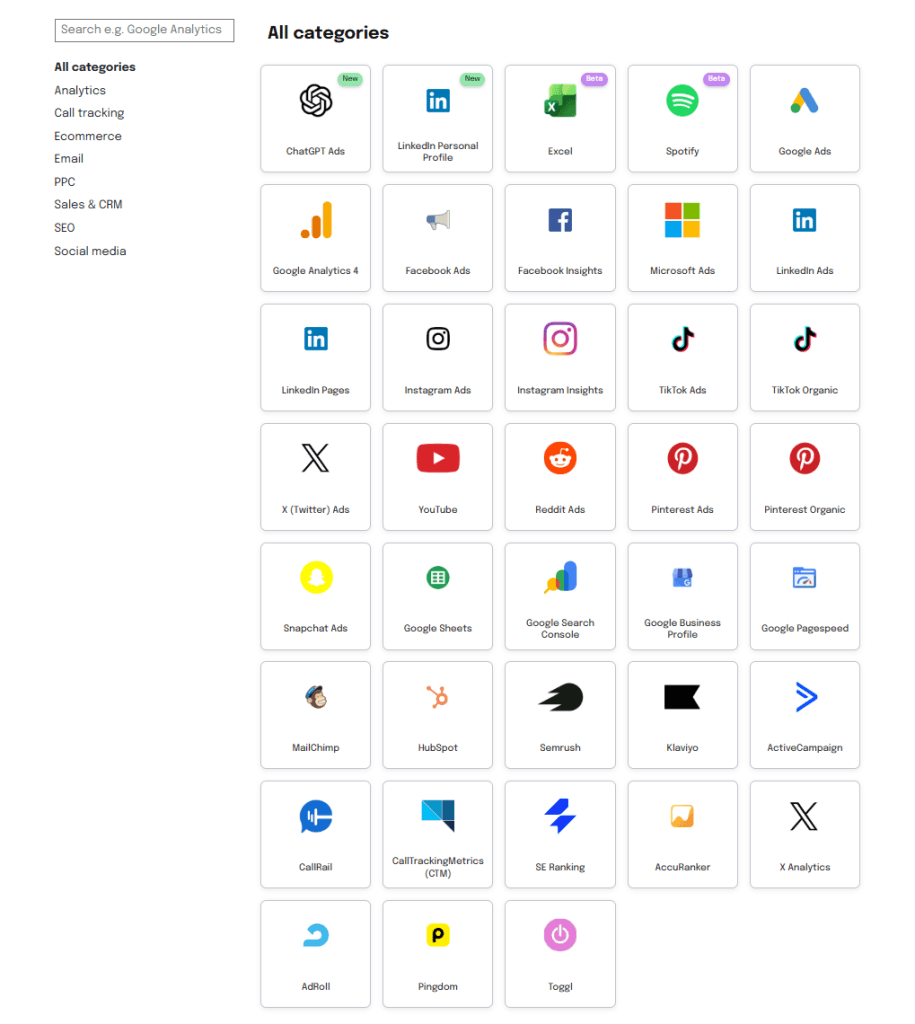
What matters is whether the platforms you run on are covered. Swydo’s native list covers the standard agency stack: Google Ads, GA4, Search Console, Microsoft Ads, Meta, LinkedIn, TikTok, Pinterest, Snapchat, X, Reddit Ads, HubSpot, Mailchimp, Klaviyo, ActiveCampaign, CallRail, Semrush, AccuRanker, and SE Ranking.
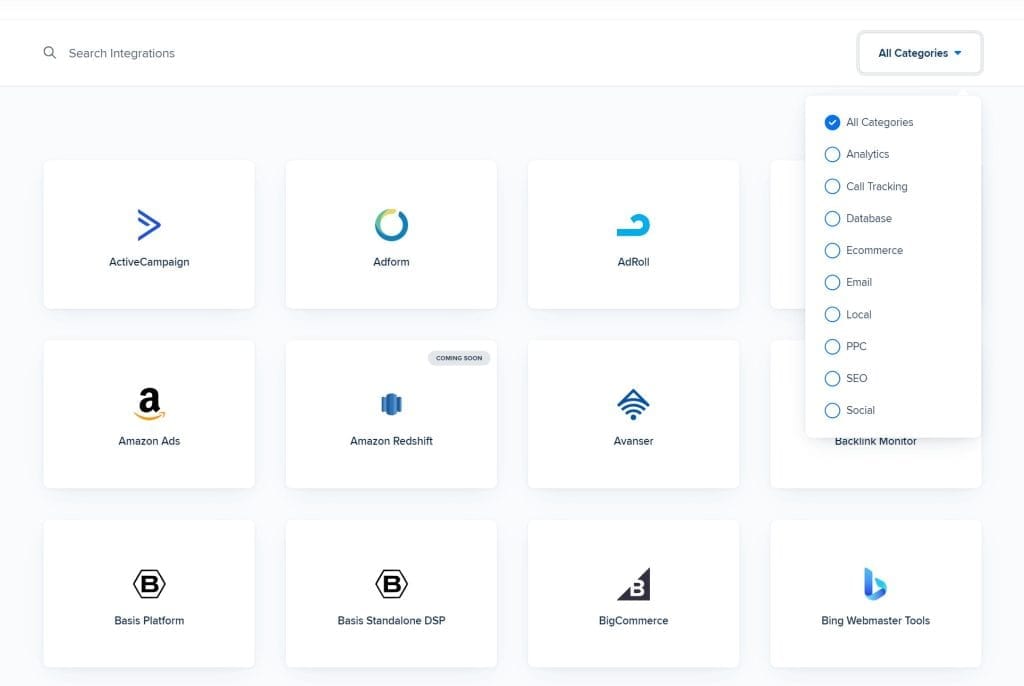
Where the 85+ pulls ahead is the long tail: niche local-SEO and reputation tools, specialty DSPs, smaller e-commerce platforms. If a client needs one of those, Swydo’s Google Sheets integration pulls it in through Zapier or Make, which handles nearly every “but do you connect to…” case agencies actually hit.
So the real question isn’t 85 versus 38. It’s whether your specific niche platform is native or needs a Sheet, and for most agencies the answer is “native either way.”
When AgencyAnalytics Is the Better Choice
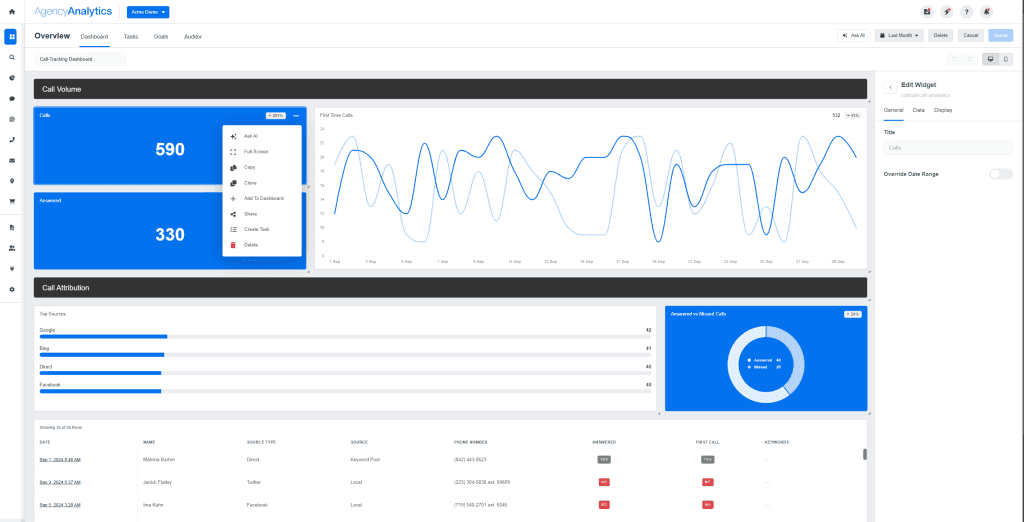
I’d point you to AgencyAnalytics in four situations, and I mean these:
- You’re SEO-led and don’t already pay for an SEO platform. Bundled rank tracking and backlinks in one tool is genuinely more convenient than wiring up a separate subscription.
- Your clients each need deep, multi-tab dashboards. AgencyAnalytics’ multi-section structure suits a client who wants SEO, PPC, and social as separate drill-down tabs.
- You’re building AI workflows on top of your data. The MCP connector is a real head start if ChatGPT or Claude needs direct access to client metrics.
- You’re past 20 clients and each runs 5+ platforms. Run the numbers — flat per-client pricing can beat per-source pricing at that shape.
If you’re weighing more than these two tools, our roundup of AgencyAnalytics alternatives covers the wider field, and the best client reporting software guide zooms all the way out.
When Swydo Is the Better Choice
Swydo is the stronger pick when:
- You’ve got 5–20 clients on standard channels. The per-source math usually lands well below $20 a client, and the gap grows as your clients stay simple.
- You want active monitoring, not just monthly PDFs. Alerts and Goals catch problems while you can still fix them.
- Your whole team needs access. Unlimited seats mean account managers, designers, and freelancers all log in without per-user fees.
- You report for non-English-speaking clients. Swydo handles reports in 14 languages, and Swydo AI writes in five.
- You’re switching from another tool. Our team rebuilds your reports for you as part of onboarding, so you don’t start from a blank screen.
There’s no permanent free tier. The 14-day trial needs no credit card, and the included 10 data sources cover most agencies’ first two or three clients, so you can build live reports and see the fit before you pay anything.
What Reviewers Say
You don’t have to take my word on any of this. Both tools have hundreds of public reviews. Here’s a fair read of each.
Swydo holds 4.6/5 on G2 across 111 reviews and 4.5/5 on Capterra. The theme reviewers raise most isn’t a feature. It’s support. One G2 reviewer put it plainly: “Unlike other software where support is slow and delayed, with Swydo, I get a quick response and helpful follow-ups.” A Capterra reviewer, George B., a COO who’s used it for over two years, went further: “I can’t imagine leaving Swydo for any reason.” The honest counterpoint shows up too: one reviewer noted that running a client on two templates means building two reports, calling it “a bit repetitive” but “not a dealbreaker.”
AgencyAnalytics holds 4.7/5 on G2 across 430+ reviews and 4.8/5 on Capterra. Those are strong scores, and reviewers consistently praise how it centralizes data and saves time. The recurring friction is worth knowing before you commit: reviewers flag occasional integration disconnects and a setup learning curve, and on G2 the “Integration Capabilities” and “Integration Issues” sentiment tags both rank near the top. Readers praise the breadth and flag the occasional reliability hiccup in roughly equal measure. Sarfaraz K., an SEO Manager reviewing on Capterra, summed up the latter: there were “occasions where I encountered bugs in their software or had difficulty getting technical support.”
Neither picture is a dealbreaker. Strong support and simplicity on one side; broad reach with occasional reliability friction on the other. Which trade-off you’d rather live with is part of the decision.
How to Make the Call in 20 Minutes
Five questions settle it. Answer them about your agency as it runs today, not theFive questions settle it. Answer them about your agency as it runs today, not the agency you hope to be in two years.
- How many clients, and how many platforms each? Light clients favor Swydo’s per-source model. Heavy clients past 20 narrow the gap. This is the biggest factor, so start here.
- Do you need alerts mid-month, or just the monthly report? Active monitoring points to Swydo. Report-and-done works on either.
- Is SEO your core deliverable, and do you already pay for an SEO tool? No existing SEO subscription plus heavy rank-tracking needs favors AgencyAnalytics’ bundle.
- Will your whole team be in the tool? Unlimited seats matter more than people expect once you’re past a couple of users.
- How easily can you test it on real data? Both offer a 14-day trial with no credit card. Run the same two clients through each for a week and see which one disappears into your workflow.
The honest answer is that plenty of agencies would do fine on either. The decision usually tips on two things: what your client book looks like on the pricing math, and whether you want a tool that watches campaigns or one that reports on them. Get those two right and the rest is detail.
Swydo vs AgencyAnalytics FAQ
Direct answers to the questions agencies ask before choosing between the two
Swydo starts at $69/month, or $62/month billed annually, and that base includes 10 data sources, unlimited clients, and unlimited users. Past 10 sources you pay $4.50 each, and the per-source rate drops as you scale. Reporting frequency doesn’t change the price. Daily and monthly cost the same. A data source is one connected account, so a client on Google Ads, Meta, and GA4 counts as three.
AgencyAnalytics costs $25 per client per month on its Core plan, dropping to $20 per client billed annually, with unlimited data sources per client. Past 25 clients you move to a custom-priced Enterprise plan. The built-in rank tracker is a separate paid add-on, currently $50/month per 500 keywords, or $41.67 billed annually, so SEO reporting adds to the base price.
For most standard setups, yes. Swydo charges a flat base plus a fee per data source, so a simple client costs less than a complex one, while AgencyAnalytics charges the same flat amount per client no matter how light their reporting is. An agency running 5–20 clients on three or four platforms each usually pays less with Swydo, often by a wide margin. The math flips toward AgencyAnalytics once clients each run five or more platforms, so price your own book both ways.
AgencyAnalytics gets cheaper when your clients are complex and your book is small-to-mid-sized. If each client runs five or more platforms, its flat per-client price beats per-source pricing up to roughly 30 clients. Past about 35 clients of that complexity, Swydo pulls back ahead. For simple clients running around three sources each, Swydo stays cheaper at every book size.
Neither tool locks you into a long contract. Both bill monthly or annually, with annual billing as the discount option. Swydo also lets you pause your subscription for $10/month, which suits seasonal agencies or quiet stretches where you don’t want to pay full price but don’t want to lose your setup. Neither has a permanent free tier, but both offer a 14-day trial with no credit card.
Swydo is a reporting tool with a full monitoring layer on top; AgencyAnalytics is a reporting tool with a deeper bundled-SEO toolkit. Both build branded, automated client reports well. The real split is what each adds around the report. Swydo keeps a daily watch on your campaigns and alerts you when something breaks, while AgencyAnalytics bundles a rank tracker, a backlink monitor, and a bigger integration catalog. Choose on whether you want active monitoring or bundled SEO.
Yes. Daily alerts are Swydo’s clearest edge. Set one under Monitoring → Alerts → +New Alert, pick the client and metric, and choose a trigger window of 1, 7, 30, or 90 days, so you’ll know a client’s cost-per-lead doubled before they email you. Pair Alerts with Goals for pacing (On Track, Off Track, or Achieved) and route notifications to email or Slack. AgencyAnalytics has its own goals and anomaly detection, so the difference is depth and how the alerting fits your daily workflow, not one tool having monitoring and the other having none.
Yes. Swydo’s Combined Data Sources blends up to five ad platforms into a single widget, so you can report cross-channel ROAS, revenue, and spend in one place instead of one chart per platform. It covers Google Ads, Meta, Microsoft Ads, LinkedIn, TikTok, Pinterest, Snapchat, X, Instagram, and Reddit Ads. The useful part is that blended metrics work in monitoring, goals, and alerts too, not just inside the report, where many tools stop. One limit worth knowing: custom metrics aren’t supported inside a combined widget.
Swydo’s Client Portal gives each client one secure link holding their Reports, Boards, and Goals together instead of separate URLs, and you choose exactly what goes in it. Open the client’s account, go to the Portal tab, switch it on, and pick which reports, boards, and goals that client sees. Add a password when the data is sensitive, and regenerate the link any time to revoke previous access instantly. AgencyAnalytics gives each client a login to live dashboards instead. Either way, clients get self-serve access without taking up a seat in your account.
Swydo includes unlimited users on every plan, including the $69/month base, so account managers, designers, and freelancers all log in without per-seat fees. AgencyAnalytics prices per client rather than per seat, with unlimited data sources per client. If giving your whole team access matters, Swydo’s unlimited-seat model stays more predictable as you grow.
Yes. AgencyAnalytics offers an MCP connector that lets AI clients like ChatGPT and Claude query your client data directly. You can ask “how did the paid social accounts do last week” and get an answer pulled live from the platform, which helps if you’re building AI workflows outside your reporting tool. Swydo takes a different route: its AI is built into the app, dashboards, and report emails rather than exposed to outside AI clients. Both ship real AI. The difference is where it lives.
Yes. Agentic Reporting generates a full report structure from one plain-language prompt, then edits it the same way. Add KPIs, tables, and charts by describing them, change chart types, date ranges, metrics, and sorting by describing the change, and create, rename, or reorder sections through the same conversation. Saved Prompts store your best instructions so repeat builds start from something proven instead of an empty report. AgencyAnalytics’ AI analyzes your data and writes commentary, but it doesn’t assemble the report for you.
Yes. Swydo’s AI writes summaries, wins, issues, and recommendations in five languages, runs client-facing chat inside dashboards, and drops a fresh summary into every scheduled report email automatically. Set the email summary block once and every future send carries a current summary in the body before the client opens the report. Every plan includes 4,000 AI credits a month, roughly 40 summaries, and you can set a spend cap if you’ll run more. It’s built for the job most agencies do day to day, getting a good summary in front of a client without copy-pasting into a chatbot.
Yes. Connect AccuRanker, SE Ranking, or Semrush and rankings pull straight into your reports. If you already pay for one of those, that’s no extra cost, and Semrush in Swydo also surfaces AI Overview ranking metrics that show which keywords trigger Google’s AI answers. AgencyAnalytics includes its own rank tracker, but it’s a paid add-on at $50/month per 500 keywords. If you already own an SEO platform, Swydo’s bring-your-own approach skips a second rank-tracking bill.
AgencyAnalytics is the better pick if SEO is your core deliverable and you don’t already pay for an SEO platform. Its rank tracker and backlink monitor sit inside the same tool, which is convenient. Swydo is better if you already own Semrush, AccuRanker, or SE Ranking, since it pulls that data in at no extra cost and adds AI Overview metrics. It comes down to one question: do you want SEO bundled, or do you already pay for it elsewhere?
AgencyAnalytics lists 85+ integrations and Swydo has 38, but that gap matters less than it looks. The average client report uses about 5.6 integrations. Almost nobody uses 85. What counts is whether the platforms you report on are covered, and for most agencies they’re native in either tool. Swydo also pulls niche platforms in through its Google Sheets integration via Zapier or Make.
Swydo connects natively to the standard agency stack: Google Ads, GA4, Search Console, Microsoft Ads, Meta, LinkedIn, TikTok, Pinterest, Snapchat, X, and Reddit Ads on the paid and social side. It also covers HubSpot, Mailchimp, Klaviyo, ActiveCampaign, CallRail, and the SEO tools Semrush, AccuRanker, and SE Ranking. For anything outside that list, like niche local-SEO or specialty platforms, the Google Sheets integration with Zapier or Make brings the data in. So the real question is whether your platform is native or needs a Sheet.
Yes. Swydo white-labels reports and dashboards, including your logo, custom cover, brand colors, and fonts. You can serve reports from your own custom domain like reports.youragency.com and verify your email domain so scheduled reports send without a “via Swydo” tag. Clients see your brand, not the tool’s. White-label sits on the base plan rather than behind a premium tier.
No. Swydo doesn’t offer a public API. For automation or pulling in unsupported data, the supported path is the Google Sheets integration connected through Zapier or Make, which handles most “can you connect to…” cases agencies hit. If a direct API is a hard requirement for your stack, that’s worth knowing up front. For standard reporting and the long tail of niche platforms, the Sheets route covers it.
For a small agency on standard channels, Swydo usually wins on cost and team access. The per-source math tends to land well below $20 a client, and unlimited seats mean no per-user fees. For a solo SEO consultant who wants rank tracking and backlinks bundled into one tool, AgencyAnalytics is the simpler setup. Both run a 14-day trial with no credit card, so test the same two clients in each and see which fits.
Yes. Swydo’s team rebuilds your reports for you as part of onboarding, so you’re not starting from a blank screen. You can test the fit during the 14-day trial first, with no credit card, and the included 10 data sources cover most agencies’ first two or three clients. So you can build live reports and confirm the tool works for you before you pay anything.
Yes. Both offer a 14-day trial with no credit card required, and neither has a permanent free tier. The most useful way to spend the trial is to run the same two clients through each tool for about a week. Whichever one fades into your workflow, the one you stop checking on because it just works, is usually the right call.
Save up to 16 hours weekly on reporting and focus on growing your agency
Start Your Free Trial